
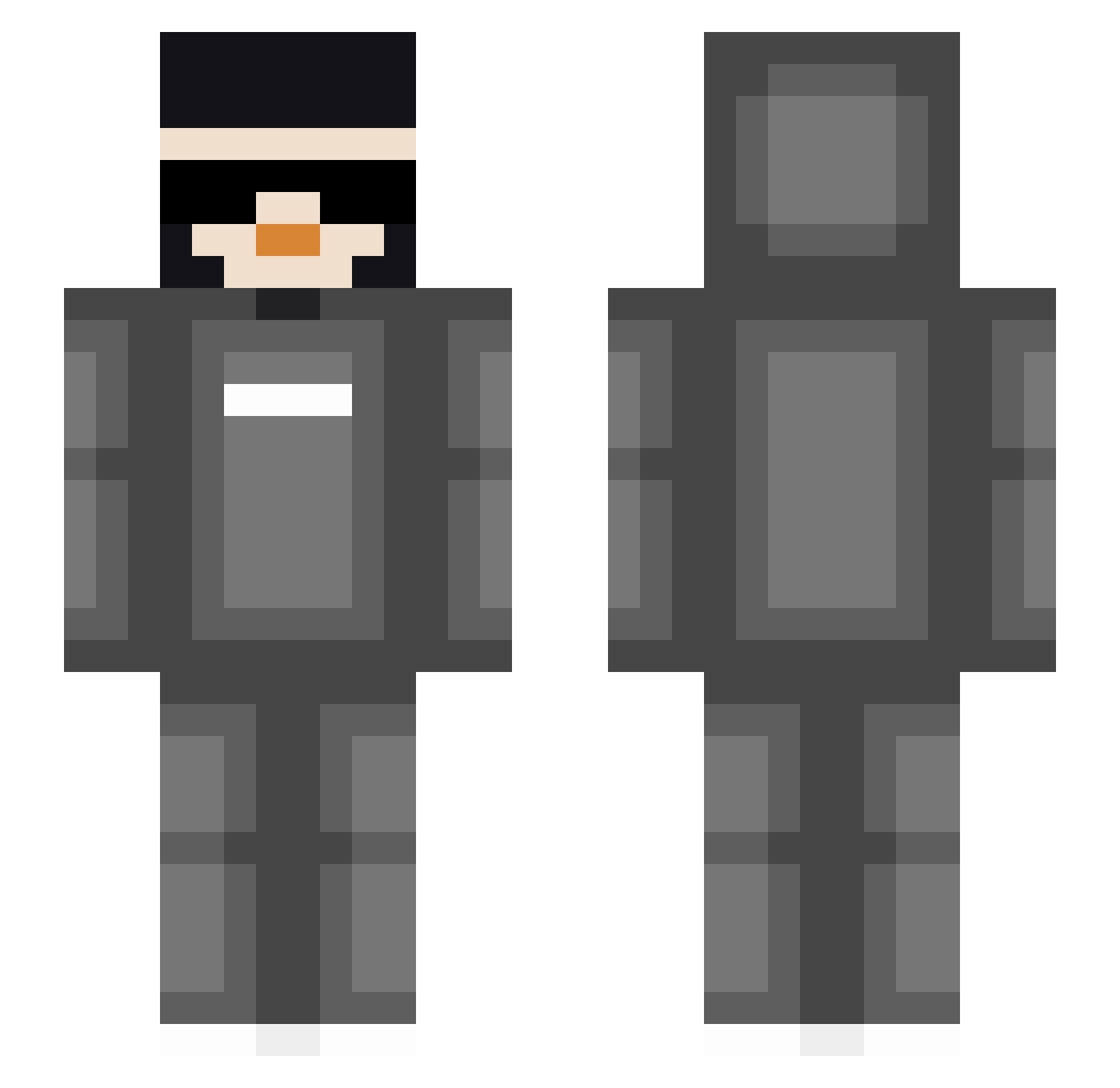
Current Minecraft skin of the player madboi1, loaded from the official Mojang API. Rotate the 3D model with your mouse or finger, then download the skin as a PNG file and use it in Minecraft: Bedrock Edition or Java Edition for free. When madboi1 changes their skin, this page updates automatically and the old skin stays in the history below.
Other players with this skin (49)
madboi1 was the 20th player we have seen with this skin, first spotted on 16.08.2026. The same skin was seen on these players. Open a nickname to see their current skin and skin history.
 CoyotePlayzMC S87E7 Faby01 dogman824 WilliamA3804154 lede_istap NumberedRelic52 infgamer33 poppyandluna taqiallah Bishop10 AyoAezo Beastboy2k13 AwesomeJoshy JAVAGUY6 NewHypixelPlayer simp237 Julian_980 soarchain Cdog843 NRG_BenjiFish ____RaT_____ fullsender07 Jimbo212 DarkDeamon5 NightKnight436 Coop09_ jinxzy12 __SB737
 Acuna1322 TherealAdamPlayz Dbeast26 FlashTheFastest TheQuazyyy AQUA_SAM007 SuperNinja9679 Steuerblock2268 Eumeo Doggy_donut B33TL3JU1C3 DuLort12 ESPCCain21_ wonky44 DreamTAW TrollinBoi ItzDaaPenguin SQAlex Kyan_Luang smbgc05
How to install the madboi1 skin
- Press the Download button above to save the skin as a PNG file.
- Minecraft: Bedrock Edition (PE): open the Dressing Room from the main menu (or tap your character → Edit Character), go to Classic Skins → Owned, press the + (new skin) button, choose the downloaded PNG and pick the Slim (Alex) model. Works on PC and mobile; consoles cannot import custom skins.
- Minecraft: Java Edition: open the Minecraft Launcher, go to the Skins tab, click New Skin, load the PNG, pick the Slim (Alex) model and press Save & Use. You can also upload it at minecraft.net → Profile → Change Skin.
The skin does not show up after import - what should I do?
Restart Minecraft and open the Dressing Room again - imported skins sometimes appear only after a restart. Also make sure you selected the imported skin and picked the Slim (Alex) model.
Which model should I choose, Classic or Slim?
This skin is designed for the Slim (Alex) model. If you pick the wrong model, the arms of the skin will look stretched or squeezed.
Is the skin of madboi1 free to download?
Yes. Press Download, save the PNG file and use it in Minecraft: Bedrock Edition or Java Edition - no payment or registration needed. The skin also works on multiplayer servers and Realms.
More skins
Looking for more? Go back to all Minecraft skins and check the top skins of the week, month and all time, or find any player's skin by nickname.