
lx_Egg - Minecraft Skins & Skin History
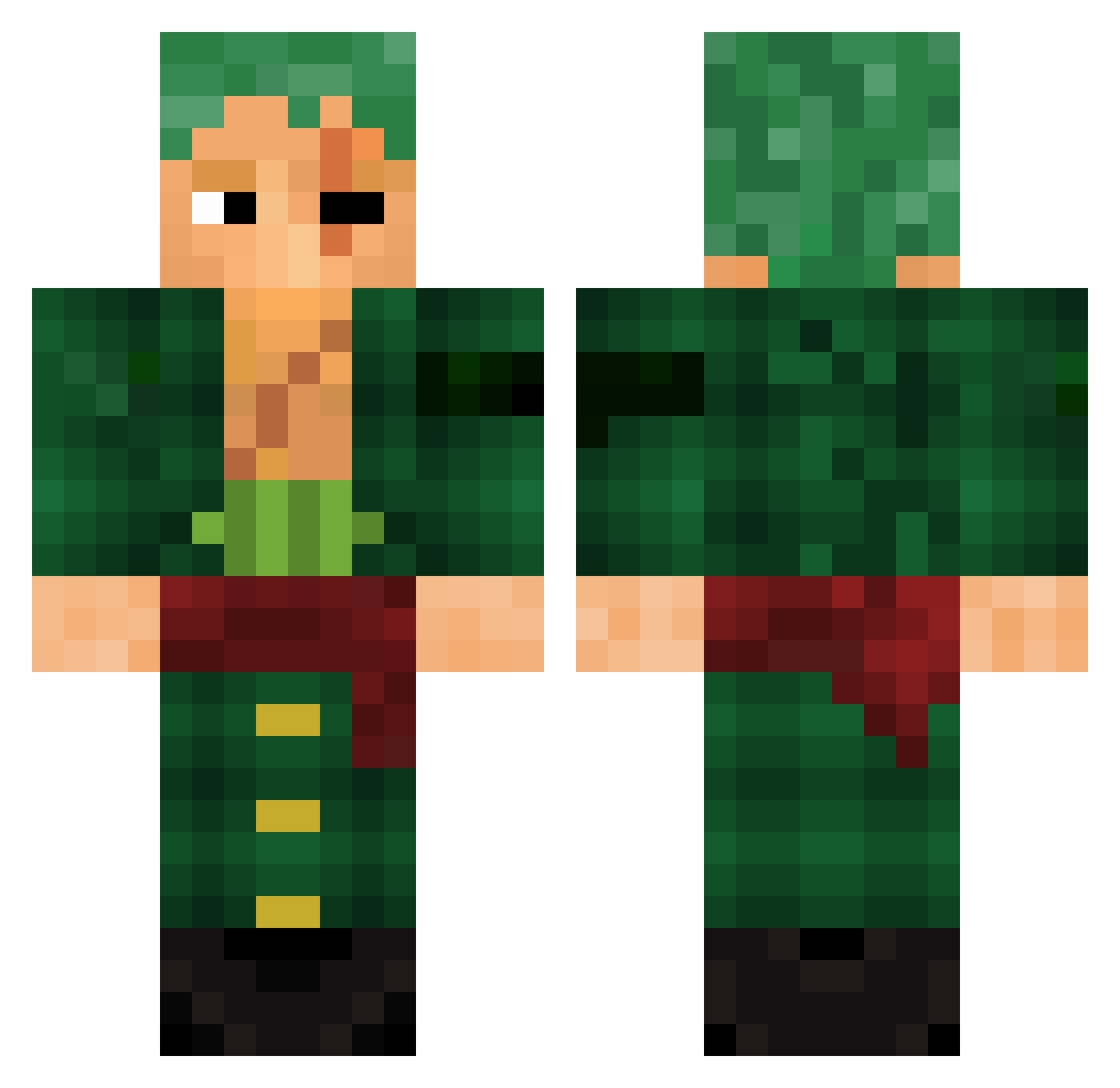
Current Minecraft skin of the player lx_Egg, loaded from the official Mojang API. Rotate the 3D model with your mouse or finger, then download the skin as a PNG file and use it in Minecraft: Bedrock Edition or Java Edition for free. When lx_Egg changes their skin, this page updates automatically and the old skin stays in the history below.
Other players with this skin (786)
lx_Egg was the 141st player we have seen with this skin, first spotted on 09.08.2026. The same skin was seen on these players. Open a nickname to see their current skin and skin history.
 JeanNeras Giruart Nuts26 bluesw1234 Frenkking ShiedaCain NpcLeon LtTomato719 _RGGB Jansiu Xoro1810 doemeater inxlure Shina_83 faris546 Flaakito MisterLays13 Jkipman Vazzer101 LiL_PotHead LordImagin nastudillo Lololblazing Harderian Arekkusu22 Bandonote Hadren LoupGivre elfeli1234 Mancomann XDnugget5 theprod45 Coentraoj Nickderechte rinbuzu24 Jakoma02 Darbazkoray FRAN_0523 Bibou013 HASHIBRA pabloc55 lp1990 Mukagen_ Skywalker153 fahi99 TTVTheVendetta97 WangoMANGO Jekik_ StarryMoonLight evanlol20 Galexir Lionear1508 Zetoh LoveWalkerr Ronan9397 Patty04 Ginger_cookie2 BigJuicy17 MatheusAvenger NutColt
More Roronoa Zoro Minecraft skins
See all 291 Roronoa Zoro skins
How to install the lx_Egg skin
- Press the Download button above to save the skin as a PNG file.
- Minecraft: Bedrock Edition (PE): open the Dressing Room from the main menu (or tap your character → Edit Character), go to Classic Skins → Owned, press the + (new skin) button, choose the downloaded PNG and pick the Classic (Steve) model. Works on PC and mobile; consoles cannot import custom skins.
- Minecraft: Java Edition: open the Minecraft Launcher, go to the Skins tab, click New Skin, load the PNG, pick the Classic (Steve) model and press Save & Use. You can also upload it at minecraft.net → Profile → Change Skin.
The skin does not show up after import - what should I do?
Restart Minecraft and open the Dressing Room again - imported skins sometimes appear only after a restart. Also make sure you selected the imported skin and picked the Classic (Steve) model.
Which model should I choose, Classic or Slim?
This skin is designed for the Classic (Steve) model. If you pick the wrong model, the arms of the skin will look stretched or squeezed.
Is the skin of lx_Egg free to download?
Yes. Press Download, save the PNG file and use it in Minecraft: Bedrock Edition or Java Edition - no payment or registration needed. The skin also works on multiplayer servers and Realms.
More skins
Looking for more? Go back to all Minecraft skins and check the top skins of the week, month and all time, or find any player's skin by nickname.