
lustyyyyy - Minecraft Skins & Skin History
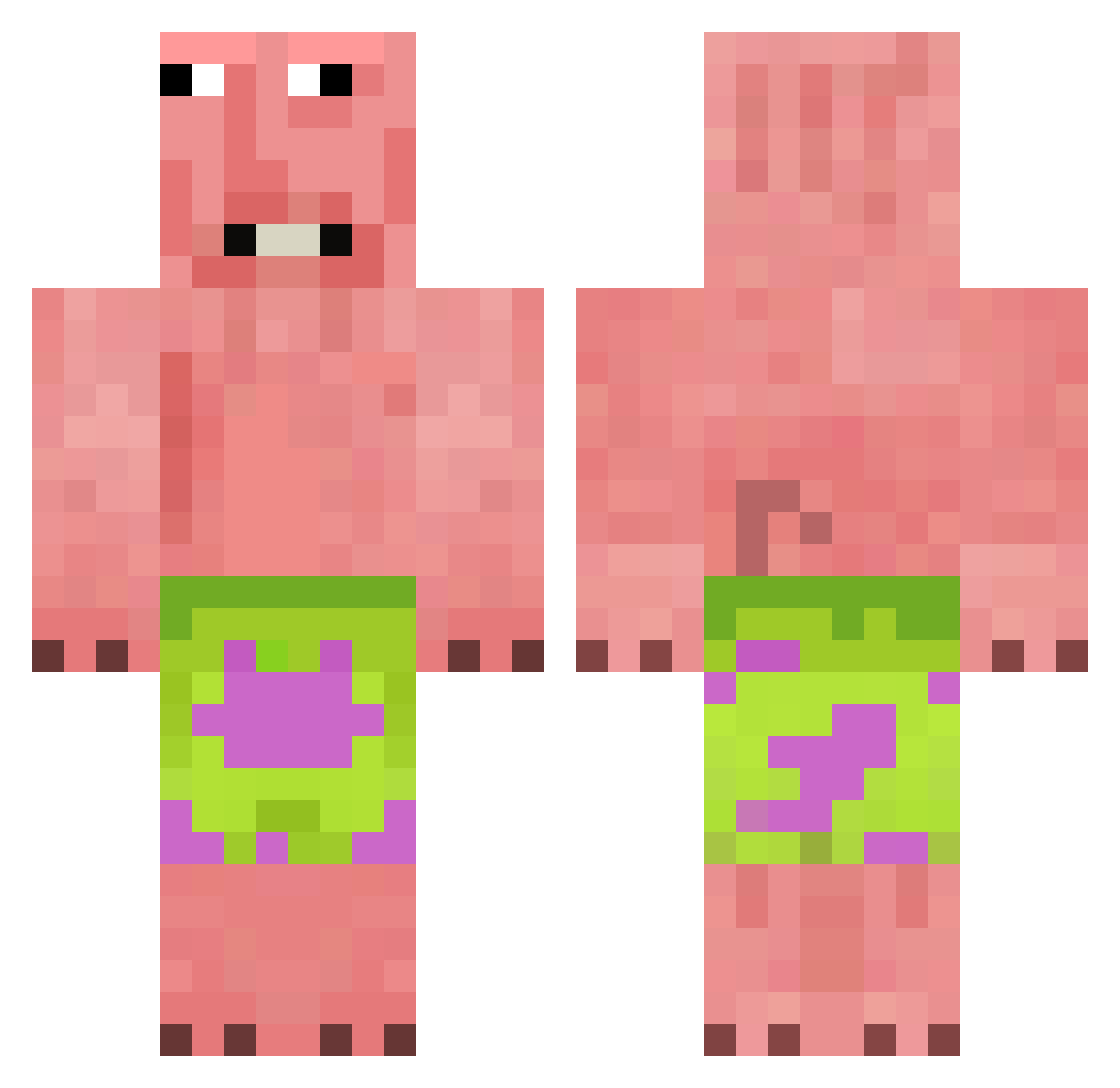
Current Minecraft skin of the player lustyyyyy, loaded from the official Mojang API. Rotate the 3D model with your mouse or finger, then download the skin as a PNG file and use it in Minecraft: Bedrock Edition or Java Edition for free. When lustyyyyy changes their skin, this page updates automatically and the old skin stays in the history below.
Other players with this skin (376)
lustyyyyy was the 312th player we have seen with this skin, first spotted on 18.10.2026. The same skin was seen on these players. Open a nickname to see their current skin and skin history.
 CHECHO1027 SirMichael69 Maziiii_ deadunicorns Maibo0 Norsk_Afrikaner Kxgyu CrumbFace ItzRealDavid_ WAVE1111 Retopz spunkletonius XYPPTZ WTHIDK Johexo PollitosAlt21 notmut OtRues Ideal_Fox Petmochi themonkeygod1234 ATSID ManePearu Eggman_201206 fraudulantt Shiivee MilkAlxoholic LittleJohnBlox Femboyyyyyyyyyy GENKINSIT WalachmetHamdula aidenaiden12 exation0 b44ntley sakroitel Fellflynn cobragab zy0925 wazknuckle 1zizondark1 GSD12321 kongnamul2 Tetttes Oliboi808 swapsims YoJo1324 Japyii Karl_minecraft Papa_Ghanoush jimmycooks123 Magnetic234 El_Moai BaryuzX MasterOtis727 imarse_cheeksbtw DziadekDoOrzech TenthPuma9234 Vortex_thebest TheSuperNoose Cross_Re4p3r
More Patrick Star Minecraft skins
See all 611 Patrick Star skins
How to install the lustyyyyy skin
- Press the Download button above to save the skin as a PNG file.
- Minecraft: Bedrock Edition (PE): open the Dressing Room from the main menu (or tap your character → Edit Character), go to Classic Skins → Owned, press the + (new skin) button, choose the downloaded PNG and pick the Classic (Steve) model. Works on PC and mobile; consoles cannot import custom skins.
- Minecraft: Java Edition: open the Minecraft Launcher, go to the Skins tab, click New Skin, load the PNG, pick the Classic (Steve) model and press Save & Use. You can also upload it at minecraft.net → Profile → Change Skin.
The skin does not show up after import - what should I do?
Restart Minecraft and open the Dressing Room again - imported skins sometimes appear only after a restart. Also make sure you selected the imported skin and picked the Classic (Steve) model.
Which model should I choose, Classic or Slim?
This skin is designed for the Classic (Steve) model. If you pick the wrong model, the arms of the skin will look stretched or squeezed.
Is the skin of lustyyyyy free to download?
Yes. Press Download, save the PNG file and use it in Minecraft: Bedrock Edition or Java Edition - no payment or registration needed. The skin also works on multiplayer servers and Realms.
More skins
Looking for more? Go back to all Minecraft skins and check the top skins of the week, month and all time, or find any player's skin by nickname.