
lucy_graci - Minecraft Skins & Skin History
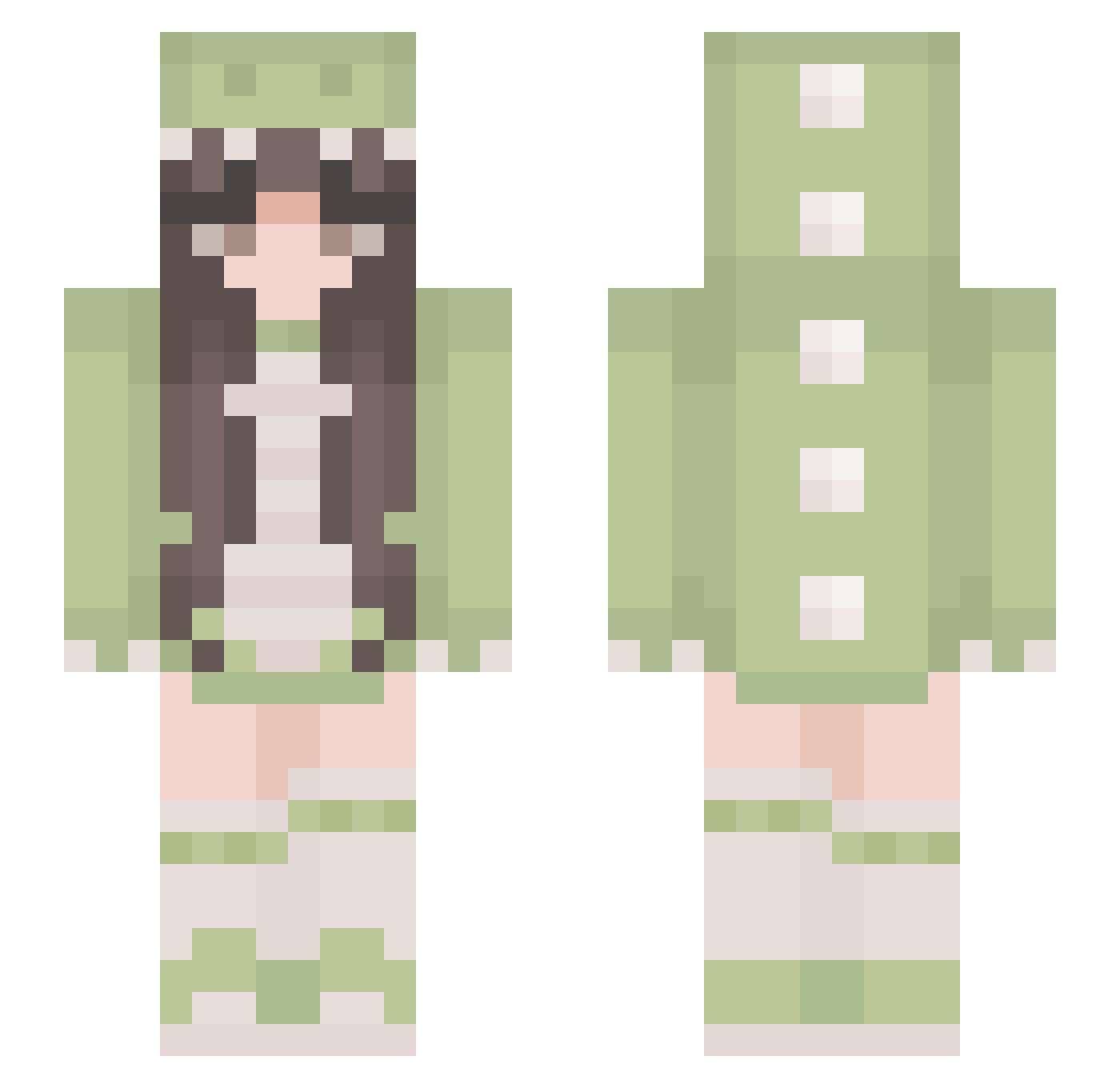
Current Minecraft skin of the player lucy_graci, loaded from the official Mojang API. Rotate the 3D model with your mouse or finger, then download the skin as a PNG file and use it in Minecraft: Bedrock Edition or Java Edition for free. When lucy_graci changes their skin, this page updates automatically and the old skin stays in the history below.
Other players with this skin (384)
lucy_graci was the 169th player we have seen with this skin, first spotted on 11.09.2026. The same skin was seen on these players. Open a nickname to see their current skin and skin history.
 katiefence chusnian glabkaaa Uzuran_n pp_night YourMothersFav69 sacx5432 Saphirana Woody_za_007 Kyless298 yaynessa UwUEnzoii xX_Tyra_Xx Kaddixx SanJiu01 dazess DezertSam _Lunou ElMuchoLydi Kantalope iHHi180 Bertalan_ Lilium08 Choill10 Tidfy Anna_x21 LivCapell zZLinZz MrsAlexia marizago javiuu vicki4you simgex CHI_PA Annxeii Backupsheep arkiari OblongFridge lailalou4428 chlxm Bezyas insomniaa27 Camille50167 cotoca sy0558 Oscar0613 Slippenic Naha155 Strzws BojlerDomka1 Frogy66 pinggg0724 Luna200215 zpy_114514 Lumiaea PinkAxe Cecelinn hstaa Essekaye justinetincelle
More Pastel Minecraft skins
How to install the lucy_graci skin
- Press the Download button above to save the skin as a PNG file.
- Minecraft: Bedrock Edition (PE): open the Dressing Room from the main menu (or tap your character → Edit Character), go to Classic Skins → Owned, press the + (new skin) button, choose the downloaded PNG and pick the Slim (Alex) model. Works on PC and mobile; consoles cannot import custom skins.
- Minecraft: Java Edition: open the Minecraft Launcher, go to the Skins tab, click New Skin, load the PNG, pick the Slim (Alex) model and press Save & Use. You can also upload it at minecraft.net → Profile → Change Skin.
The skin does not show up after import - what should I do?
Restart Minecraft and open the Dressing Room again - imported skins sometimes appear only after a restart. Also make sure you selected the imported skin and picked the Slim (Alex) model.
Which model should I choose, Classic or Slim?
This skin is designed for the Slim (Alex) model. If you pick the wrong model, the arms of the skin will look stretched or squeezed.
Is the skin of lucy_graci free to download?
Yes. Press Download, save the PNG file and use it in Minecraft: Bedrock Edition or Java Edition - no payment or registration needed. The skin also works on multiplayer servers and Realms.
More skins
Looking for more? Go back to all Minecraft skins and check the top skins of the week, month and all time, or find any player's skin by nickname.