
luckystar - Minecraft Skins & Skin History
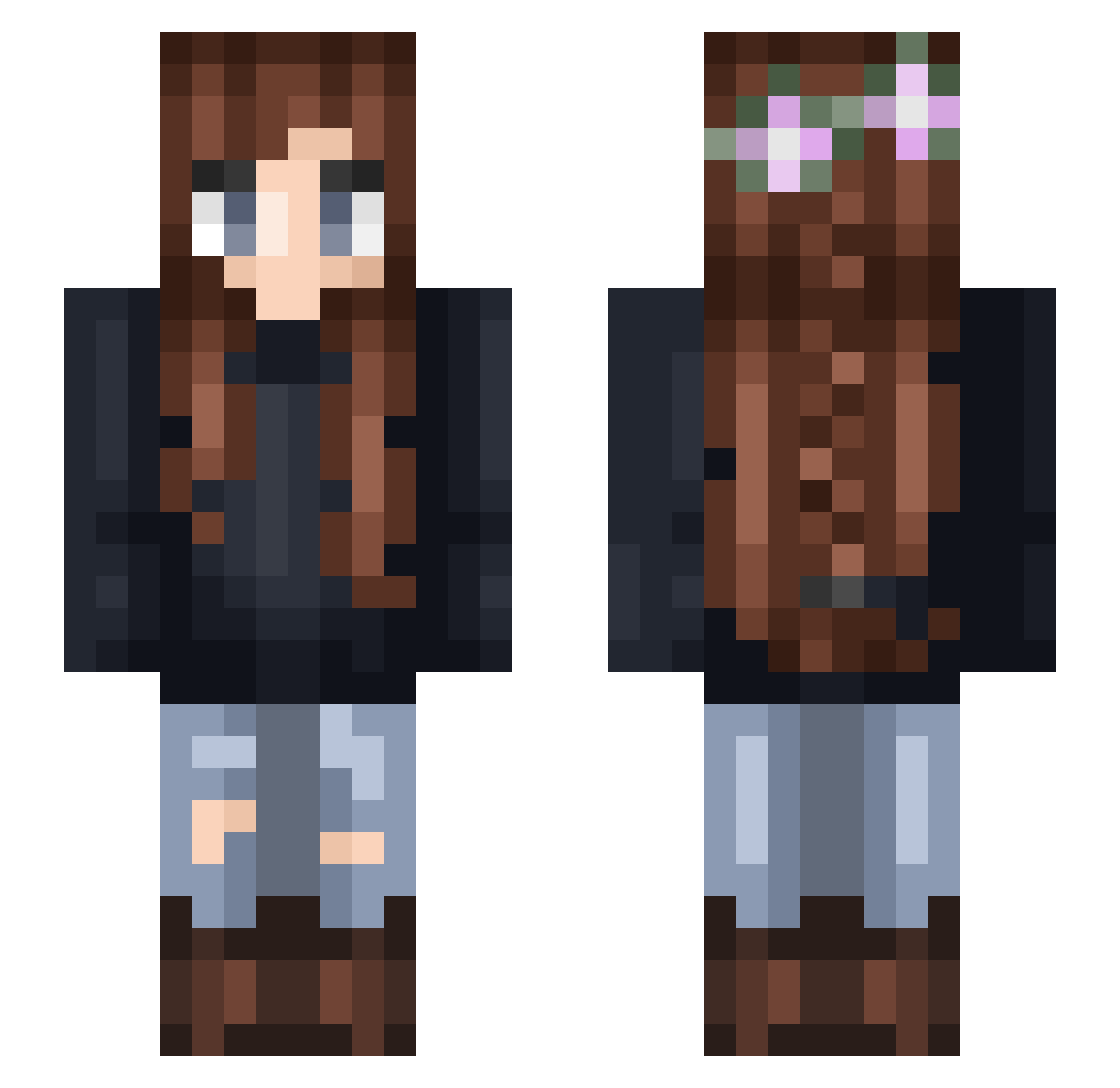
Current Minecraft skin of the player luckystar, loaded from the official Mojang API. Rotate the 3D model with your mouse or finger, then download the skin as a PNG file and use it in Minecraft: Bedrock Edition or Java Edition for free. When luckystar changes their skin, this page updates automatically and the old skin stays in the history below.
Other players with this skin (331)
luckystar was the 102nd player we have seen with this skin, first spotted on 28.08.2026. The same skin was seen on these players. Open a nickname to see their current skin and skin history.
 Pastellu catvund Shadowxoxo Queen_Court Mastacrafta19 VeggieZombrie Annna2004 Athylacinus TabTab24 PengAve833_ womans_not_Hot HeyAshleyK Bailee_Cakes77 LizaPLL Op_magicgirl_34 Linnerten Pie33 Hardware brittneyrae GreenBeann Vvitching Jaxs16 mirrakth Splish2 heatherisnotacat maaakiii Bia_MineGirls h1ghb1tch lotsofdogs destrot Mrs_Hull AlmaMinecraft mdawzey C_brastreifen Zebrarctic MadJefferson pursuit_ MC_Hero Momo_182 non1616 DkDemona isabellatje genevieveee Fourliss xAnonymoose envoyofhell lukapickle raychel Why_s0_seri0us Squid_Dragon HayleyBethxo _NightWillow EmberV TeashJaye_ Laura_6901 RedMount98 margster1 OiuyDK istrar p0nYfEE
More Braid Minecraft skins
How to install the luckystar skin
- Press the Download button above to save the skin as a PNG file.
- Minecraft: Bedrock Edition (PE): open the Dressing Room from the main menu (or tap your character → Edit Character), go to Classic Skins → Owned, press the + (new skin) button, choose the downloaded PNG and pick the Slim (Alex) model. Works on PC and mobile; consoles cannot import custom skins.
- Minecraft: Java Edition: open the Minecraft Launcher, go to the Skins tab, click New Skin, load the PNG, pick the Slim (Alex) model and press Save & Use. You can also upload it at minecraft.net → Profile → Change Skin.
The skin does not show up after import - what should I do?
Restart Minecraft and open the Dressing Room again - imported skins sometimes appear only after a restart. Also make sure you selected the imported skin and picked the Slim (Alex) model.
Which model should I choose, Classic or Slim?
This skin is designed for the Slim (Alex) model. If you pick the wrong model, the arms of the skin will look stretched or squeezed.
Is the skin of luckystar free to download?
Yes. Press Download, save the PNG file and use it in Minecraft: Bedrock Edition or Java Edition - no payment or registration needed. The skin also works on multiplayer servers and Realms.
More skins
Looking for more? Go back to all Minecraft skins and check the top skins of the week, month and all time, or find any player's skin by nickname.