
luc5421 - Minecraft Skins & Skin History
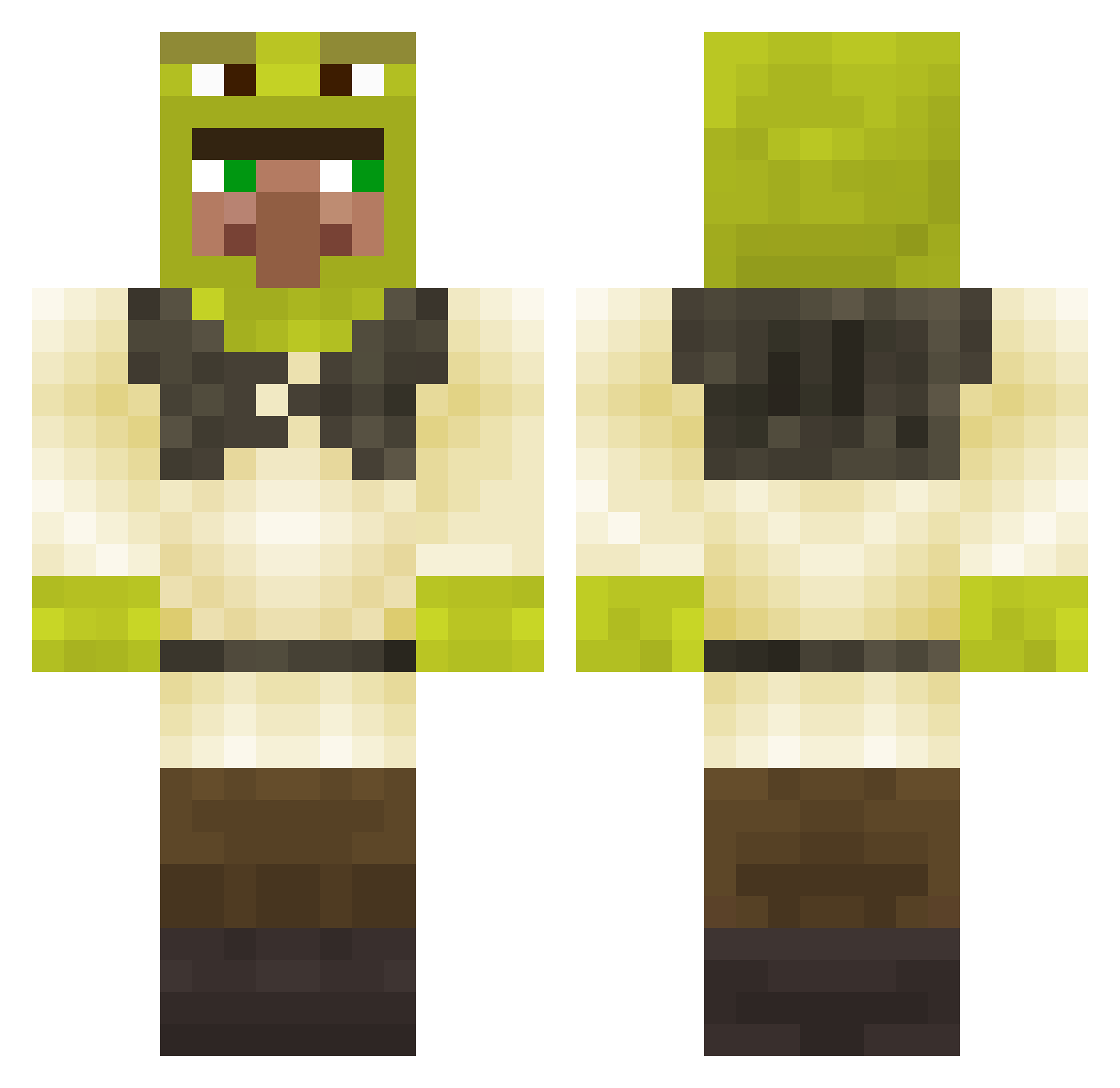
Current Minecraft skin of the player luc5421, loaded from the official Mojang API. Rotate the 3D model with your mouse or finger, then download the skin as a PNG file and use it in Minecraft: Bedrock Edition or Java Edition for free. When luc5421 changes their skin, this page updates automatically and the old skin stays in the history below.
Other players with this skin (280)
luc5421 was the 219th player we have seen with this skin, first spotted on 13.10.2026. The same skin was seen on these players. Open a nickname to see their current skin and skin history.
 bfgmetalhead sktipt Ekaifer Logan917 ILikeHotDads ZuKurzzz TobiHas2Dads Lora2031 clem_val66 ChanoElBolichoso crisnoca PapaJermey Wandkleedje BingBongPing Panzfryings SqdNoPacuk_ ClashTendo NotRapid Nockla95 OlavMH Rogish 5kbezas Lux5005 ErPelusa ikqr Pot__Sticker CoolLox2015 Hous25 hehehe_moon GiganticThrobber Perctrick banker1212 laknin PedroValle cerealcheese Small_Jorik Bortzz195 erickfapa pro_CHURKAUSER07 KiwiSn0w charlo21 EdwardL0717 YadaTheFifth AustinSpiderman TheTaiterWS Portaali11 mattx29x _IamNobody_ banociarz ArilisDev5 Maraquiche Scaroo777 fransaie8 fuad14 Janakin73 Murielito bigdog_nick maxi_luh Meepdeep MarinaTelles
More Shrek Minecraft skins
How to install the luc5421 skin
- Press the Download button above to save the skin as a PNG file.
- Minecraft: Bedrock Edition (PE): open the Dressing Room from the main menu (or tap your character → Edit Character), go to Classic Skins → Owned, press the + (new skin) button, choose the downloaded PNG and pick the Classic (Steve) model. Works on PC and mobile; consoles cannot import custom skins.
- Minecraft: Java Edition: open the Minecraft Launcher, go to the Skins tab, click New Skin, load the PNG, pick the Classic (Steve) model and press Save & Use. You can also upload it at minecraft.net → Profile → Change Skin.
The skin does not show up after import - what should I do?
Restart Minecraft and open the Dressing Room again - imported skins sometimes appear only after a restart. Also make sure you selected the imported skin and picked the Classic (Steve) model.
Which model should I choose, Classic or Slim?
This skin is designed for the Classic (Steve) model. If you pick the wrong model, the arms of the skin will look stretched or squeezed.
Is the skin of luc5421 free to download?
Yes. Press Download, save the PNG file and use it in Minecraft: Bedrock Edition or Java Edition - no payment or registration needed. The skin also works on multiplayer servers and Realms.
More skins
Looking for more? Go back to all Minecraft skins and check the top skins of the week, month and all time, or find any player's skin by nickname.