
ltpssmc22 - Minecraft Skins & Skin History
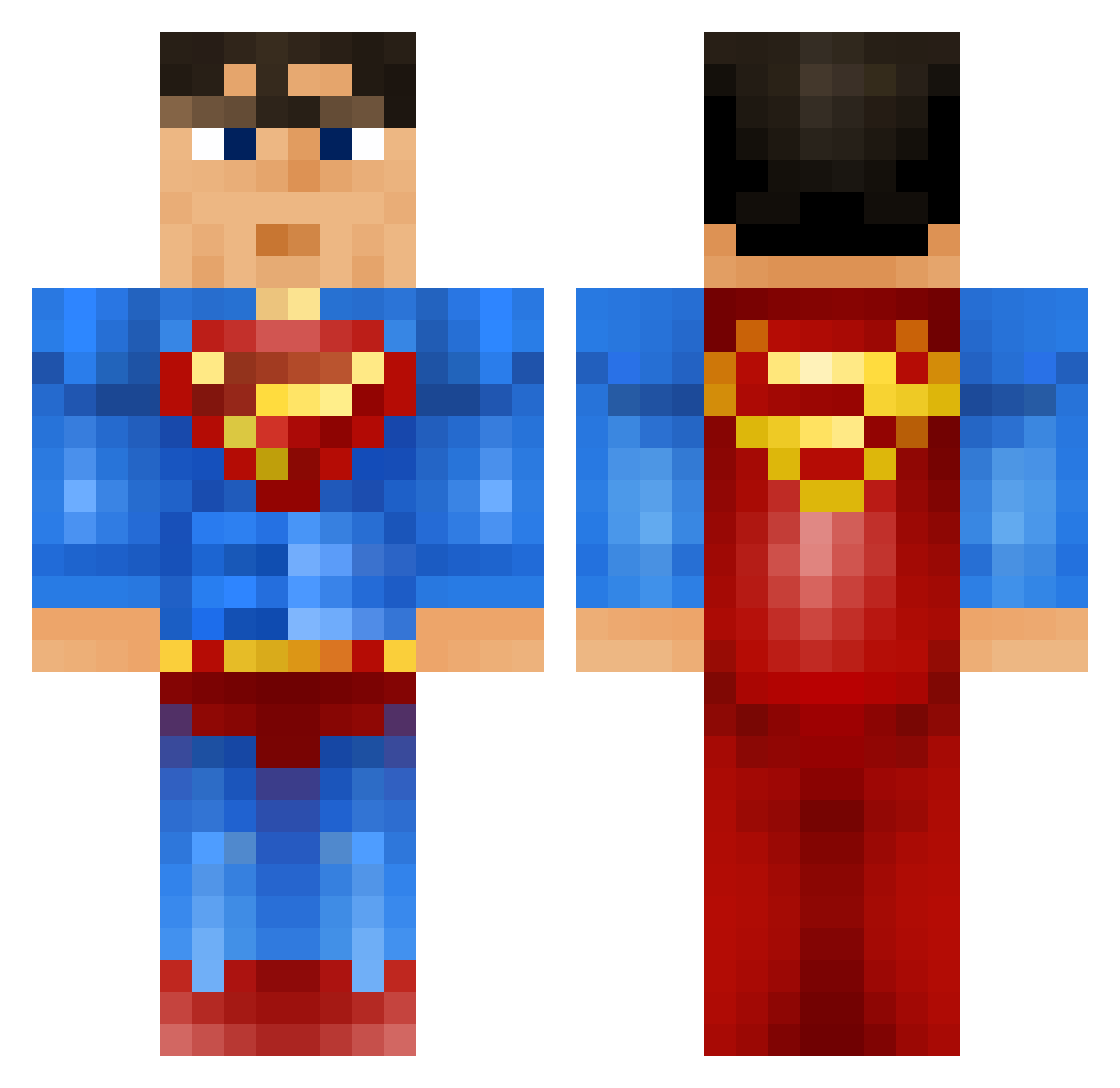
Current Minecraft skin of the player ltpssmc22, loaded from the official Mojang API. Rotate the 3D model with your mouse or finger, then download the skin as a PNG file and use it in Minecraft: Bedrock Edition or Java Edition for free. When ltpssmc22 changes their skin, this page updates automatically and the old skin stays in the history below.
Other players with this skin (915)
ltpssmc22 was the 201st player we have seen with this skin, first spotted on 19.08.2026. The same skin was seen on these players. Open a nickname to see their current skin and skin history.
 Luke__lad SoggyWeetBix06 dondon2012 JessyJames __appa_ jackdee11 CLARKK3NT MATJE04 GurraNeander77 The_Buginator FranzSchuh TKRosenkrantz alifan Solmagan boi_of_steel BloxDemon samar08 Curious_Sam KrazyxPickle Smouzi123 LulleK04 roundpig nicknolson 1Skootz houcine0161 Yorkie215 clark2799 ItsKylee jameseexd RazATaz55 jesselol123 austen1323 proman22005 IceRock947 Mehriona nicolassimon 43529 PenisSlam Hoechlbeard ghostryda Dylaannnnn DrEconomics nicusipro poopface3434 superman001 Daskenz ZiggsDestroyer DaRkMoNsTeR75 Maverick3091 thisiscathal jonlopez1218 CHOWMEN69 JaronTheBaron ZzCautiousS NickHD Coolj90 SourPatchGuy ITZMELVIN WilliamBoY2112 Mysterion92
More Superman Minecraft skins
How to install the ltpssmc22 skin
- Press the Download button above to save the skin as a PNG file.
- Minecraft: Bedrock Edition (PE): open the Dressing Room from the main menu (or tap your character → Edit Character), go to Classic Skins → Owned, press the + (new skin) button, choose the downloaded PNG and pick the Classic (Steve) model. Works on PC and mobile; consoles cannot import custom skins.
- Minecraft: Java Edition: open the Minecraft Launcher, go to the Skins tab, click New Skin, load the PNG, pick the Classic (Steve) model and press Save & Use. You can also upload it at minecraft.net → Profile → Change Skin.
The skin does not show up after import - what should I do?
Restart Minecraft and open the Dressing Room again - imported skins sometimes appear only after a restart. Also make sure you selected the imported skin and picked the Classic (Steve) model.
Which model should I choose, Classic or Slim?
This skin is designed for the Classic (Steve) model. If you pick the wrong model, the arms of the skin will look stretched or squeezed.
Is the skin of ltpssmc22 free to download?
Yes. Press Download, save the PNG file and use it in Minecraft: Bedrock Edition or Java Edition - no payment or registration needed. The skin also works on multiplayer servers and Realms.
More skins
Looking for more? Go back to all Minecraft skins and check the top skins of the week, month and all time, or find any player's skin by nickname.