
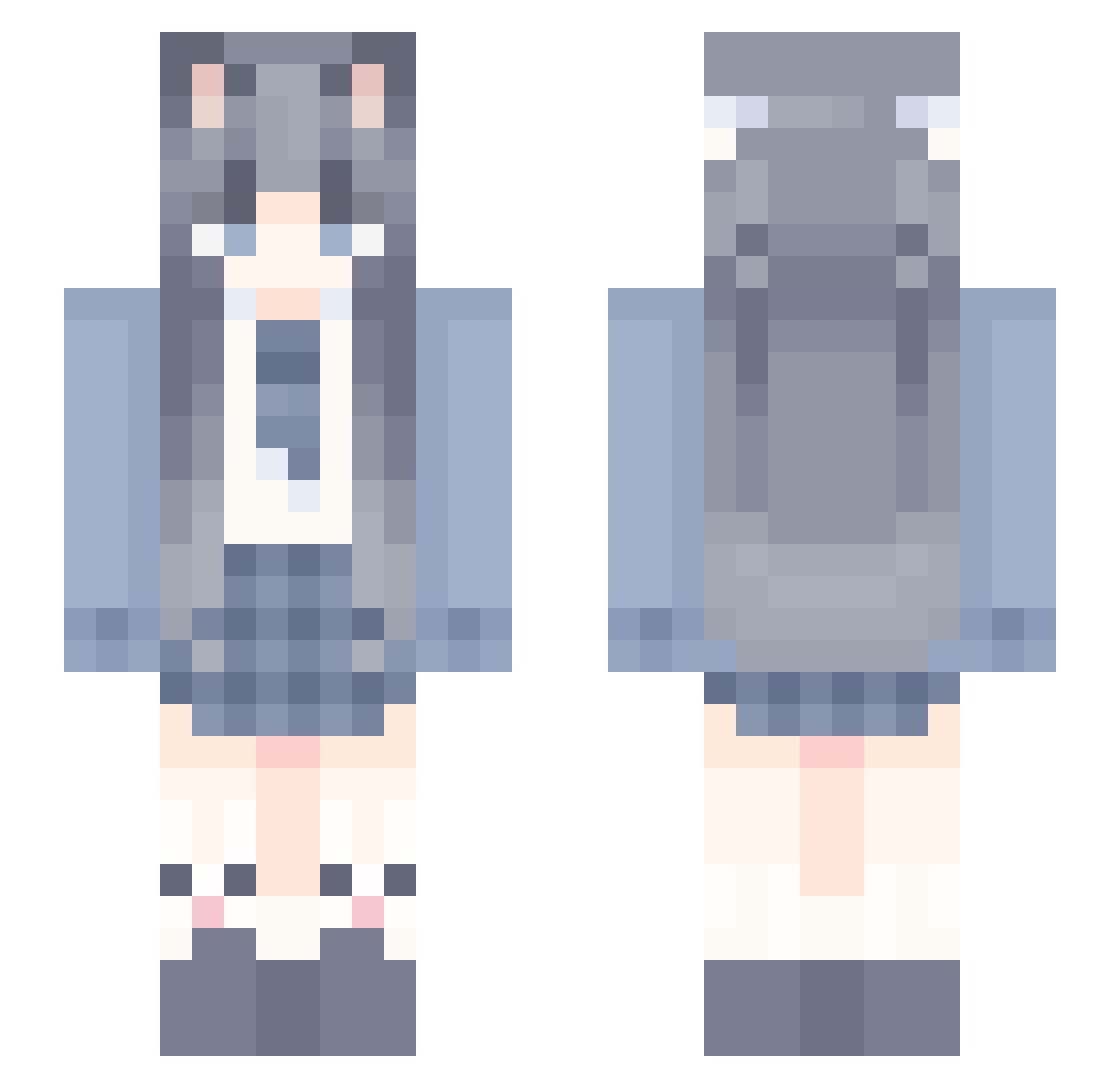
Current Minecraft skin of the player loveitpossible, loaded from the official Mojang API. Rotate the 3D model with your mouse or finger, then download the skin as a PNG file and use it in Minecraft: Bedrock Edition or Java Edition for free. When loveitpossible changes their skin, this page updates automatically and the old skin stays in the history below.
Other players with this skin (856)
loveitpossible was the 755th player we have seen with this skin, first spotted on 04.10.2026. The same skin was seen on these players. Open a nickname to see their current skin and skin history.
 Over_Cherry Amei_Miao xiaozhan21 QingYang7 A_ligHt ZhangWanwan TornTrack ddd12312 TYean DeadlyGnuss Coco_qwq KnaTA_ Mu_Ningx speakinfactz Echo_starlight23 EGcheers Xena207 CloudYanO_o HQ_JH Ferricen DreAm_F0x _Xiao_lan cakf Xiaohui783 Pluck__ Fortun8 Chrisdrx MJRHJ InsomniaPud jsyh17 eww771 abeizhi RegentWalk43554 MustySet86177841 dreamdth _Cybernetic_ Piacevole1 s3nshine OP778 MOMO4218 banana_12_ananab yingjieaichi Sily_Jay Yanghaoxiang Luoyu_520 Smile_Evil thegoodyouth1 rychlysip liyan6 Doctor77777 GrimeFox MianTuan_ kkdom EtherealSatan zinlin1 MaxSquire CAICAIJI 432423423 ChasingNova DiamondK0312
More School Uniform Minecraft skins
See all 5438 School Uniform skins
How to install the loveitpossible skin
- Press the Download button above to save the skin as a PNG file.
- Minecraft: Bedrock Edition (PE): open the Dressing Room from the main menu (or tap your character → Edit Character), go to Classic Skins → Owned, press the + (new skin) button, choose the downloaded PNG and pick the Slim (Alex) model. Works on PC and mobile; consoles cannot import custom skins.
- Minecraft: Java Edition: open the Minecraft Launcher, go to the Skins tab, click New Skin, load the PNG, pick the Slim (Alex) model and press Save & Use. You can also upload it at minecraft.net → Profile → Change Skin.
The skin does not show up after import - what should I do?
Restart Minecraft and open the Dressing Room again - imported skins sometimes appear only after a restart. Also make sure you selected the imported skin and picked the Slim (Alex) model.
Which model should I choose, Classic or Slim?
This skin is designed for the Slim (Alex) model. If you pick the wrong model, the arms of the skin will look stretched or squeezed.
Is the skin of loveitpossible free to download?
Yes. Press Download, save the PNG file and use it in Minecraft: Bedrock Edition or Java Edition - no payment or registration needed. The skin also works on multiplayer servers and Realms.
More skins
Looking for more? Go back to all Minecraft skins and check the top skins of the week, month and all time, or find any player's skin by nickname.