
loren0310 - Minecraft Skins & Skin History
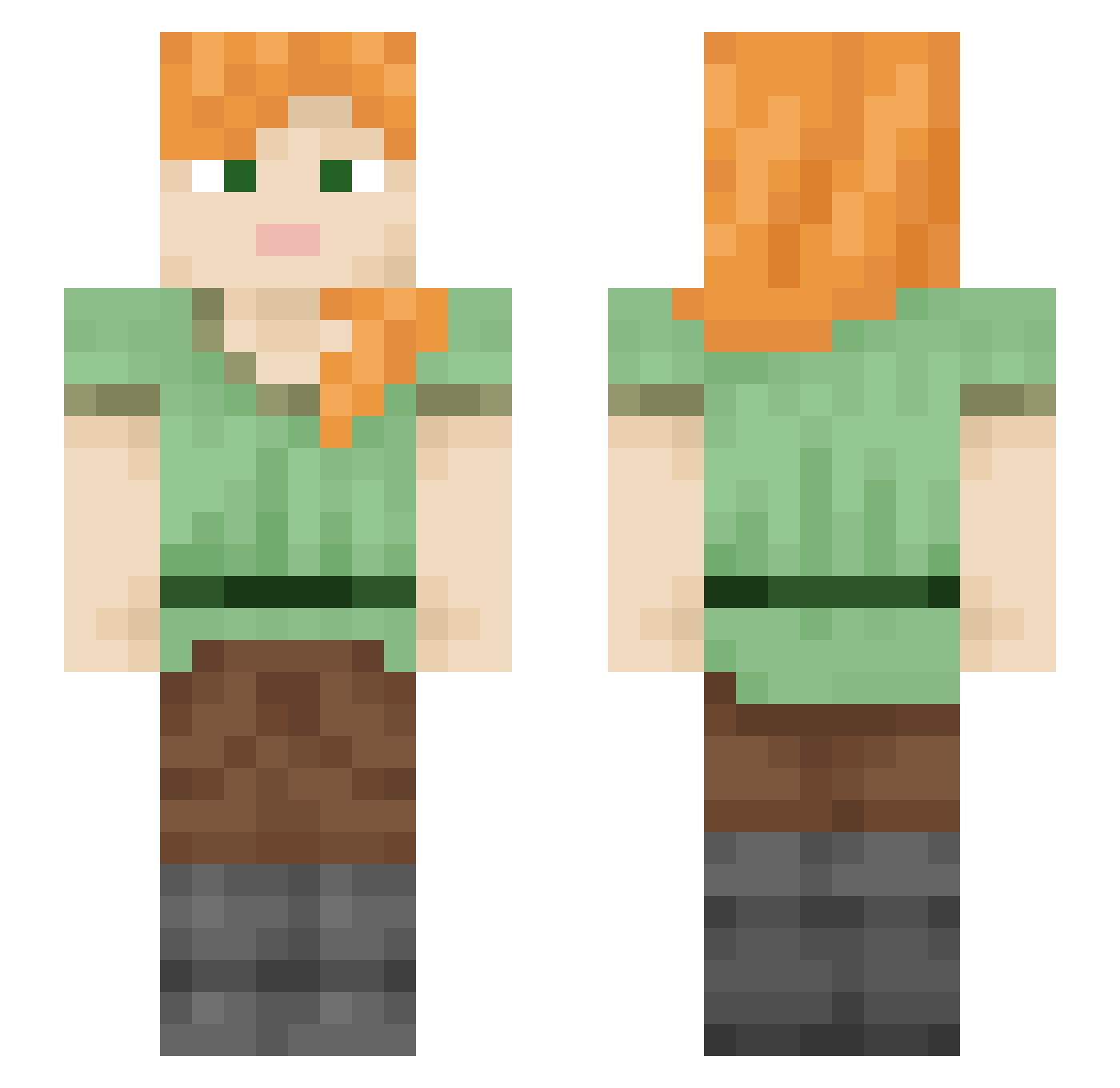
Current Minecraft skin of the player loren0310, loaded from the official Mojang API. Rotate the 3D model with your mouse or finger, then download the skin as a PNG file and use it in Minecraft: Bedrock Edition or Java Edition for free. When loren0310 changes their skin, this page updates automatically and the old skin stays in the history below.
Other players with this skin (2109)
loren0310 was the 1363rd player we have seen with this skin, first spotted on 03.10.2026. The same skin was seen on these players. Open a nickname to see their current skin and skin history.
 wetlands tmdekdus lrlmoura Ipwnrice seoyoung126 Impeached salma15 abomasal CAPTAINPORK_ GOVL_ Hodini97 Stitchwort Sufferings wooyoungmee mafgo SoKen Lustrant owo_K Brassia ULISESRUV Roqq1 Onetap Shlobbby Haematuria Sam EprEltmdals tepaso Escorial aikokkjkj Aonian Crene zomzuu Sxberlol SombaIsBased DragonReeper Xtrzxcnski Niwry ji_min_09 ItsF9 shelled bruiner Gir1sRule nicetomeetyo1 Imperite abugatt ysst Gapacho_ saidking ROCKBOYJH TimothyLeary_RX signmassANDREW beuhnoix TUKUTUKU Suffering nooser Last_dance Xavi3R0723 Putters DISHWASHERS Azeribaba09
How to install the loren0310 skin
- Press the Download button above to save the skin as a PNG file.
- Minecraft: Bedrock Edition (PE): open the Dressing Room from the main menu (or tap your character → Edit Character), go to Classic Skins → Owned, press the + (new skin) button, choose the downloaded PNG and pick the Slim (Alex) model. Works on PC and mobile; consoles cannot import custom skins.
- Minecraft: Java Edition: open the Minecraft Launcher, go to the Skins tab, click New Skin, load the PNG, pick the Slim (Alex) model and press Save & Use. You can also upload it at minecraft.net → Profile → Change Skin.
The skin does not show up after import - what should I do?
Restart Minecraft and open the Dressing Room again - imported skins sometimes appear only after a restart. Also make sure you selected the imported skin and picked the Slim (Alex) model.
Which model should I choose, Classic or Slim?
This skin is designed for the Slim (Alex) model. If you pick the wrong model, the arms of the skin will look stretched or squeezed.
Is the skin of loren0310 free to download?
Yes. Press Download, save the PNG file and use it in Minecraft: Bedrock Edition or Java Edition - no payment or registration needed. The skin also works on multiplayer servers and Realms.
More skins
Looking for more? Go back to all Minecraft skins and check the top skins of the week, month and all time, or find any player's skin by nickname.