
lordcausi - Minecraft Skins & Skin History
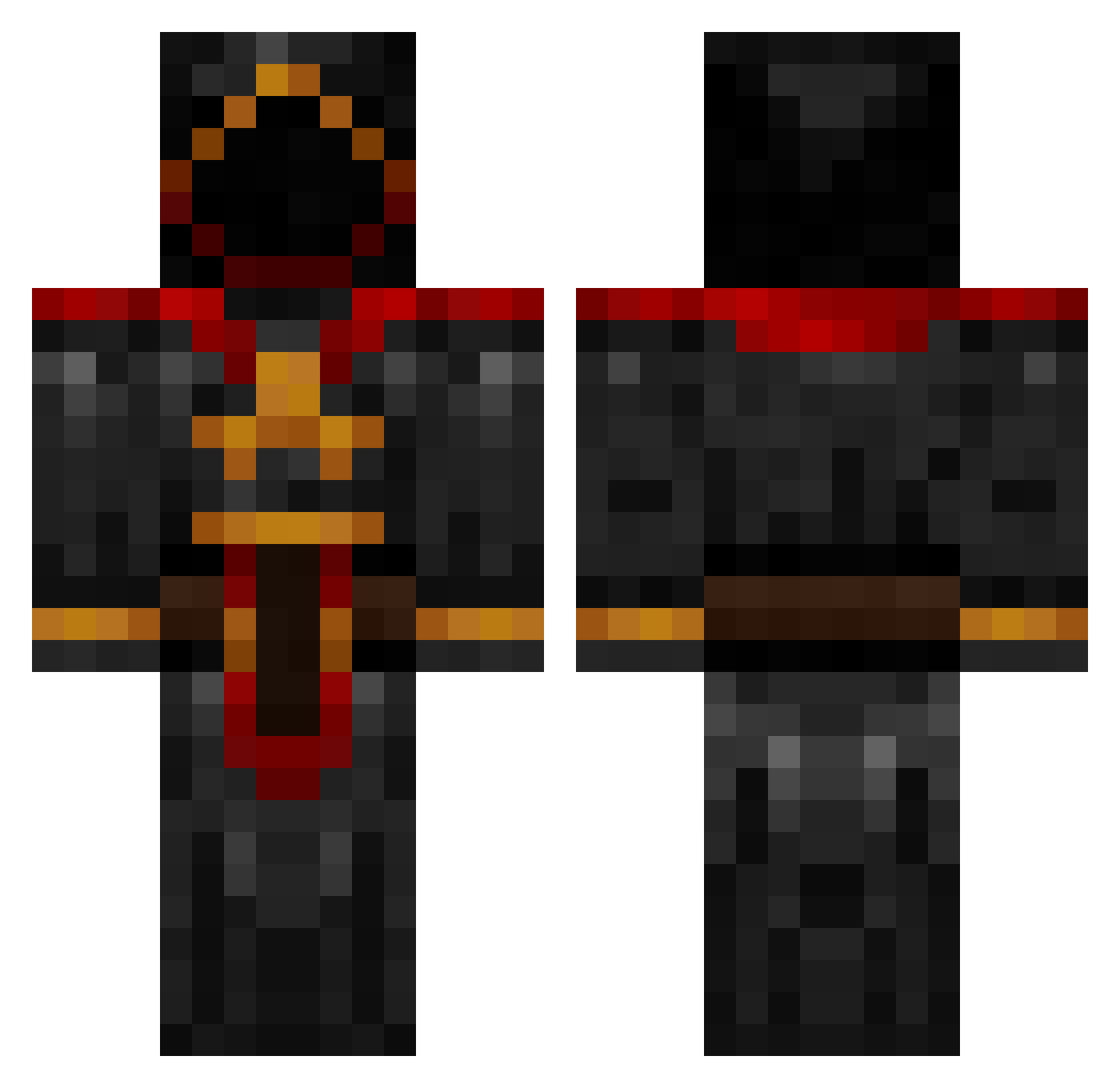
Current Minecraft skin of the player lordcausi, loaded from the official Mojang API. Rotate the 3D model with your mouse or finger, then download the skin as a PNG file and use it in Minecraft: Bedrock Edition or Java Edition for free. When lordcausi changes their skin, this page updates automatically and the old skin stays in the history below.
Other players with this skin (885)
lordcausi was the 249th player we have seen with this skin, first spotted on 23.08.2026. The same skin was seen on these players. Open a nickname to see their current skin and skin history.
 GTezeRT Xerakire DarkSovereign ThornIYS MineBlocks1998 snaktherippa donchinds VNCNT48 ThatRicanNig TheChaosFactor willop87 BeerJedi TheKingOfZersace markash YELOandBLU oXiDe_IV lokisveil katiebugb skymar200 Fluker08 zack__60 takentime xbox360eman AREB192837465 KoningJim3 nomisol yenven G4merfre4k LuckyMineCrafter NPiEvee jaydenfish2 blackhammer198 Sprads100 BrokenPezo Max___Maier jeryw ashetaka123 pgodishala RAD72SS Kingofdarkness94 Beserkers Mezzomixer Hecktik Sivaks coolkc1 gooshesgame82 Thelittledink Kiltik stina321 nghedberg fin6006 mwendler SargentoBT xxthewitheringxx ISERone BloodArcher WandererDoge neg911 Moekoe Fluin
More Cultist Minecraft skins
How to install the lordcausi skin
- Press the Download button above to save the skin as a PNG file.
- Minecraft: Bedrock Edition (PE): open the Dressing Room from the main menu (or tap your character → Edit Character), go to Classic Skins → Owned, press the + (new skin) button, choose the downloaded PNG and pick the Classic (Steve) model. Works on PC and mobile; consoles cannot import custom skins.
- Minecraft: Java Edition: open the Minecraft Launcher, go to the Skins tab, click New Skin, load the PNG, pick the Classic (Steve) model and press Save & Use. You can also upload it at minecraft.net → Profile → Change Skin.
The skin does not show up after import - what should I do?
Restart Minecraft and open the Dressing Room again - imported skins sometimes appear only after a restart. Also make sure you selected the imported skin and picked the Classic (Steve) model.
Which model should I choose, Classic or Slim?
This skin is designed for the Classic (Steve) model. If you pick the wrong model, the arms of the skin will look stretched or squeezed.
Is the skin of lordcausi free to download?
Yes. Press Download, save the PNG file and use it in Minecraft: Bedrock Edition or Java Edition - no payment or registration needed. The skin also works on multiplayer servers and Realms.
More skins
Looking for more? Go back to all Minecraft skins and check the top skins of the week, month and all time, or find any player's skin by nickname.