
lolguy95 - Minecraft Skins & Skin History
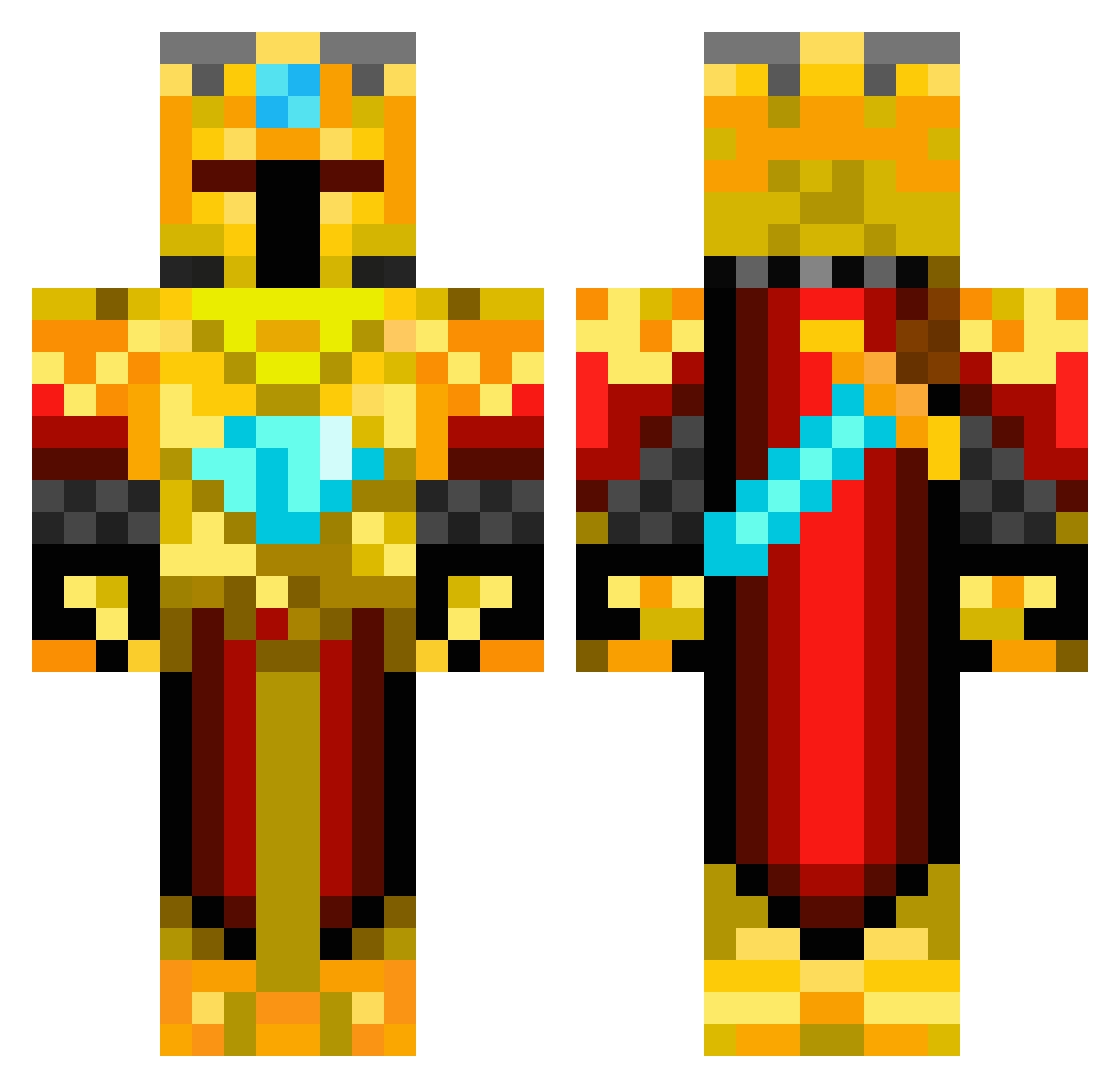
Current Minecraft skin of the player lolguy95, loaded from the official Mojang API. Rotate the 3D model with your mouse or finger, then download the skin as a PNG file and use it in Minecraft: Bedrock Edition or Java Edition for free. When lolguy95 changes their skin, this page updates automatically and the old skin stays in the history below.
Other players with this skin (419)
lolguy95 was the 211th player we have seen with this skin, first spotted on 14.09.2026. The same skin was seen on these players. Open a nickname to see their current skin and skin history.
 Woeboe JManNo1 0914SI aacio Forssa lostboy13 Xx_4LT4_xX gori90 Dongsup asirius5 SuperChum1 PolyMicro calummorton Renegatus fredo109 freakishcoconut6 iiCoolBeans Yukihira42 vladtka SerSilly Chargerboy62 Thewinner1000321 ReiMeta Thecodekiller JPDJDL ElliotFolke beast0216 alien1296 jamydoger123 HenkeSkiftnyckel BigSlime99 labtee GoldfingerLP Magicthing CrafterGod125 mathiasqaz ejorgy1994 wizardoftheblox andreasman1 RedstoneParkour PVPattacker Wellington44326 Skullbasher108 00Kezza idcofing KHKKRIF NicholasW100 connorkirch ethandjacks loopyluna2 pinkunicorn1123 KingMarquis AdrianM1513 Nick001122 Maxblowers jamesdoawesome King_Zenon kalkile Fyrewalker Number1NoNo
More Golden Armor Minecraft skins
See all 170 Golden Armor skins
How to install the lolguy95 skin
- Press the Download button above to save the skin as a PNG file.
- Minecraft: Bedrock Edition (PE): open the Dressing Room from the main menu (or tap your character → Edit Character), go to Classic Skins → Owned, press the + (new skin) button, choose the downloaded PNG and pick the Classic (Steve) model. Works on PC and mobile; consoles cannot import custom skins.
- Minecraft: Java Edition: open the Minecraft Launcher, go to the Skins tab, click New Skin, load the PNG, pick the Classic (Steve) model and press Save & Use. You can also upload it at minecraft.net → Profile → Change Skin.
The skin does not show up after import - what should I do?
Restart Minecraft and open the Dressing Room again - imported skins sometimes appear only after a restart. Also make sure you selected the imported skin and picked the Classic (Steve) model.
Which model should I choose, Classic or Slim?
This skin is designed for the Classic (Steve) model. If you pick the wrong model, the arms of the skin will look stretched or squeezed.
Is the skin of lolguy95 free to download?
Yes. Press Download, save the PNG file and use it in Minecraft: Bedrock Edition or Java Edition - no payment or registration needed. The skin also works on multiplayer servers and Realms.
More skins
Looking for more? Go back to all Minecraft skins and check the top skins of the week, month and all time, or find any player's skin by nickname.