
lizardking268 - Minecraft Skins & Skin History
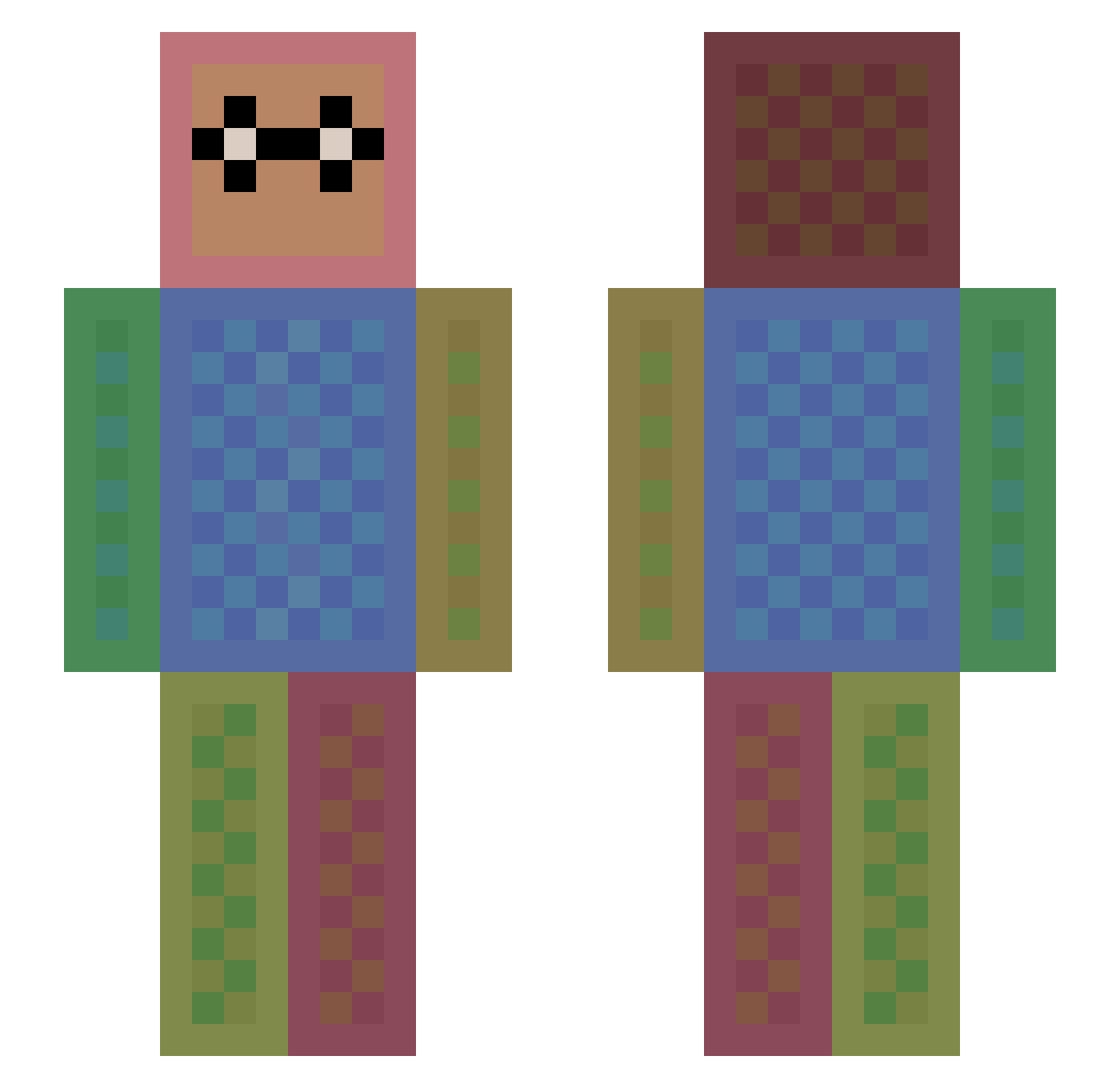
Current Minecraft skin of the player lizardking268, loaded from the official Mojang API. Rotate the 3D model with your mouse or finger, then download the skin as a PNG file and use it in Minecraft: Bedrock Edition or Java Edition for free. When lizardking268 changes their skin, this page updates automatically and the old skin stays in the history below.
Other players with this skin (1113)
lizardking268 was the 1024th player we have seen with this skin, first spotted on 12.10.2026. The same skin was seen on these players. Open a nickname to see their current skin and skin history.
 nova_lachance milessonyacollin pixel4life OxydeRain dimpleness luIia Moscow46 panpone JakeyMercer Silberstachel CarlMax woals9012 czz1 Tobi2620 dumplingdippy Beeno31 YoshiKaiser NicVit MemeCrafter69 NZJapan Shorty3099 Galthok Breannuh mmoxham MrBoys_Ytb NBigJay Fantalla xHipHopTipTopx arkane81 aventador2005 nasto_17 Lumilego JustThinkin MrFortuneSum MahmoudMhmd SASAoo23 jaredjames42 Its_Leen is067 NaokiChang MaSaEth Gametastica Ideatog firestorm1902 cheesedrum pandaplaysmc48 Bluesky23 Tugraboy Punish_her1 GMOSAREGOOD bigfood23 Lukas27405 Bufferino TIZI40 Ae_18_arGON wjhbill bigbadonk420 norris1324 just002 Fantoot
How to install the lizardking268 skin
- Press the Download button above to save the skin as a PNG file.
- Minecraft: Bedrock Edition (PE): open the Dressing Room from the main menu (or tap your character → Edit Character), go to Classic Skins → Owned, press the + (new skin) button, choose the downloaded PNG and pick the Slim (Alex) model. Works on PC and mobile; consoles cannot import custom skins.
- Minecraft: Java Edition: open the Minecraft Launcher, go to the Skins tab, click New Skin, load the PNG, pick the Slim (Alex) model and press Save & Use. You can also upload it at minecraft.net → Profile → Change Skin.
The skin does not show up after import - what should I do?
Restart Minecraft and open the Dressing Room again - imported skins sometimes appear only after a restart. Also make sure you selected the imported skin and picked the Slim (Alex) model.
Which model should I choose, Classic or Slim?
This skin is designed for the Slim (Alex) model. If you pick the wrong model, the arms of the skin will look stretched or squeezed.
Is the skin of lizardking268 free to download?
Yes. Press Download, save the PNG file and use it in Minecraft: Bedrock Edition or Java Edition - no payment or registration needed. The skin also works on multiplayer servers and Realms.
More skins
Looking for more? Go back to all Minecraft skins and check the top skins of the week, month and all time, or find any player's skin by nickname.