
liang0205 - Minecraft Skins & Skin History
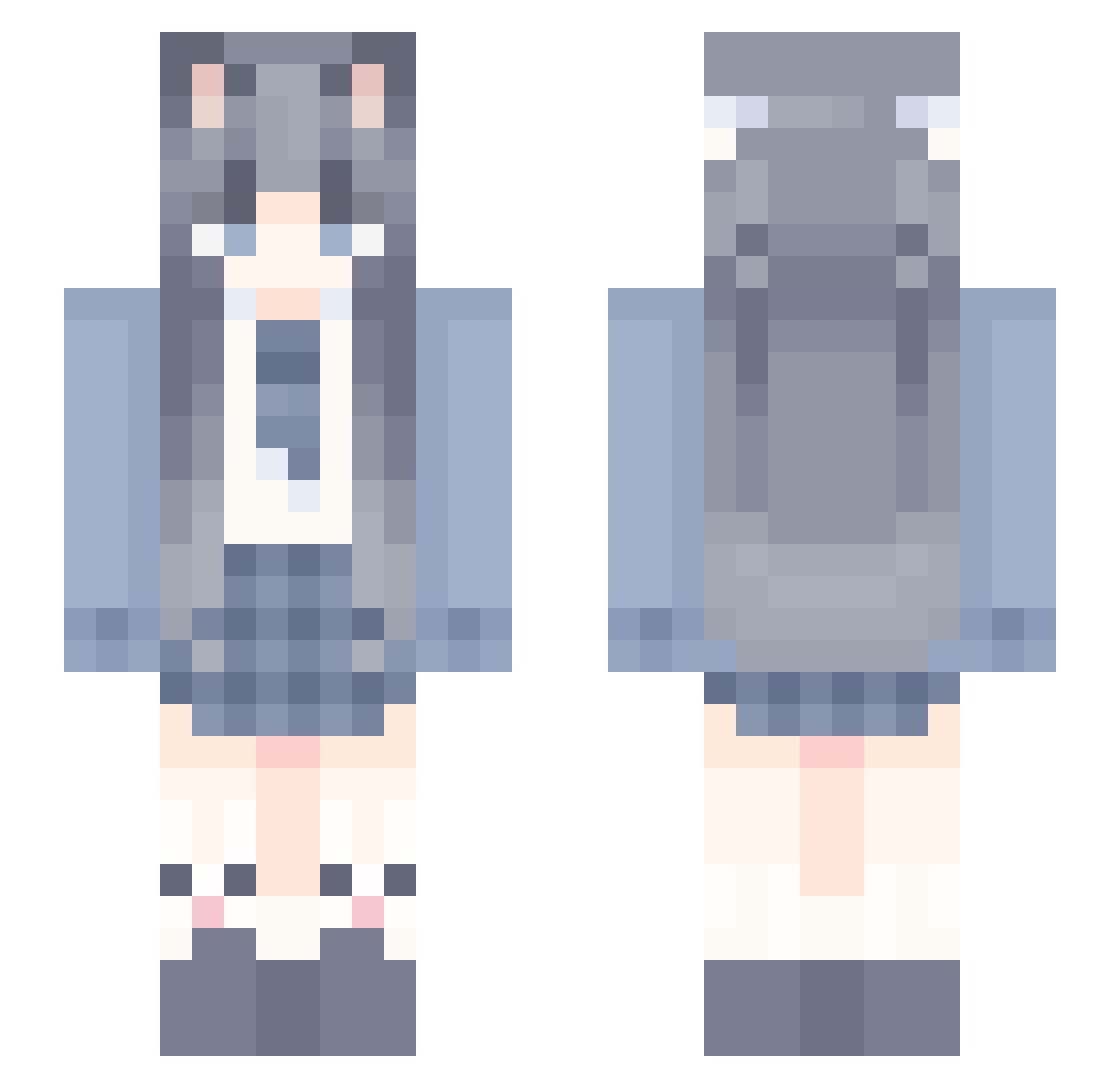
Current Minecraft skin of the player liang0205, loaded from the official Mojang API. Rotate the 3D model with your mouse or finger, then download the skin as a PNG file and use it in Minecraft: Bedrock Edition or Java Edition for free. When liang0205 changes their skin, this page updates automatically and the old skin stays in the history below.
Other players with this skin (947)
liang0205 was the 598th player we have seen with this skin, first spotted on 21.09.2026. The same skin was seen on these players. Open a nickname to see their current skin and skin history.
 fdbfd aks_asjAv_02_23 APai_DaXin fate531 YouLover iiiizumi Widkilf Nolan_King HEIMAO99 WaryGuitar Ziyannn_ An__Yie alex666888 Sereinwink nhyyd 275453 llq233 kong_baiA Aofh_huhua mimimimi08 Qichen2 BINGZ011 Yun_Hen KanayaAnna xiaoyang0212 liujunSaMa Apodfg OceanOath BlueLeaders Linx_yin SafeDaOne CuiZhi yuebing FrankIsGarbage mizke_ ECLIPSE1202 jingxs qjl1 Costarwinter zzxcvbnmm amemiya_hatsuka Sagittarius____A ihdh DoctorName FFMeat Mio_2913 Chicken_Ye VLL2 Momozi2 dhjs0000 Dakota_2013 K0BI3T4 wcndm38wy jiaruiYZ enjoyOvO zycarrot NoviceCow Ricardo317 bydwww empty_1998
More School Uniform Minecraft skins
See all 5828 School Uniform skins
How to install the liang0205 skin
- Press the Download button above to save the skin as a PNG file.
- Minecraft: Bedrock Edition (PE): open the Dressing Room from the main menu (or tap your character → Edit Character), go to Classic Skins → Owned, press the + (new skin) button, choose the downloaded PNG and pick the Slim (Alex) model. Works on PC and mobile; consoles cannot import custom skins.
- Minecraft: Java Edition: open the Minecraft Launcher, go to the Skins tab, click New Skin, load the PNG, pick the Slim (Alex) model and press Save & Use. You can also upload it at minecraft.net → Profile → Change Skin.
The skin does not show up after import - what should I do?
Restart Minecraft and open the Dressing Room again - imported skins sometimes appear only after a restart. Also make sure you selected the imported skin and picked the Slim (Alex) model.
Which model should I choose, Classic or Slim?
This skin is designed for the Slim (Alex) model. If you pick the wrong model, the arms of the skin will look stretched or squeezed.
Is the skin of liang0205 free to download?
Yes. Press Download, save the PNG file and use it in Minecraft: Bedrock Edition or Java Edition - no payment or registration needed. The skin also works on multiplayer servers and Realms.
More skins
Looking for more? Go back to all Minecraft skins and check the top skins of the week, month and all time, or find any player's skin by nickname.