
liamkenobi123 - Minecraft Skins & Skin History
Current Minecraft skin of the player liamkenobi123, loaded from the official Mojang API. Rotate the 3D model with your mouse or finger, then download the skin as a PNG file and use it in Minecraft: Bedrock Edition or Java Edition for free. When liamkenobi123 changes their skin, this page updates automatically and the old skin stays in the history below.
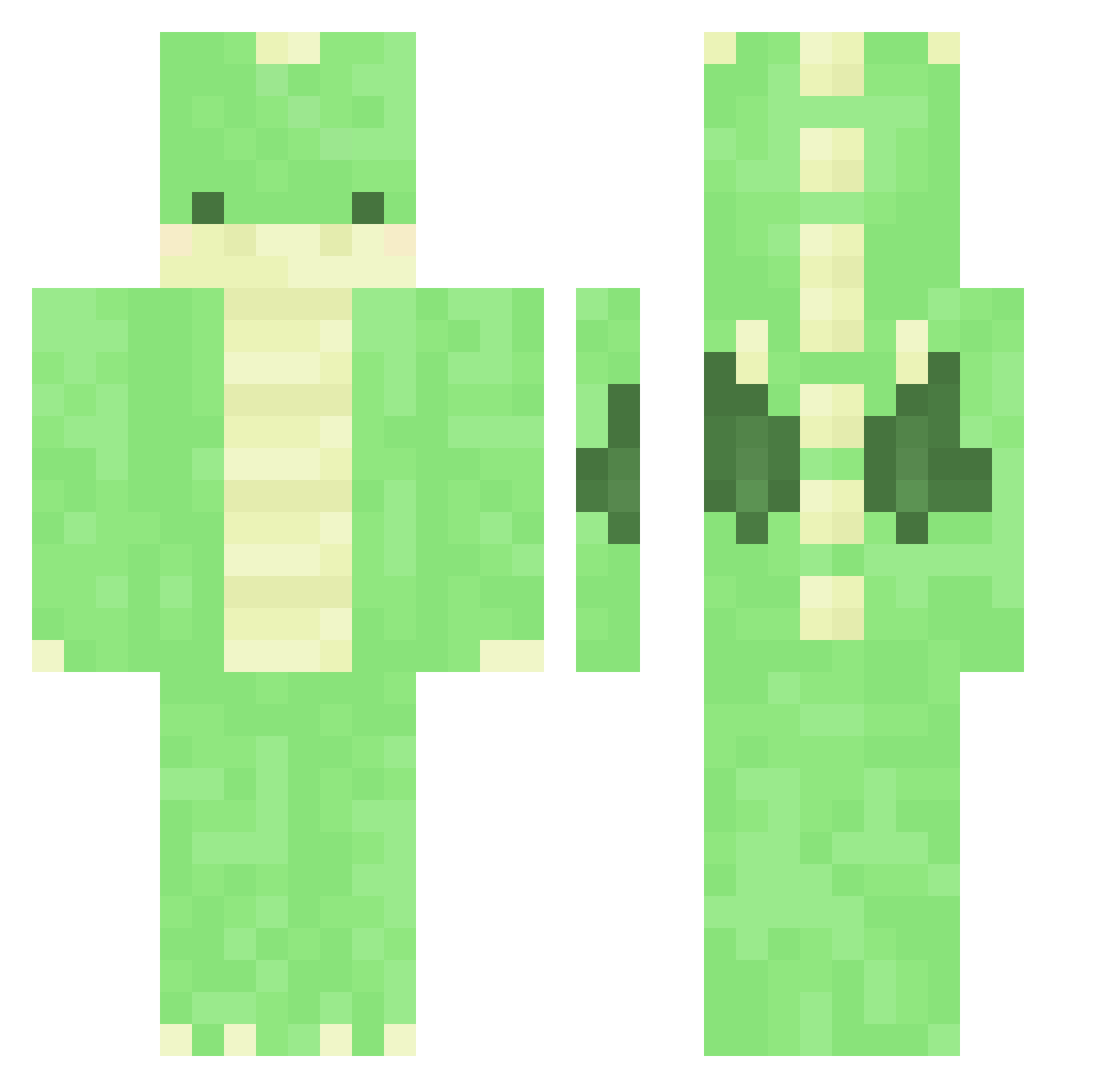
Other players with this skin (434)
liamkenobi123 was the 280th player we have seen with this skin, first spotted on 13.10.2026. The same skin was seen on these players. Open a nickname to see their current skin and skin history.
 graxerr bvntty _IAryanI_ possupelaa BoringolMark NotJimXD wenlong1997 atman999 Nautilus120 EditedVoice Switchy ExponentLake99 Wefang playyouu123 Jhayzel zozowebbie tarzanboy12 pfs_deelnemer_21 evaknx Lonely_HI opus091 Pyromania94 osoma1135 TTaom_ birkebakke kang3846 nismo34R Y_Mori_ RkySunak SanGRia83 FvckingAndy Cori0205 watermelonisgod idminecraft0933 Ribeiro12 SpoonTw rikkejulie LibbyLover RYO505 Thehawkeye898 stxrxshine missionarymaster fluffedragon Tofu9214 pampino1 Lukadis Lightning_Shovel KingNhani skyrydr21 taeyongzzang yh1017 violets_youtube Squeedeli kaishimmy ramumamo PimPamPetDrilRap Boof_In_Diams CASTLEBRO23 Tevreden FeetOnlyFans
More Dinosaur Minecraft skins
How to install the liamkenobi123 skin
- Press the Download button above to save the skin as a PNG file.
- Minecraft: Bedrock Edition (PE): open the Dressing Room from the main menu (or tap your character → Edit Character), go to Classic Skins → Owned, press the + (new skin) button, choose the downloaded PNG and pick the Classic (Steve) model. Works on PC and mobile; consoles cannot import custom skins.
- Minecraft: Java Edition: open the Minecraft Launcher, go to the Skins tab, click New Skin, load the PNG, pick the Classic (Steve) model and press Save & Use. You can also upload it at minecraft.net → Profile → Change Skin.
The skin does not show up after import - what should I do?
Restart Minecraft and open the Dressing Room again - imported skins sometimes appear only after a restart. Also make sure you selected the imported skin and picked the Classic (Steve) model.
Which model should I choose, Classic or Slim?
This skin is designed for the Classic (Steve) model. If you pick the wrong model, the arms of the skin will look stretched or squeezed.
Is the skin of liamkenobi123 free to download?
Yes. Press Download, save the PNG file and use it in Minecraft: Bedrock Edition or Java Edition - no payment or registration needed. The skin also works on multiplayer servers and Realms.
More skins
Looking for more? Go back to all Minecraft skins and check the top skins of the week, month and all time, or find any player's skin by nickname.