
lebronessy69 - Minecraft Skins & Skin History
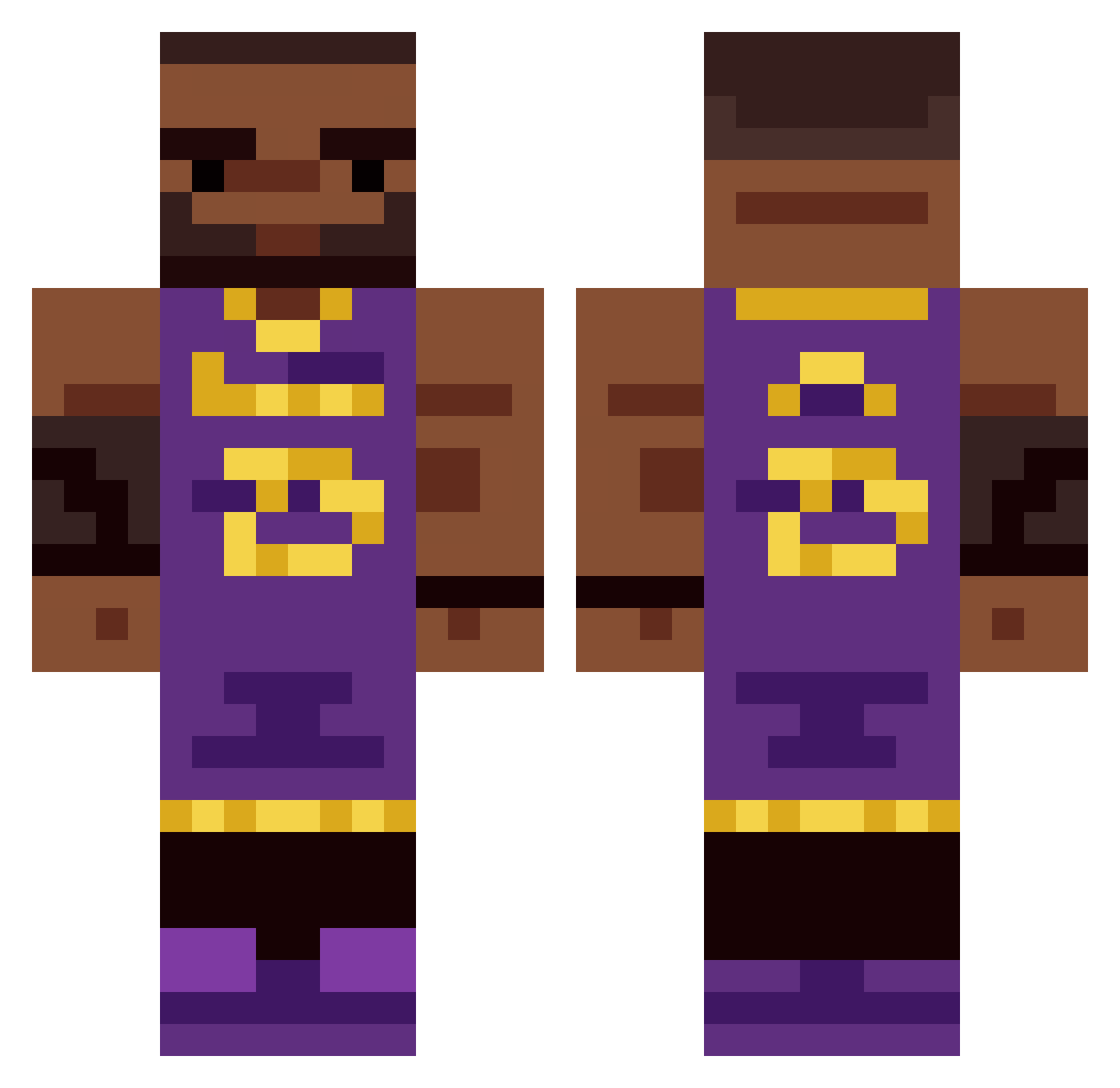
Current Minecraft skin of the player lebronessy69, loaded from the official Mojang API. Rotate the 3D model with your mouse or finger, then download the skin as a PNG file and use it in Minecraft: Bedrock Edition or Java Edition for free. When lebronessy69 changes their skin, this page updates automatically and the old skin stays in the history below.
Other players with this skin (336)
lebronessy69 was the 309th player we have seen with this skin, first spotted on 15.10.2026. The same skin was seen on these players. Open a nickname to see their current skin and skin history.
 Bgeezy14 Rippelzin Tanzy1 CapyBara389 Cryrofreeze LiterallyDog_ unill lebrontofan215 WatashiOtaku04 4523452name123 allannnnnnnnn Davidedu2004 GeoMikyBoy Lusko7 Britto16 olafko JohnnyNgvyen gianni_00 ponzianii LeBron7432 Icee8352 FunyunsEater46 rackiia pwmathews _keka LeSCHWARZjames mewbi wseed coolnith jamie_hansson Fluffi74 FullDisballer BigBombo970 ZenVFX KenjiTheHun lemerines Eunachorn Dejvo1 Yamada8041 _bernard1n__ LeBaldJames dragonwarrior168 Kazz0u Wisionka tigerloodsy06 LeBetterThanMJ ProAsian Lastly imclppin 2MuchCuckPump LejonBrames kingwhiskis Tomatengangster Goshan23 BatchElbow2 MGZ_CHALLE Checito04 LiteraturaToEs Oboe_Hobo DaneGleasak
More Lakers Minecraft skins
How to install the lebronessy69 skin
- Press the Download button above to save the skin as a PNG file.
- Minecraft: Bedrock Edition (PE): open the Dressing Room from the main menu (or tap your character → Edit Character), go to Classic Skins → Owned, press the + (new skin) button, choose the downloaded PNG and pick the Classic (Steve) model. Works on PC and mobile; consoles cannot import custom skins.
- Minecraft: Java Edition: open the Minecraft Launcher, go to the Skins tab, click New Skin, load the PNG, pick the Classic (Steve) model and press Save & Use. You can also upload it at minecraft.net → Profile → Change Skin.
The skin does not show up after import - what should I do?
Restart Minecraft and open the Dressing Room again - imported skins sometimes appear only after a restart. Also make sure you selected the imported skin and picked the Classic (Steve) model.
Which model should I choose, Classic or Slim?
This skin is designed for the Classic (Steve) model. If you pick the wrong model, the arms of the skin will look stretched or squeezed.
Is the skin of lebronessy69 free to download?
Yes. Press Download, save the PNG file and use it in Minecraft: Bedrock Edition or Java Edition - no payment or registration needed. The skin also works on multiplayer servers and Realms.
More skins
Looking for more? Go back to all Minecraft skins and check the top skins of the week, month and all time, or find any player's skin by nickname.