
lbwHNB - Minecraft Skins & Skin History
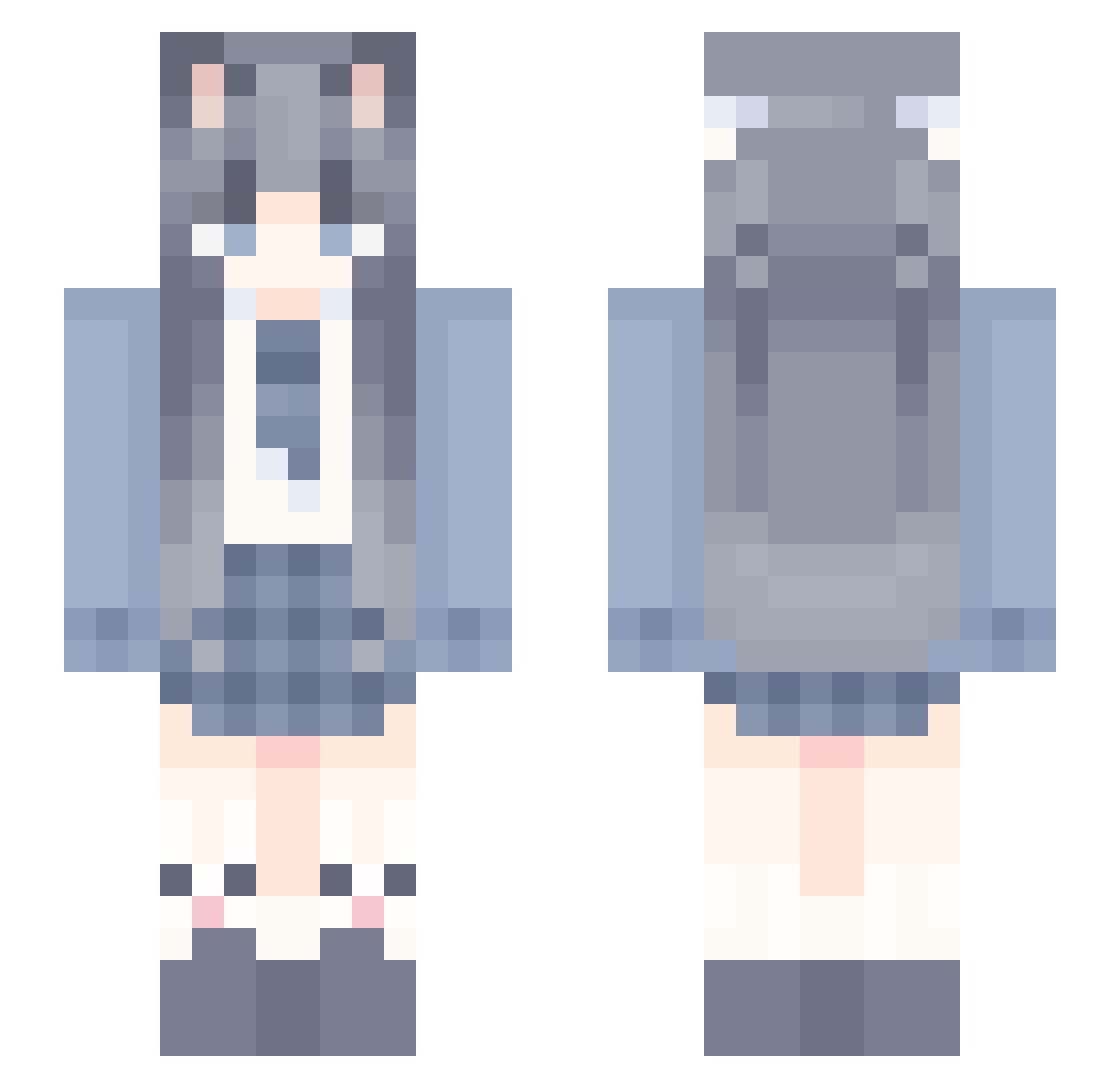
Current Minecraft skin of the player lbwHNB, loaded from the official Mojang API. Rotate the 3D model with your mouse or finger, then download the skin as a PNG file and use it in Minecraft: Bedrock Edition or Java Edition for free. When lbwHNB changes their skin, this page updates automatically and the old skin stays in the history below.
Other players with this skin (992)
lbwHNB was the 291st player we have seen with this skin, first spotted on 20.08.2026. The same skin was seen on these players. Open a nickname to see their current skin and skin history.
 TYNNX yanfuyang Misakiop lql114514 QiYueQiYue 65984 lN11_ zhimeng114 Er_qier Sireuca some_like_it_hot zhu_vv DrXiaoYu StarrySkyDream hutao6081 Gui173 4662150 longmor Vio_44 J17bb huajianw moli_1314 gaerr yeezyjun XS920 ice_ui B4m600 ncwmy xiaohan520 ThisIsAlinaaw 125PQ 9363825 meng_tian772 ThunderRoam Bright_Carrot Laoxiao7274 UdongeinTK Freesiaea taoyao_ dlvcki Sans_vn Hwffa zhouwa114514 BateWu lveik TianXinXie BlingZzz Lulu_66 tuturen_king xiaoyunre sjjsus
 UwU_Ponczus_UwU Goodnight____ XBQQQQ GSEF Ymlckie AckermanMito ALL_qwq SSJL0 yuanshendawang77
More School Uniform Minecraft skins
See all 6062 School Uniform skins
How to install the lbwHNB skin
- Press the Download button above to save the skin as a PNG file.
- Minecraft: Bedrock Edition (PE): open the Dressing Room from the main menu (or tap your character → Edit Character), go to Classic Skins → Owned, press the + (new skin) button, choose the downloaded PNG and pick the Slim (Alex) model. Works on PC and mobile; consoles cannot import custom skins.
- Minecraft: Java Edition: open the Minecraft Launcher, go to the Skins tab, click New Skin, load the PNG, pick the Slim (Alex) model and press Save & Use. You can also upload it at minecraft.net → Profile → Change Skin.
The skin does not show up after import - what should I do?
Restart Minecraft and open the Dressing Room again - imported skins sometimes appear only after a restart. Also make sure you selected the imported skin and picked the Slim (Alex) model.
Which model should I choose, Classic or Slim?
This skin is designed for the Slim (Alex) model. If you pick the wrong model, the arms of the skin will look stretched or squeezed.
Is the skin of lbwHNB free to download?
Yes. Press Download, save the PNG file and use it in Minecraft: Bedrock Edition or Java Edition - no payment or registration needed. The skin also works on multiplayer servers and Realms.
More skins
Looking for more? Go back to all Minecraft skins and check the top skins of the week, month and all time, or find any player's skin by nickname.