
laurencass - Minecraft Skins & Skin History
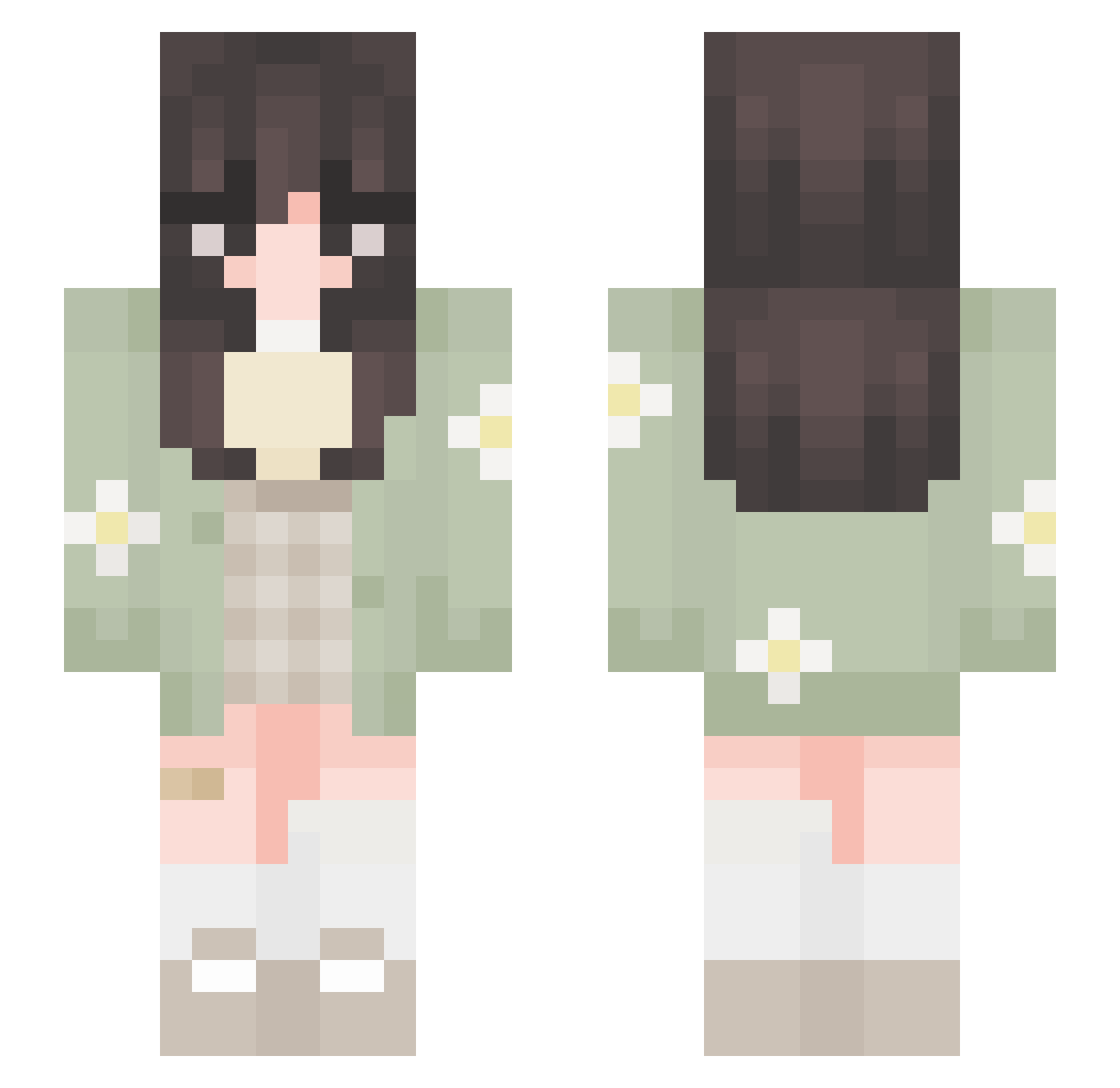
Current Minecraft skin of the player laurencass, loaded from the official Mojang API. Rotate the 3D model with your mouse or finger, then download the skin as a PNG file and use it in Minecraft: Bedrock Edition or Java Edition for free. When laurencass changes their skin, this page updates automatically and the old skin stays in the history below.
Other players with this skin (651)
laurencass was the 339th player we have seen with this skin, first spotted on 20.09.2026. The same skin was seen on these players. Open a nickname to see their current skin and skin history.
 TwinTrifle lilithmars weraroz SarneS2 jasm_h KaryKatt MelloPeep szirin DINOSHAD rainyday734 MayaRosado heathercfoley Goober_Gober Istitch11 the_asian_person Aytenf2351 ckta41 milsc06 danihzt itouchgrass9 kanariah Qingxi__ MaisieTHEbest MiniVert_06 QuirkyAssasin81 Camrii Elentori agent_lumity Sabrinaxdxdx Hozzzy_ maymiu Leflitzki falselacrime keiraa1111 Mxli0607 kaths1 sarahtheminer adelelcz Waspsabi DEYNEY Nonor_pt DramaticToaster5 Hyanciee kxixlxn7 DoAerK not_petunia scotiaa cookiefrmtaylor kariii_ maguicosta Meow_Kyle OZUM SkillzBills ToastyGee mawisa420 1MaRIaNa GodIanissa_ LoreleiCloud blissfulbambi xCookiesx_
More Daisy Minecraft skins
How to install the laurencass skin
- Press the Download button above to save the skin as a PNG file.
- Minecraft: Bedrock Edition (PE): open the Dressing Room from the main menu (or tap your character → Edit Character), go to Classic Skins → Owned, press the + (new skin) button, choose the downloaded PNG and pick the Slim (Alex) model. Works on PC and mobile; consoles cannot import custom skins.
- Minecraft: Java Edition: open the Minecraft Launcher, go to the Skins tab, click New Skin, load the PNG, pick the Slim (Alex) model and press Save & Use. You can also upload it at minecraft.net → Profile → Change Skin.
The skin does not show up after import - what should I do?
Restart Minecraft and open the Dressing Room again - imported skins sometimes appear only after a restart. Also make sure you selected the imported skin and picked the Slim (Alex) model.
Which model should I choose, Classic or Slim?
This skin is designed for the Slim (Alex) model. If you pick the wrong model, the arms of the skin will look stretched or squeezed.
Is the skin of laurencass free to download?
Yes. Press Download, save the PNG file and use it in Minecraft: Bedrock Edition or Java Edition - no payment or registration needed. The skin also works on multiplayer servers and Realms.
More skins
Looking for more? Go back to all Minecraft skins and check the top skins of the week, month and all time, or find any player's skin by nickname.