
LoreleiCloud - Minecraft Skins & Skin History
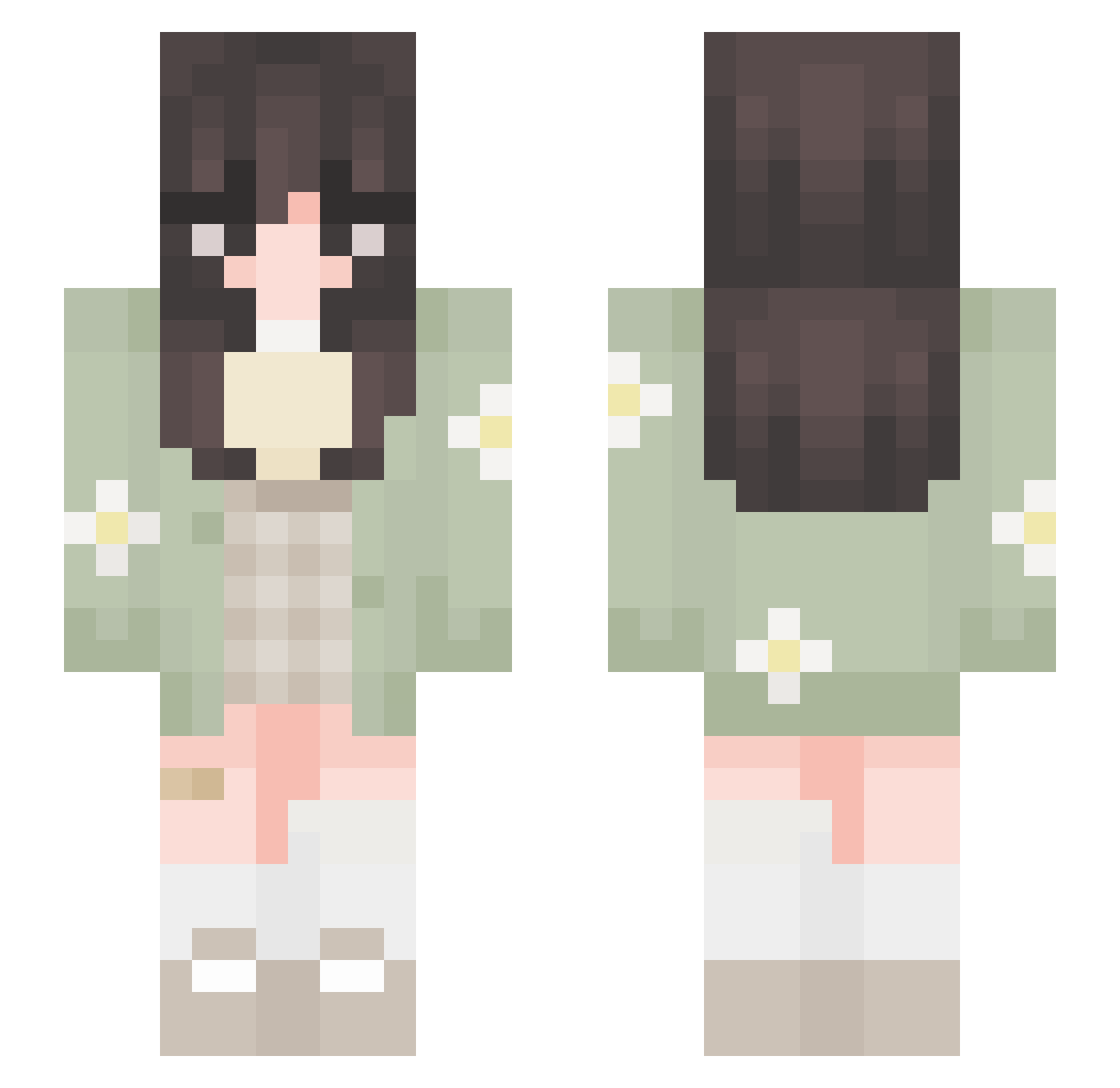
Current Minecraft skin of the player LoreleiCloud, loaded from the official Mojang API. Rotate the 3D model with your mouse or finger, then download the skin as a PNG file and use it in Minecraft: Bedrock Edition or Java Edition for free. When LoreleiCloud changes their skin, this page updates automatically and the old skin stays in the history below.
Other players with this skin (652)
LoreleiCloud was the 366th player we have seen with this skin, first spotted on 25.09.2026. The same skin was seen on these players. Open a nickname to see their current skin and skin history.
 GodIanissa_ blissfulbambi 1MaRIaNa Beara579 SkillzBills OZUM ruzovakachna Milalelly maguicosta Nayibug i0ana2142 kxixlxn7 heyitsk0d Levantxr little_luluu noralaub Nimbuuus gnuzzo Nonor_pt Rosapinaaa adelelcz _suni__ simplybeth sarahtheminer CaptBirdseye_ doradezvous Leflitzki historybit maymiu beeemochi Hozzzy_ KitcatEkat12 Sabrinaxdxdx lolitsjester Braemax agent_lumity jeaninee_ Elentori florm2458 Camrii bcnrs QuirkyAssasin81 Drosia MiniVert_06 svruwuii shigure73 lizykot HJSACDB awtvmnn MaisieTHEbest Mimaayu_r2r itouchgrass9 ckta41 eflorescence Aytenf2351 lynz97 Nakiliii Goober_Gober Yaankeee GIMSHUNI
More Daisy Minecraft skins
How to install the LoreleiCloud skin
- Press the Download button above to save the skin as a PNG file.
- Minecraft: Bedrock Edition (PE): open the Dressing Room from the main menu (or tap your character → Edit Character), go to Classic Skins → Owned, press the + (new skin) button, choose the downloaded PNG and pick the Slim (Alex) model. Works on PC and mobile; consoles cannot import custom skins.
- Minecraft: Java Edition: open the Minecraft Launcher, go to the Skins tab, click New Skin, load the PNG, pick the Slim (Alex) model and press Save & Use. You can also upload it at minecraft.net → Profile → Change Skin.
The skin does not show up after import - what should I do?
Restart Minecraft and open the Dressing Room again - imported skins sometimes appear only after a restart. Also make sure you selected the imported skin and picked the Slim (Alex) model.
Which model should I choose, Classic or Slim?
This skin is designed for the Slim (Alex) model. If you pick the wrong model, the arms of the skin will look stretched or squeezed.
Is the skin of LoreleiCloud free to download?
Yes. Press Download, save the PNG file and use it in Minecraft: Bedrock Edition or Java Edition - no payment or registration needed. The skin also works on multiplayer servers and Realms.
More skins
Looking for more? Go back to all Minecraft skins and check the top skins of the week, month and all time, or find any player's skin by nickname.