
lasko001 - Minecraft Skins & Skin History
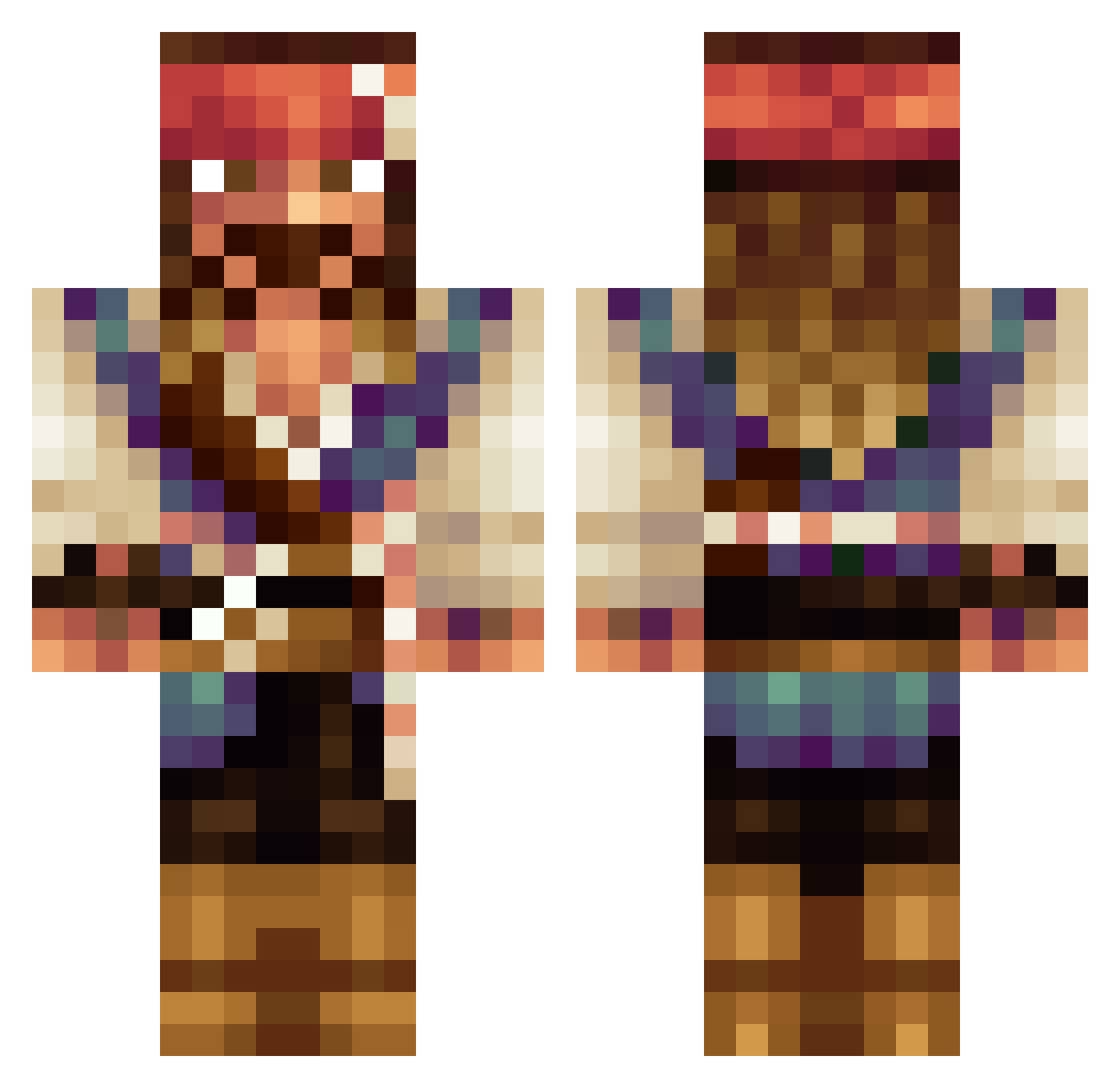
Current Minecraft skin of the player lasko001, loaded from the official Mojang API. Rotate the 3D model with your mouse or finger, then download the skin as a PNG file and use it in Minecraft: Bedrock Edition or Java Edition for free. When lasko001 changes their skin, this page updates automatically and the old skin stays in the history below.
Other players with this skin (534)
lasko001 was the 239th player we have seen with this skin, first spotted on 17.09.2026. The same skin was seen on these players. Open a nickname to see their current skin and skin history.
 YereCruz Delbac12 Enniolinus JoseOC Spectrum0711 sturniolato Talliz02 euue808 Exit_Light_ Sham323 Reeco2 Raspotin30 RobPag95 Pirogue syokiabata Xgiova69 Captainjaksparow Snaggy20 JesusArnaiz19 Queltas23 urizazaza KababzaakNL Jeabrz HectorMac2001 cptjacksparrow12 Antary Gizmeisterflex Le_F0NF xXx_DEXTER_xXx ALKBHAI jacktheripper74o ImGaz Petoxx zimny2005 samix000 BoomTown79 RasputinSalimon xwolf290 OurTDawg Qowalski Mr_Freddy10 SWIFEAK Stulf zsbd_ Lynn_H GioForte OrthodoxTrain SusanaJoria Old_Doctor_Evil Fantada Alexanderc1212 Emonuzz wayfe_exe Athenaiii mantelaffe Dycet Shakalakan artaub95 M4Mtvcmpfv BeOw97
More Jack Sparrow Minecraft skins
See all 108 Jack Sparrow skins
How to install the lasko001 skin
- Press the Download button above to save the skin as a PNG file.
- Minecraft: Bedrock Edition (PE): open the Dressing Room from the main menu (or tap your character → Edit Character), go to Classic Skins → Owned, press the + (new skin) button, choose the downloaded PNG and pick the Classic (Steve) model. Works on PC and mobile; consoles cannot import custom skins.
- Minecraft: Java Edition: open the Minecraft Launcher, go to the Skins tab, click New Skin, load the PNG, pick the Classic (Steve) model and press Save & Use. You can also upload it at minecraft.net → Profile → Change Skin.
The skin does not show up after import - what should I do?
Restart Minecraft and open the Dressing Room again - imported skins sometimes appear only after a restart. Also make sure you selected the imported skin and picked the Classic (Steve) model.
Which model should I choose, Classic or Slim?
This skin is designed for the Classic (Steve) model. If you pick the wrong model, the arms of the skin will look stretched or squeezed.
Is the skin of lasko001 free to download?
Yes. Press Download, save the PNG file and use it in Minecraft: Bedrock Edition or Java Edition - no payment or registration needed. The skin also works on multiplayer servers and Realms.
More skins
Looking for more? Go back to all Minecraft skins and check the top skins of the week, month and all time, or find any player's skin by nickname.