
lanjue_ - Minecraft Skins & Skin History
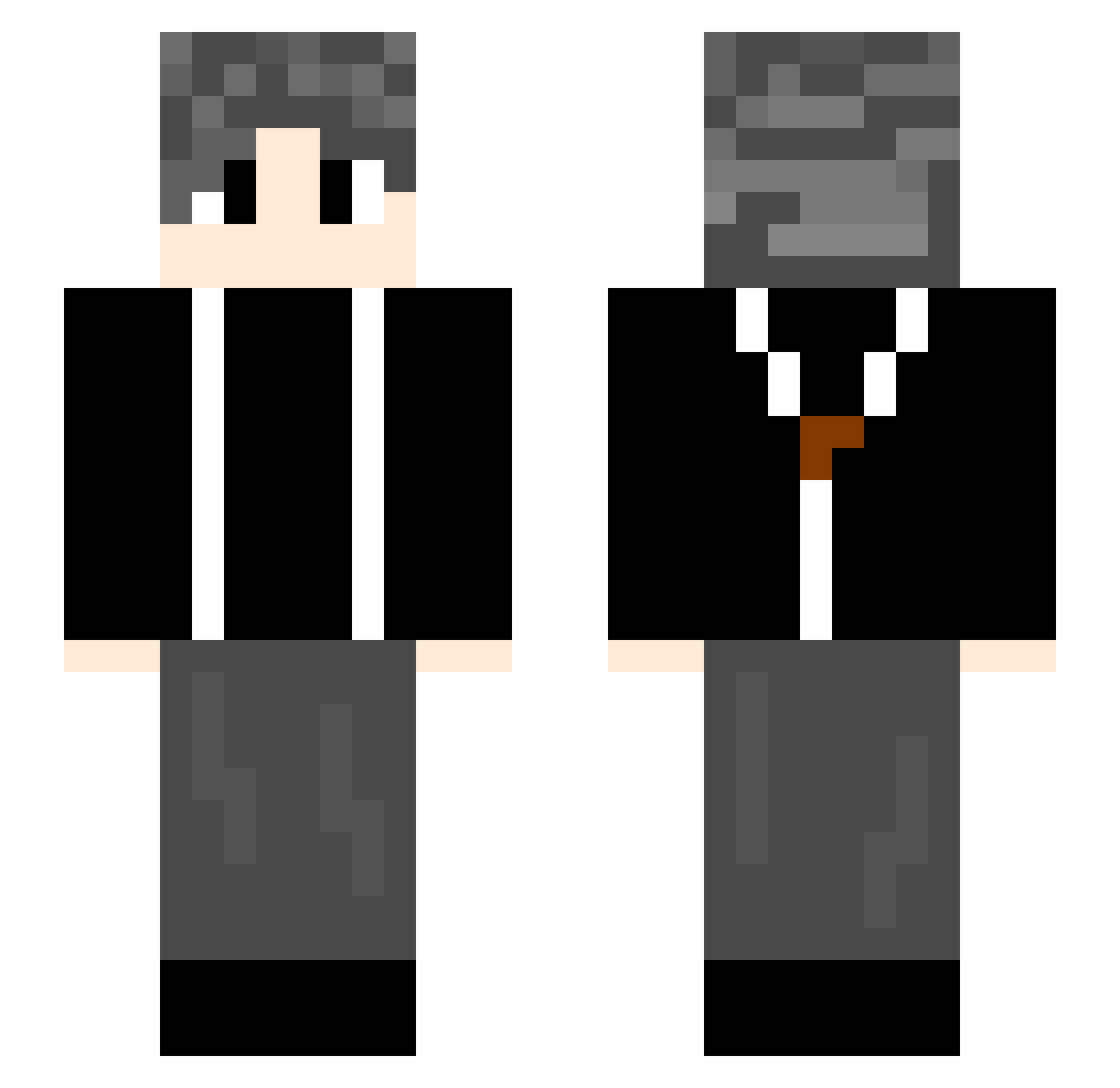
Current Minecraft skin of the player lanjue_, loaded from the official Mojang API. Rotate the 3D model with your mouse or finger, then download the skin as a PNG file and use it in Minecraft: Bedrock Edition or Java Edition for free. When lanjue_ changes their skin, this page updates automatically and the old skin stays in the history below.
Other players with this skin (612)
lanjue_ was the 584th player we have seen with this skin, first spotted on 16.10.2026. The same skin was seen on these players. Open a nickname to see their current skin and skin history.
 Coke0720 mldby Hjw923 electric666 Sjyhart adfghjkk cc20021024 baichen1314 Stone_mzc plan_E juhikaj bobolm jupiters05 chmcnm sanshina tpppp Pr111 cy0312 thank666 DLS_9527 gcpp Yeye825 FlyTiger233 lzsyyds amireux000 zjy1291 oneper xiaonuo20 SSSakuLa AlaskaGulf MCYue666 Zichen1582775796 yzgq xi_jie1 sxy132 yangdeMC long255 Tjoe zz027 ningsan Laowong HFYBEST SteveCRZ GudLamb ZG666666666 xiaoguo666 EatingLemon skywalker0054 caiho9 Fantacy22 Xgodgod AmbiChen Chenmengqi Rlex5 liuzyu Kanade114514 Ikun997 Jqcc_ezg Yichen1122 Mryouge
How to install the lanjue_ skin
- Press the Download button above to save the skin as a PNG file.
- Minecraft: Bedrock Edition (PE): open the Dressing Room from the main menu (or tap your character → Edit Character), go to Classic Skins → Owned, press the + (new skin) button, choose the downloaded PNG and pick the Slim (Alex) model. Works on PC and mobile; consoles cannot import custom skins.
- Minecraft: Java Edition: open the Minecraft Launcher, go to the Skins tab, click New Skin, load the PNG, pick the Slim (Alex) model and press Save & Use. You can also upload it at minecraft.net → Profile → Change Skin.
The skin does not show up after import - what should I do?
Restart Minecraft and open the Dressing Room again - imported skins sometimes appear only after a restart. Also make sure you selected the imported skin and picked the Slim (Alex) model.
Which model should I choose, Classic or Slim?
This skin is designed for the Slim (Alex) model. If you pick the wrong model, the arms of the skin will look stretched or squeezed.
Is the skin of lanjue_ free to download?
Yes. Press Download, save the PNG file and use it in Minecraft: Bedrock Edition or Java Edition - no payment or registration needed. The skin also works on multiplayer servers and Realms.
More skins
Looking for more? Go back to all Minecraft skins and check the top skins of the week, month and all time, or find any player's skin by nickname.