
lanevko - Minecraft Skins & Skin History
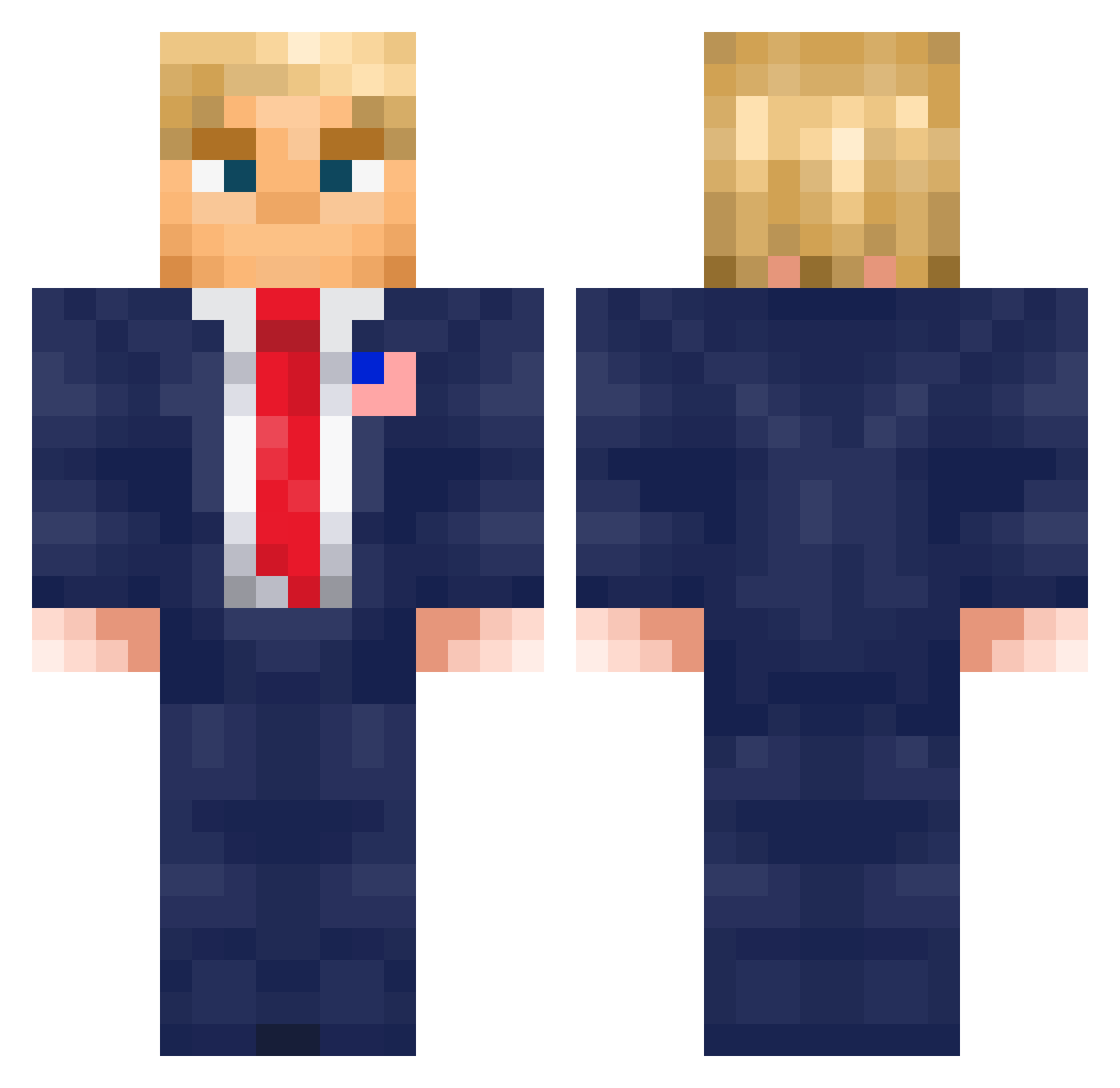
Current Minecraft skin of the player lanevko, loaded from the official Mojang API. Rotate the 3D model with your mouse or finger, then download the skin as a PNG file and use it in Minecraft: Bedrock Edition or Java Edition for free. When lanevko changes their skin, this page updates automatically and the old skin stays in the history below.
Other players with this skin (576)
lanevko was the 357th player we have seen with this skin, first spotted on 29.09.2026. The same skin was seen on these players. Open a nickname to see their current skin and skin history.
 SwallowKR NathanTheWeedMan xroylOwnsZur oqeq young_gustek GolemAndy kaiguyt08 cloudtaker7 KOTOg JigglyJulian joeymou ZephyXxX1553 TombosHpts JordanDove24 Nelson96803 nikosmenis Praetorvale Kaktuseekk real14 IamAeroJay Kpretze010 Kubatko2010 yemrott MilanLievens7 JustWhi Danielisak97 JoshGBP24 usaid Preuzable nonolegamer524 Mimi5408 nateg17 destrojerr gangseonghun_gay MauReeze1106 ElmerkasUY Goialo Talus_Hunter supersonikege snair04 JBizzlington m_michal3kk SpeedGamer2 InfinitySpeed UPClover DarthDeadpool09 Jeka_Dog RealZedFiles Pillager2012 M0ura13 Sharkray11 mrdarkop4 JACKEENOFF JAKlovesBIG conuigi Qw1119 tugo0516 __RZA__ e4rthh MYNEBASE
More Donald Trump Minecraft skins
See all 326 Donald Trump skins
How to install the lanevko skin
- Press the Download button above to save the skin as a PNG file.
- Minecraft: Bedrock Edition (PE): open the Dressing Room from the main menu (or tap your character → Edit Character), go to Classic Skins → Owned, press the + (new skin) button, choose the downloaded PNG and pick the Classic (Steve) model. Works on PC and mobile; consoles cannot import custom skins.
- Minecraft: Java Edition: open the Minecraft Launcher, go to the Skins tab, click New Skin, load the PNG, pick the Classic (Steve) model and press Save & Use. You can also upload it at minecraft.net → Profile → Change Skin.
The skin does not show up after import - what should I do?
Restart Minecraft and open the Dressing Room again - imported skins sometimes appear only after a restart. Also make sure you selected the imported skin and picked the Classic (Steve) model.
Which model should I choose, Classic or Slim?
This skin is designed for the Classic (Steve) model. If you pick the wrong model, the arms of the skin will look stretched or squeezed.
Is the skin of lanevko free to download?
Yes. Press Download, save the PNG file and use it in Minecraft: Bedrock Edition or Java Edition - no payment or registration needed. The skin also works on multiplayer servers and Realms.
More skins
Looking for more? Go back to all Minecraft skins and check the top skins of the week, month and all time, or find any player's skin by nickname.