
kyotack - Minecraft Skins & Skin History
Current Minecraft skin of the player kyotack, loaded from the official Mojang API. Rotate the 3D model with your mouse or finger, then download the skin as a PNG file and use it in Minecraft: Bedrock Edition or Java Edition for free. When kyotack changes their skin, this page updates automatically and the old skin stays in the history below.
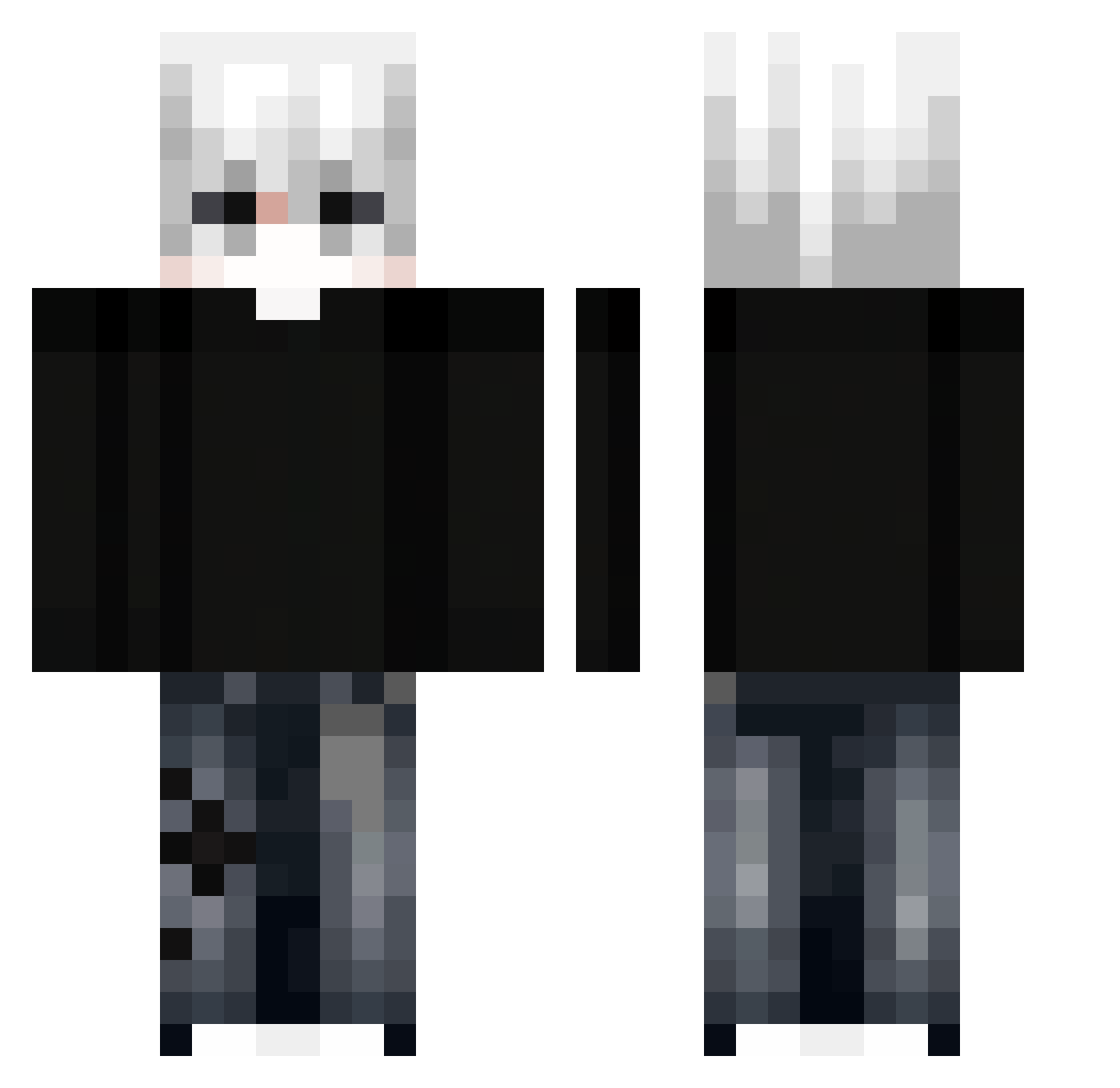
Other players with this skin (299)
kyotack was the 32nd player we have seen with this skin, first spotted on 31.07.2026. The same skin was seen on these players. Open a nickname to see their current skin and skin history.
 Mao_109 wakatan73 SlientTree Ruxone Tommonee00 Avaritia_JY Akira__a Xiao_Quan6 YEEEEEEEEE2511 revhelld WuLang _Kotlet_mielony_ minduck_ win690815
 nazsur1 SeeHell_ MyLoveItsLiza Steve4Ingot1 Thesixday_ Leaneet _URE_
 scheitt aras123455 Reyuo9 nicoprop ChunkDev_ archcashew74922 its_ryanloll Alpha_Dragon011 goktug93838 xuanjiuwanle guanshibi Benpaker Gael_pra coperu_01 SenpaiDON Itz_Swifter wxklyy insanee03 VasiliskDen domikda Aknggli Illustriousk KOKOLAN
 TripleGoku Szosti13 Erenqa1 Idkwhoisme Flave411 dange1225
 GGMB2013 YoungMiguell Perfectzxc TAROTASTY ImaFatAndUglyChu Mexterek macaco_stringas sunshine0231 _savagey_ _XerLify
More E-Boy Minecraft skins
How to install the kyotack skin
- Press the Download button above to save the skin as a PNG file.
- Minecraft: Bedrock Edition (PE): open the Dressing Room from the main menu (or tap your character → Edit Character), go to Classic Skins → Owned, press the + (new skin) button, choose the downloaded PNG and pick the Classic (Steve) model. Works on PC and mobile; consoles cannot import custom skins.
- Minecraft: Java Edition: open the Minecraft Launcher, go to the Skins tab, click New Skin, load the PNG, pick the Classic (Steve) model and press Save & Use. You can also upload it at minecraft.net → Profile → Change Skin.
The skin does not show up after import - what should I do?
Restart Minecraft and open the Dressing Room again - imported skins sometimes appear only after a restart. Also make sure you selected the imported skin and picked the Classic (Steve) model.
Which model should I choose, Classic or Slim?
This skin is designed for the Classic (Steve) model. If you pick the wrong model, the arms of the skin will look stretched or squeezed.
Is the skin of kyotack free to download?
Yes. Press Download, save the PNG file and use it in Minecraft: Bedrock Edition or Java Edition - no payment or registration needed. The skin also works on multiplayer servers and Realms.
More skins
Looking for more? Go back to all Minecraft skins and check the top skins of the week, month and all time, or find any player's skin by nickname.