
_XerLify - Minecraft Skins & Skin History
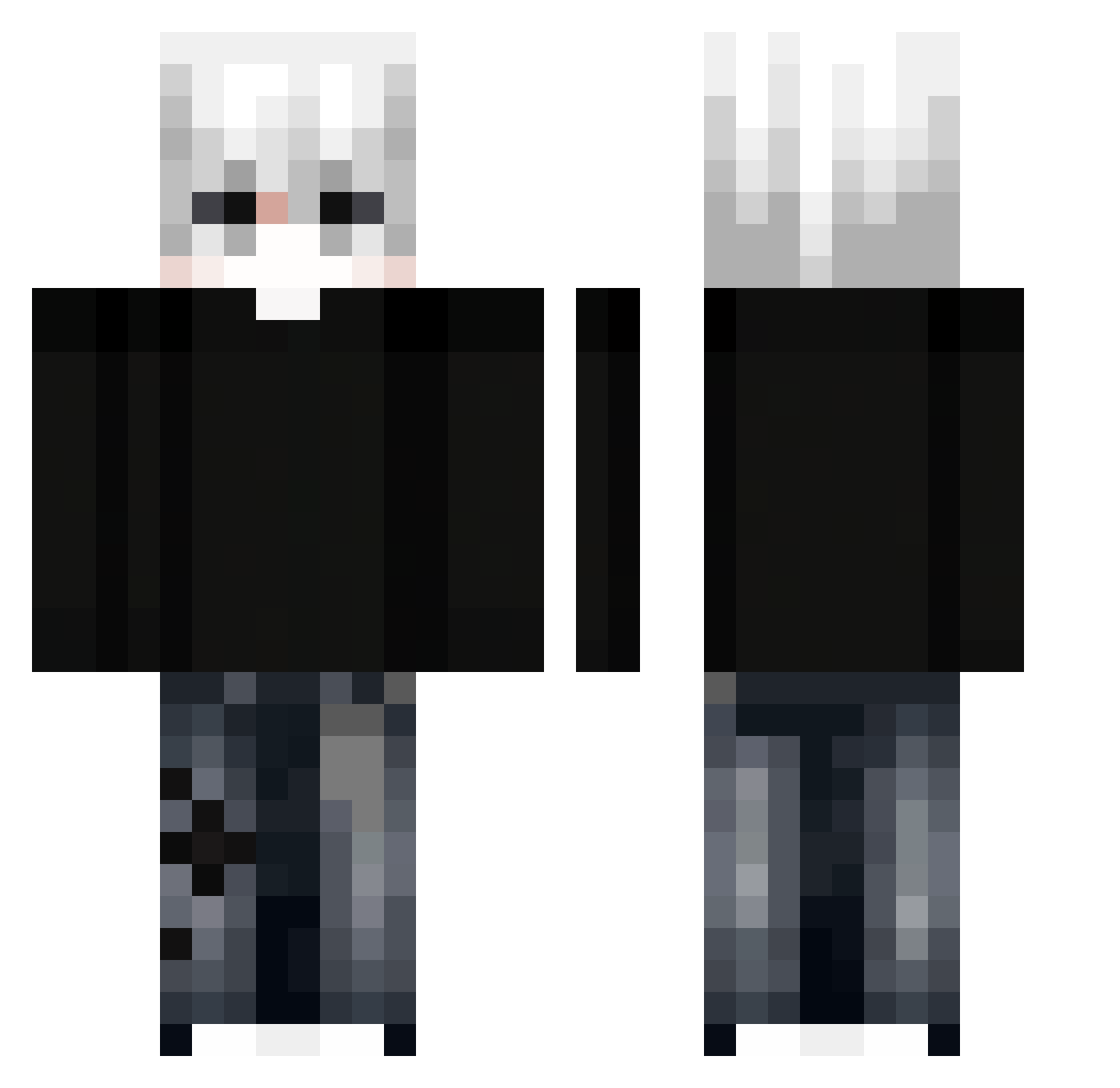
Current Minecraft skin of the player _XerLify, loaded from the official Mojang API. Rotate the 3D model with your mouse or finger, then download the skin as a PNG file and use it in Minecraft: Bedrock Edition or Java Edition for free. When _XerLify changes their skin, this page updates automatically and the old skin stays in the history below.
Other players with this skin (298)
_XerLify was the 61st player we have seen with this skin, first spotted on 13.08.2026. The same skin was seen on these players. Open a nickname to see their current skin and skin history.
 _savagey_ Stef01198 sunshine0231 TerroristSKAY ckc1999 ZiYBoy
 nightmareeeeee0 j1n3k macaco_stringas jaylah1412 Mexterek ImaFatAndUglyChu Andreimarshmell_ JosielDev Perfectzxc YoungMiguell
 GGMB2013 Zefyn Markupu Flave411 Idkwhoisme DoritaCL Shoyo222
 bymbelk
 TripleGoku tizotobi RYZEN_R Tsuneyuki KOKOLAN Aknggli VasiliskDen insanee03 wxklyy Itz_Swifter SenpaiDON armiterre Gael_pra kaasteentje
 F1dgulya Draymur Alpha_Dragon011 zenox_360 sebzz77 archcashew74922 ikhwan7611 ChunkDev_ F0hsen
 Snow_Tang Javelove sanyapolovnik LIN7414 Erbol20061403 vicepro_999
 scheitt seobodeok58 Steve4Ingot1 Nirim Spring69 zuxkiva WxeG
More E-Boy Minecraft skins
How to install the _XerLify skin
- Press the Download button above to save the skin as a PNG file.
- Minecraft: Bedrock Edition (PE): open the Dressing Room from the main menu (or tap your character → Edit Character), go to Classic Skins → Owned, press the + (new skin) button, choose the downloaded PNG and pick the Classic (Steve) model. Works on PC and mobile; consoles cannot import custom skins.
- Minecraft: Java Edition: open the Minecraft Launcher, go to the Skins tab, click New Skin, load the PNG, pick the Classic (Steve) model and press Save & Use. You can also upload it at minecraft.net → Profile → Change Skin.
The skin does not show up after import - what should I do?
Restart Minecraft and open the Dressing Room again - imported skins sometimes appear only after a restart. Also make sure you selected the imported skin and picked the Classic (Steve) model.
Which model should I choose, Classic or Slim?
This skin is designed for the Classic (Steve) model. If you pick the wrong model, the arms of the skin will look stretched or squeezed.
Is the skin of _XerLify free to download?
Yes. Press Download, save the PNG file and use it in Minecraft: Bedrock Edition or Java Edition - no payment or registration needed. The skin also works on multiplayer servers and Realms.
More skins
Looking for more? Go back to all Minecraft skins and check the top skins of the week, month and all time, or find any player's skin by nickname.