
kuruchaaan - Minecraft Skins & Skin History
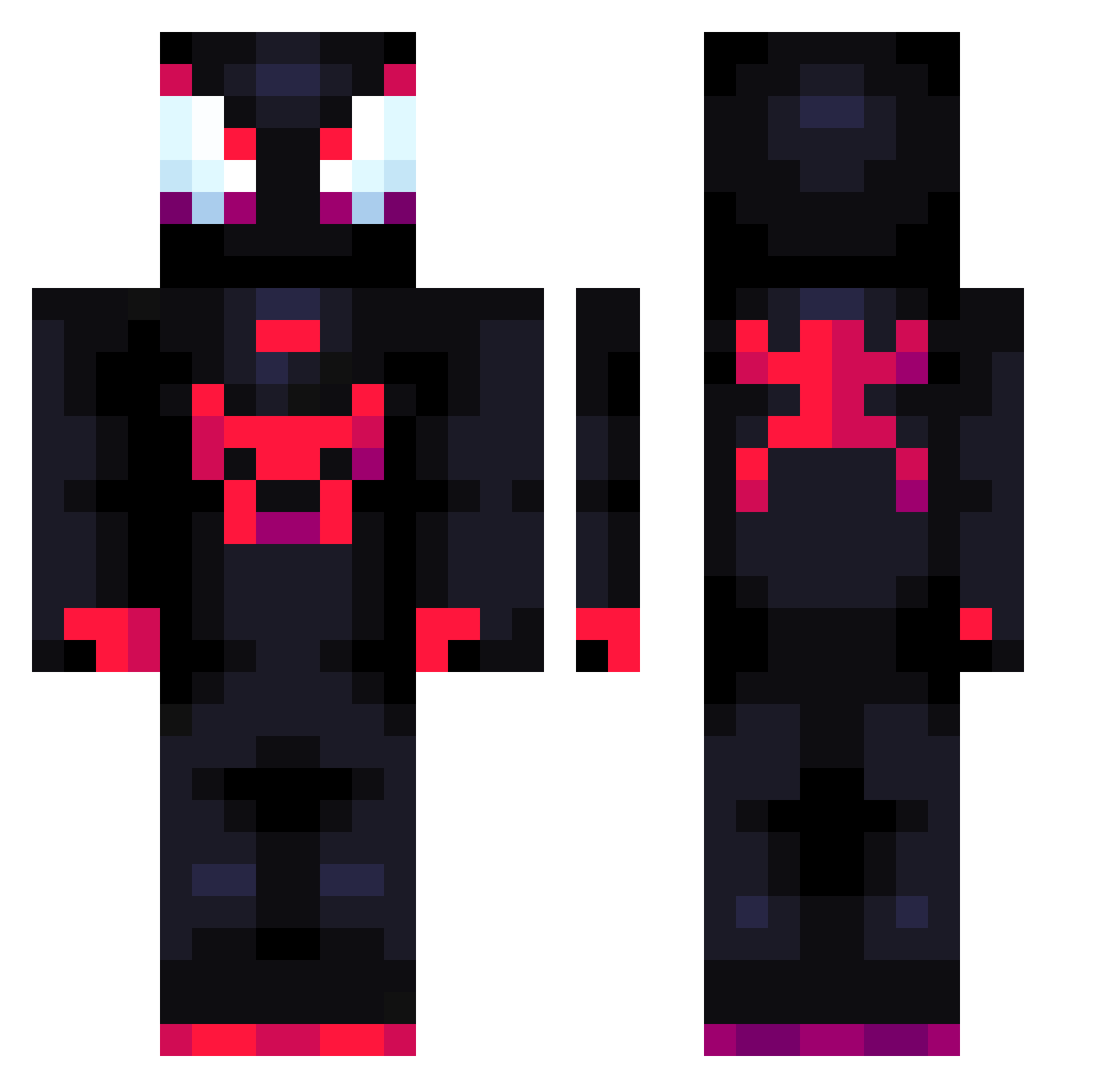
Current Minecraft skin of the player kuruchaaan, loaded from the official Mojang API. Rotate the 3D model with your mouse or finger, then download the skin as a PNG file and use it in Minecraft: Bedrock Edition or Java Edition for free. When kuruchaaan changes their skin, this page updates automatically and the old skin stays in the history below.
Other players with this skin (711)
kuruchaaan was the 82nd player we have seen with this skin, first spotted on 03.08.2026. The same skin was seen on these players. Open a nickname to see their current skin and skin history.
 Khenjih z4bk4 ChrispLisp BoringJiaozi Oskarek47 Rui_69 End_Warrior6617 pdiddy01 Vthero7 NFDC2 Jeral_2214 idaweezy MILES_MORALES__ CROW0913 theboogiemona LyNx314 Xentian Tamplier_1 HayRon_ Genki41 YouCha77 mx_awesome2022 qxad AfKori FREDDYALSTON Bike_ky jakob30112012 Wilsondat_5 Myrott16 JLBernal felski69 FatGamer14 Ginexmm7 LegoFANN10 kecuup Dsterz Kxnnyy AlexOKNOTOK Sambus_21 Geovsssss novorsid oyDleta jeff_the TPG_013 JoaquinEMC AvengerQuargon APIBUZZ JustMatww Kosny_ Minecraft_Kwcy Helpiarz Rosse_16 SanGuanWang eedu09 HypnozB0y lukasmmiv 462153 marttinx123 Juankok WhoDis
More Miles Morales Minecraft skins
See all 234 Miles Morales skins
How to install the kuruchaaan skin
- Press the Download button above to save the skin as a PNG file.
- Minecraft: Bedrock Edition (PE): open the Dressing Room from the main menu (or tap your character → Edit Character), go to Classic Skins → Owned, press the + (new skin) button, choose the downloaded PNG and pick the Classic (Steve) model. Works on PC and mobile; consoles cannot import custom skins.
- Minecraft: Java Edition: open the Minecraft Launcher, go to the Skins tab, click New Skin, load the PNG, pick the Classic (Steve) model and press Save & Use. You can also upload it at minecraft.net → Profile → Change Skin.
The skin does not show up after import - what should I do?
Restart Minecraft and open the Dressing Room again - imported skins sometimes appear only after a restart. Also make sure you selected the imported skin and picked the Classic (Steve) model.
Which model should I choose, Classic or Slim?
This skin is designed for the Classic (Steve) model. If you pick the wrong model, the arms of the skin will look stretched or squeezed.
Is the skin of kuruchaaan free to download?
Yes. Press Download, save the PNG file and use it in Minecraft: Bedrock Edition or Java Edition - no payment or registration needed. The skin also works on multiplayer servers and Realms.
More skins
Looking for more? Go back to all Minecraft skins and check the top skins of the week, month and all time, or find any player's skin by nickname.