
marttinx123 - Minecraft Skins & Skin History
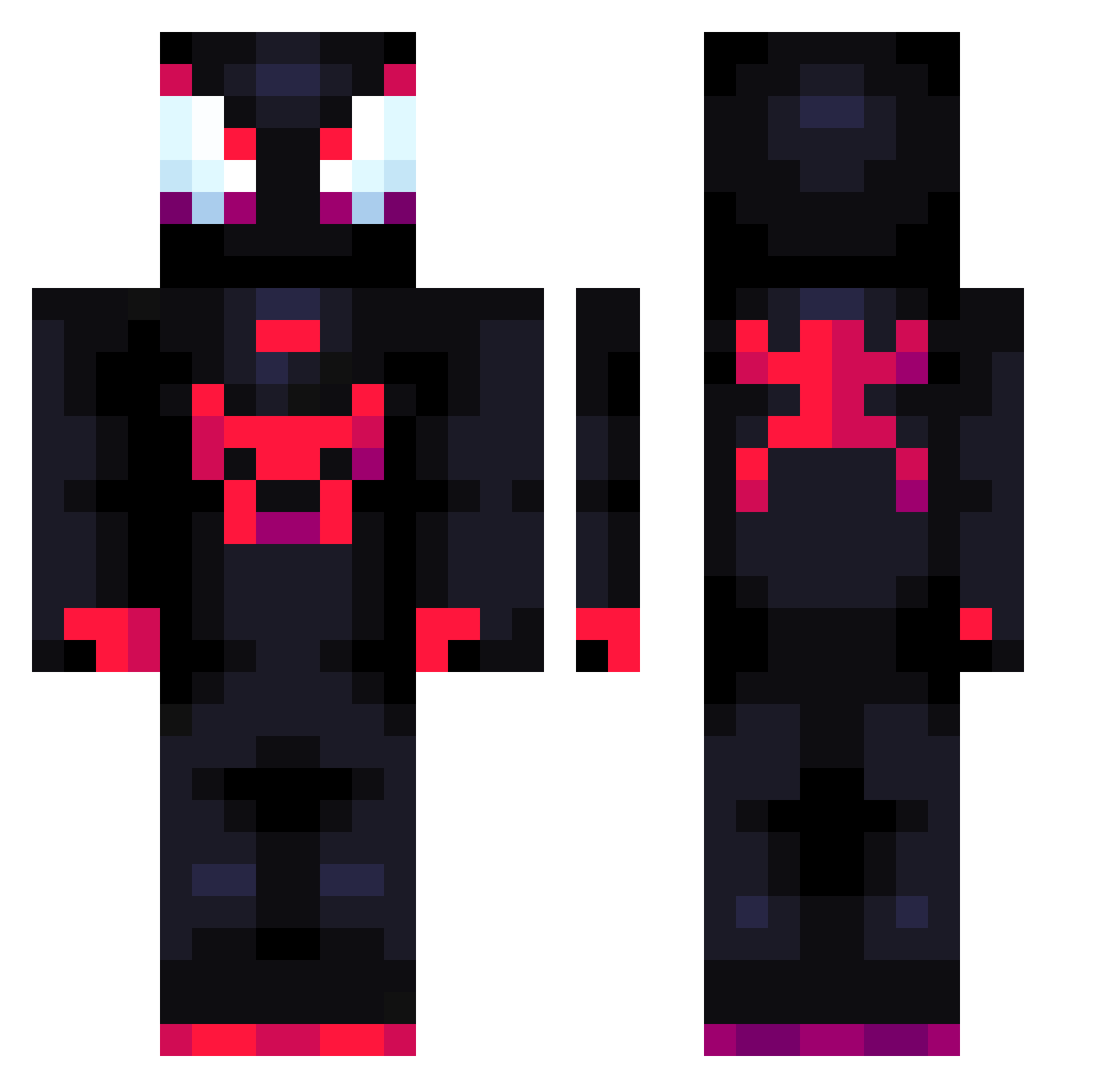
Current Minecraft skin of the player marttinx123, loaded from the official Mojang API. Rotate the 3D model with your mouse or finger, then download the skin as a PNG file and use it in Minecraft: Bedrock Edition or Java Edition for free. When marttinx123 changes their skin, this page updates automatically and the old skin stays in the history below.
Other players with this skin (711)
marttinx123 was the 51st player we have seen with this skin, first spotted on 29.07.2026. The same skin was seen on these players. Open a nickname to see their current skin and skin history.
 Juankok WhoDis 462153 HypnozB0y SanGuanWang Helpiarz Kosny_ elitecamel zadira maaths__ sanxxss Jazzy8534 legacy_99 awakerz baigeiCN JoaquinEMC TPG_013 jeff_the Geovsssss Sambus_21 AlexOKNOTOK HAM3NK Kxnnyy Dsterz
 Jasiu32c kecuup SmokeyBaconPro LegoFANN10 Ginexmm7 Plastiiks juu1812 Sup66 felski69 Wilsondat_5 jakob30112012 Genki41 viiiittz HayRon_ FilippeEtchebese Matei20064 Miguelgenilson LyNx314 theboogiemona Jinyc182 NFDC2 Vthero7 pdiddy01 TheNightmare00 stormhhhhq YMpecmen01 ThiagoxTTV Rui_69 Oskarek47 nefastian BoringJiaozi huahua20093 moon_shr00m ChrispLisp JoJos_Adventure karlekk
More Miles Morales Minecraft skins
See all 234 Miles Morales skins
How to install the marttinx123 skin
- Press the Download button above to save the skin as a PNG file.
- Minecraft: Bedrock Edition (PE): open the Dressing Room from the main menu (or tap your character → Edit Character), go to Classic Skins → Owned, press the + (new skin) button, choose the downloaded PNG and pick the Classic (Steve) model. Works on PC and mobile; consoles cannot import custom skins.
- Minecraft: Java Edition: open the Minecraft Launcher, go to the Skins tab, click New Skin, load the PNG, pick the Classic (Steve) model and press Save & Use. You can also upload it at minecraft.net → Profile → Change Skin.
The skin does not show up after import - what should I do?
Restart Minecraft and open the Dressing Room again - imported skins sometimes appear only after a restart. Also make sure you selected the imported skin and picked the Classic (Steve) model.
Which model should I choose, Classic or Slim?
This skin is designed for the Classic (Steve) model. If you pick the wrong model, the arms of the skin will look stretched or squeezed.
Is the skin of marttinx123 free to download?
Yes. Press Download, save the PNG file and use it in Minecraft: Bedrock Edition or Java Edition - no payment or registration needed. The skin also works on multiplayer servers and Realms.
More skins
Looking for more? Go back to all Minecraft skins and check the top skins of the week, month and all time, or find any player's skin by nickname.