
kuma1006 - Minecraft Skins & Skin History
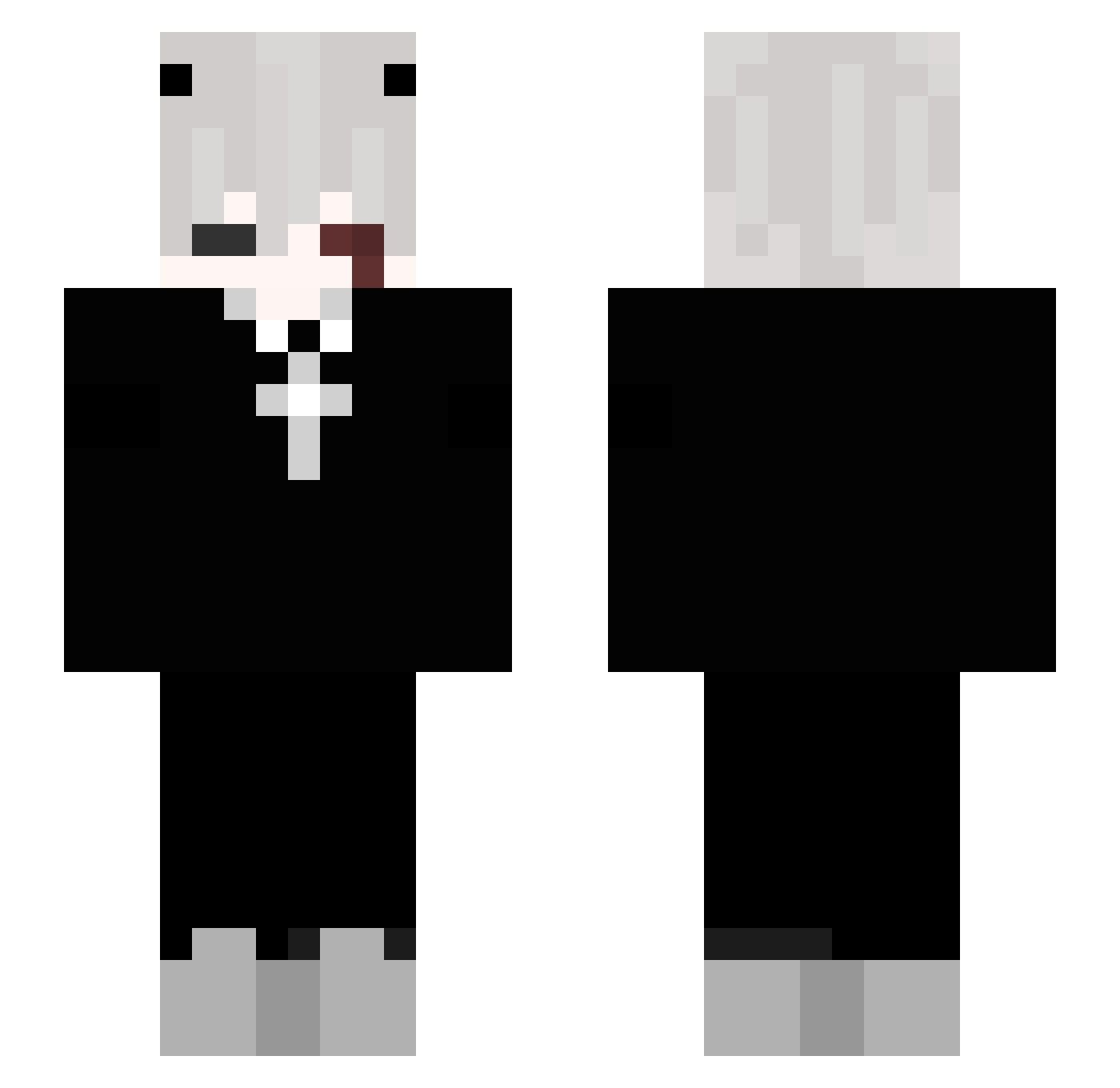
Current Minecraft skin of the player kuma1006, loaded from the official Mojang API. Rotate the 3D model with your mouse or finger, then download the skin as a PNG file and use it in Minecraft: Bedrock Edition or Java Edition for free. When kuma1006 changes their skin, this page updates automatically and the old skin stays in the history below.
Other players with this skin (208)
kuma1006 was the 36th player we have seen with this skin, first spotted on 12.08.2026. The same skin was seen on these players. Open a nickname to see their current skin and skin history.
 DerNackteFrosch XBerserkerX MollySyrup KyyJoy Hasan79 Unique_YWei itsluky333 Rick_Waite HzLucian lucasdar0sa Juaansx buttcreacker3855 Skywell_ EskiloAlex RottenCorpse05
 HIGHLITEE TBallard03 bina124 glocs hunterisanidiot StepSisAdam Katxch1 XReLaXR6 BAE_LLONA theexoticflowr DrBender518 NobodyCaresNMFB StarWayi CheeseBalls2 perkyzonlunar TotaShy patrcio CerealKeter BahattinEge Emerson280 Koisw_uchiha 1Leira_ nacx7 PIUMGAMER1 HUGOBOSS2809 Hanmiiii susumaraj EmberKnight2 jihoochang LAuro2 donatussbtw domdomTH 3x9cm ChrisTheChef Shadowboy_100 spacejamma _KRESEK Anarquismo Eaiuu PhoenixGamerZ vMistake NightNinjaBUL HKPS1 SkyzWHITE Shennnnn
More Cross Minecraft skins
How to install the kuma1006 skin
- Press the Download button above to save the skin as a PNG file.
- Minecraft: Bedrock Edition (PE): open the Dressing Room from the main menu (or tap your character → Edit Character), go to Classic Skins → Owned, press the + (new skin) button, choose the downloaded PNG and pick the Slim (Alex) model. Works on PC and mobile; consoles cannot import custom skins.
- Minecraft: Java Edition: open the Minecraft Launcher, go to the Skins tab, click New Skin, load the PNG, pick the Slim (Alex) model and press Save & Use. You can also upload it at minecraft.net → Profile → Change Skin.
The skin does not show up after import - what should I do?
Restart Minecraft and open the Dressing Room again - imported skins sometimes appear only after a restart. Also make sure you selected the imported skin and picked the Slim (Alex) model.
Which model should I choose, Classic or Slim?
This skin is designed for the Slim (Alex) model. If you pick the wrong model, the arms of the skin will look stretched or squeezed.
Is the skin of kuma1006 free to download?
Yes. Press Download, save the PNG file and use it in Minecraft: Bedrock Edition or Java Edition - no payment or registration needed. The skin also works on multiplayer servers and Realms.
More skins
Looking for more? Go back to all Minecraft skins and check the top skins of the week, month and all time, or find any player's skin by nickname.