
ksyzISchefiRvQO - Minecraft Skins & Skin History
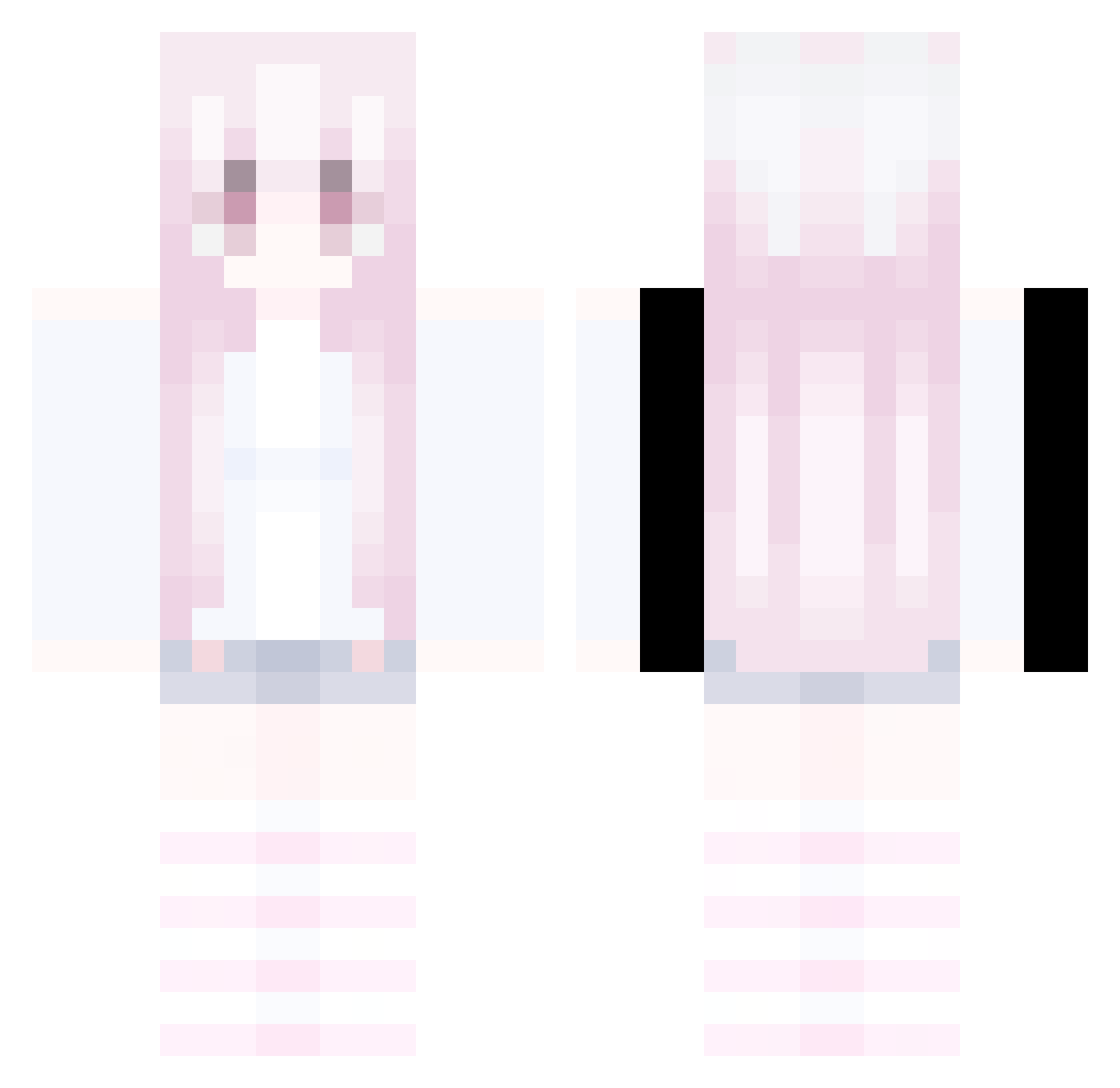
Current Minecraft skin of the player ksyzISchefiRvQO, loaded from the official Mojang API. Rotate the 3D model with your mouse or finger, then download the skin as a PNG file and use it in Minecraft: Bedrock Edition or Java Edition for free. When ksyzISchefiRvQO changes their skin, this page updates automatically and the old skin stays in the history below.
Other players with this skin (332)
ksyzISchefiRvQO was the 160th player we have seen with this skin, first spotted on 17.09.2026. The same skin was seen on these players. Open a nickname to see their current skin and skin history.
 SteveBvOBq AltVerse_js1_AV LIce3tqUwU hongkangji 1ooo234 Yukina0505 ksyzISchefMPqCn mogalts_4st2j AltVerse_86g_AV KupaWbrodziku Sv2Foxuj3 LinhIronliiUwU fleeting1unnoti Chocozx TrigDrift9ji LinhBoldl2jUwU sc4rlxrd1 Y1xue mogalts_ut4c0 LSAFkt0707 Jumaraa zam1230 Griffin1222 Gyrmzgmd Jason_____ AltVerse_c54_AV XinZyi LuckyPuck928 maythemexicancry fwasdx cdcas LinhDark1z1UwU dancheqaq NCGG drinkcokenow AudiTrust MC_Zzr seau1 mogalts_a10cs zivemz1n3 Peachler Kzmi Sv2Voidk9b XArsenioX888 mogalts_f7917 Paddiiiaaa AISHAJSBE9SAAR jack262310 JtheAce1778 LHEmjZ0707 PASIRjtnxrlz2k81 mogalts_gd0xp PASIRovczwo72sp6 LinhEdgegl1UwU Frtik LinhIce65rUwU Sv2Clawqa8 Giabao321j DEARXUAN B_OgaRg_12_25
More Pastel Minecraft skins
How to install the ksyzISchefiRvQO skin
- Press the Download button above to save the skin as a PNG file.
- Minecraft: Bedrock Edition (PE): open the Dressing Room from the main menu (or tap your character → Edit Character), go to Classic Skins → Owned, press the + (new skin) button, choose the downloaded PNG and pick the Classic (Steve) model. Works on PC and mobile; consoles cannot import custom skins.
- Minecraft: Java Edition: open the Minecraft Launcher, go to the Skins tab, click New Skin, load the PNG, pick the Classic (Steve) model and press Save & Use. You can also upload it at minecraft.net → Profile → Change Skin.
The skin does not show up after import - what should I do?
Restart Minecraft and open the Dressing Room again - imported skins sometimes appear only after a restart. Also make sure you selected the imported skin and picked the Classic (Steve) model.
Which model should I choose, Classic or Slim?
This skin is designed for the Classic (Steve) model. If you pick the wrong model, the arms of the skin will look stretched or squeezed.
Is the skin of ksyzISchefiRvQO free to download?
Yes. Press Download, save the PNG file and use it in Minecraft: Bedrock Edition or Java Edition - no payment or registration needed. The skin also works on multiplayer servers and Realms.
More skins
Looking for more? Go back to all Minecraft skins and check the top skins of the week, month and all time, or find any player's skin by nickname.