
kpcreates - Minecraft Skins & Skin History
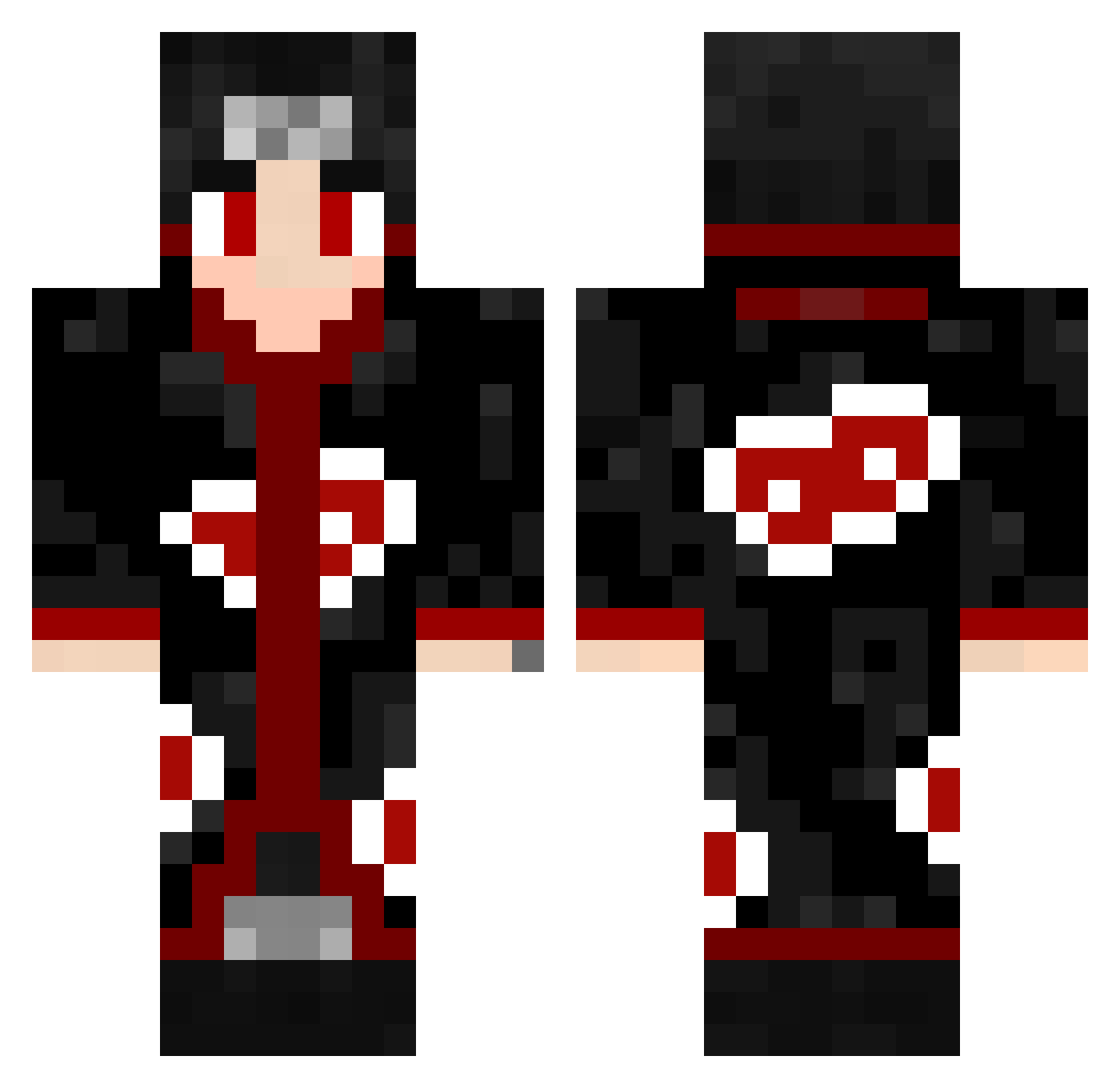
Current Minecraft skin of the player kpcreates, loaded from the official Mojang API. Rotate the 3D model with your mouse or finger, then download the skin as a PNG file and use it in Minecraft: Bedrock Edition or Java Edition for free. When kpcreates changes their skin, this page updates automatically and the old skin stays in the history below.
Other players with this skin (463)
kpcreates was the 79th player we have seen with this skin, first spotted on 06.08.2026. The same skin was seen on these players. Open a nickname to see their current skin and skin history.
 Morty945 Tolgiiz Drofius Asgharx oRagrid
 WolheNN Malikq75 Createx_7 itach_i1 ShioTain_ Azazell8 Shox06 xDvmir Havi420 Wizard_Lord Hoklen alexgea KILLERFIN Lonfgonne91 SorryNotSorryBro ayaan6767_ Ruaxn Dante0455 DARTH_15 JrCutz danodeadshot ryxx12 HirakiV2 MetaleiroPlay EOTAL Pyradoxa Nicoboudou VolcanicAshHeat xOmbey CagElchavo RevelationVirus dezumando DJdydek Peakami Tizixoxo GOT_NINJA Syyniix AntDcUnited watermass DC_InStanZ Castanea43 slytonix YuYQ_1027 GioderCoole sorslee Redaattack itachi_007 PerkatasteXx FroZz67 Straisy itachi0902 DANTAZ_117 XuTpbl_JIuC CLUNA22 bbalexx
More Itachi Uchiha Minecraft skins
See all 318 Itachi Uchiha skins
How to install the kpcreates skin
- Press the Download button above to save the skin as a PNG file.
- Minecraft: Bedrock Edition (PE): open the Dressing Room from the main menu (or tap your character → Edit Character), go to Classic Skins → Owned, press the + (new skin) button, choose the downloaded PNG and pick the Classic (Steve) model. Works on PC and mobile; consoles cannot import custom skins.
- Minecraft: Java Edition: open the Minecraft Launcher, go to the Skins tab, click New Skin, load the PNG, pick the Classic (Steve) model and press Save & Use. You can also upload it at minecraft.net → Profile → Change Skin.
The skin does not show up after import - what should I do?
Restart Minecraft and open the Dressing Room again - imported skins sometimes appear only after a restart. Also make sure you selected the imported skin and picked the Classic (Steve) model.
Which model should I choose, Classic or Slim?
This skin is designed for the Classic (Steve) model. If you pick the wrong model, the arms of the skin will look stretched or squeezed.
Is the skin of kpcreates free to download?
Yes. Press Download, save the PNG file and use it in Minecraft: Bedrock Edition or Java Edition - no payment or registration needed. The skin also works on multiplayer servers and Realms.
More skins
Looking for more? Go back to all Minecraft skins and check the top skins of the week, month and all time, or find any player's skin by nickname.