
koper221 - Minecraft Skins & Skin History
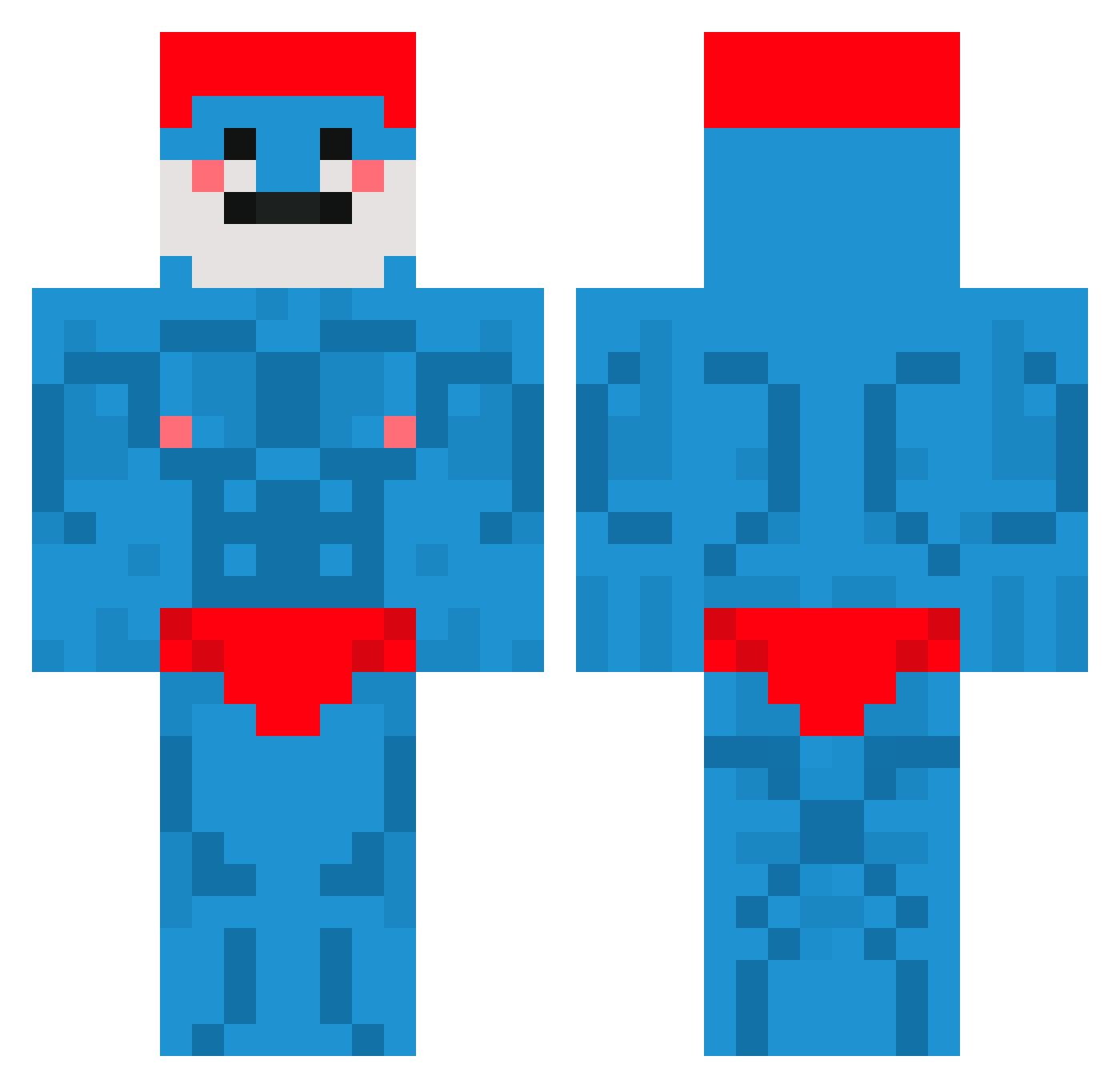
Current Minecraft skin of the player koper221, loaded from the official Mojang API. Rotate the 3D model with your mouse or finger, then download the skin as a PNG file and use it in Minecraft: Bedrock Edition or Java Edition for free. When koper221 changes their skin, this page updates automatically and the old skin stays in the history below.
Other players with this skin (819)
koper221 was the 743rd player we have seen with this skin, first spotted on 10.11.2026. The same skin was seen on these players. Open a nickname to see their current skin and skin history.
 Quasar_01 CrustyCrevice1 _Its_Berci_ NotShadix TopPlug rlatlsgjs KING_GOBLING The1ntrud3r SchlumpfDaddys Lord_Bambus baaraann Juampi09 SnasTheSkelepus pikarus11 ECH_nisse Nuplzs MrUfolud PolishPolisher PolerDancer SterlingSLG LodosBonsai _iloveN_ 1_SaLa_7 Trevii99 teotozi Caio_cheetos Alan359 datmcsmurf mrbeast6942 The_J1zzler sossus822 DrMiell IIIMX TOQUINH0 BaronBubbles NormaleMike Steampunkhog MarrowMAc ISO_Orbit Grogutito KloKumpel Lukefire07 Rott1eBanana kokang Skyzz_S Biitconnect S1ykk Selcukshn Kaji_sys Bosh212 Quacked0utDuck 1zemu14 MrRainCloudy Emofiks T1gorr megatweaker420 doodoonut jaeminyun03 Artiemel TorbrueggeHunter
More Bodybuilder Minecraft skins
See all 1342 Bodybuilder skins
How to install the koper221 skin
- Press the Download button above to save the skin as a PNG file.
- Minecraft: Bedrock Edition (PE): open the Dressing Room from the main menu (or tap your character → Edit Character), go to Classic Skins → Owned, press the + (new skin) button, choose the downloaded PNG and pick the Classic (Steve) model. Works on PC and mobile; consoles cannot import custom skins.
- Minecraft: Java Edition: open the Minecraft Launcher, go to the Skins tab, click New Skin, load the PNG, pick the Classic (Steve) model and press Save & Use. You can also upload it at minecraft.net → Profile → Change Skin.
The skin does not show up after import - what should I do?
Restart Minecraft and open the Dressing Room again - imported skins sometimes appear only after a restart. Also make sure you selected the imported skin and picked the Classic (Steve) model.
Which model should I choose, Classic or Slim?
This skin is designed for the Classic (Steve) model. If you pick the wrong model, the arms of the skin will look stretched or squeezed.
Is the skin of koper221 free to download?
Yes. Press Download, save the PNG file and use it in Minecraft: Bedrock Edition or Java Edition - no payment or registration needed. The skin also works on multiplayer servers and Realms.
More skins
Looking for more? Go back to all Minecraft skins and check the top skins of the week, month and all time, or find any player's skin by nickname.