
koacrack - Minecraft Skins & Skin History
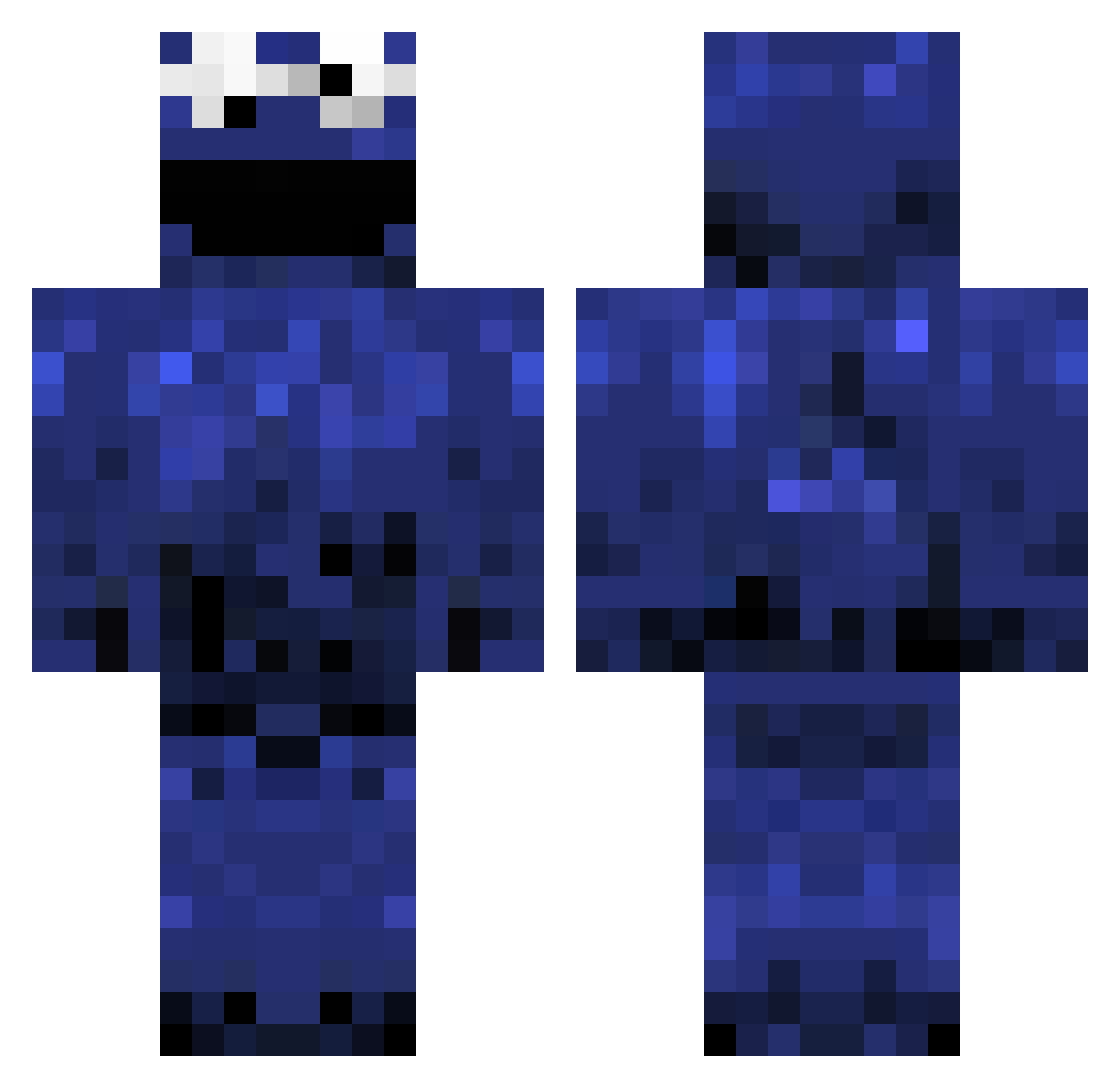
Current Minecraft skin of the player koacrack, loaded from the official Mojang API. Rotate the 3D model with your mouse or finger, then download the skin as a PNG file and use it in Minecraft: Bedrock Edition or Java Edition for free. When koacrack changes their skin, this page updates automatically and the old skin stays in the history below.
Other players with this skin (984)
koacrack was the 631st player we have seen with this skin, first spotted on 26.09.2026. The same skin was seen on these players. Open a nickname to see their current skin and skin history.
 cwatson MeMyselfAndDie whatwax StubbyDong GringoHarley DANTHEMAN541 mango166 haerich openedhorizon01 I3reaky cookiecrushzz JayMatty leo1319 Jwz_Alt TannerRF umezawa3031 CookieFly WheresMyBiscuits Boogie_MonsterTT addalas Ocity Caltrev minecraft6229 kelt ddman01 FEEW_W reymysterio149 roku404 L0rdSarius davidwarr101 irissanchez allu112 BloodThrowerShea Vegard41 UndeadJames99 nuclearmonkey07 swaniogaming LitManCo Grammerz ShiftHeadz torarg clownpark Skillz61689 zeuchs Domin8r666 lel_confirmed baseballdude1432 hero234 chicbtw Threesocks123 C00kiemonst3r 12Parsecs zmilez12 xtremebrainless Nutellakuchen sharbel2001 Makub_Jazur jwongy Decksi SaltyLeech
More Cookie Monster Minecraft skins
See all 241 Cookie Monster skins
How to install the koacrack skin
- Press the Download button above to save the skin as a PNG file.
- Minecraft: Bedrock Edition (PE): open the Dressing Room from the main menu (or tap your character → Edit Character), go to Classic Skins → Owned, press the + (new skin) button, choose the downloaded PNG and pick the Classic (Steve) model. Works on PC and mobile; consoles cannot import custom skins.
- Minecraft: Java Edition: open the Minecraft Launcher, go to the Skins tab, click New Skin, load the PNG, pick the Classic (Steve) model and press Save & Use. You can also upload it at minecraft.net → Profile → Change Skin.
The skin does not show up after import - what should I do?
Restart Minecraft and open the Dressing Room again - imported skins sometimes appear only after a restart. Also make sure you selected the imported skin and picked the Classic (Steve) model.
Which model should I choose, Classic or Slim?
This skin is designed for the Classic (Steve) model. If you pick the wrong model, the arms of the skin will look stretched or squeezed.
Is the skin of koacrack free to download?
Yes. Press Download, save the PNG file and use it in Minecraft: Bedrock Edition or Java Edition - no payment or registration needed. The skin also works on multiplayer servers and Realms.
More skins
Looking for more? Go back to all Minecraft skins and check the top skins of the week, month and all time, or find any player's skin by nickname.