
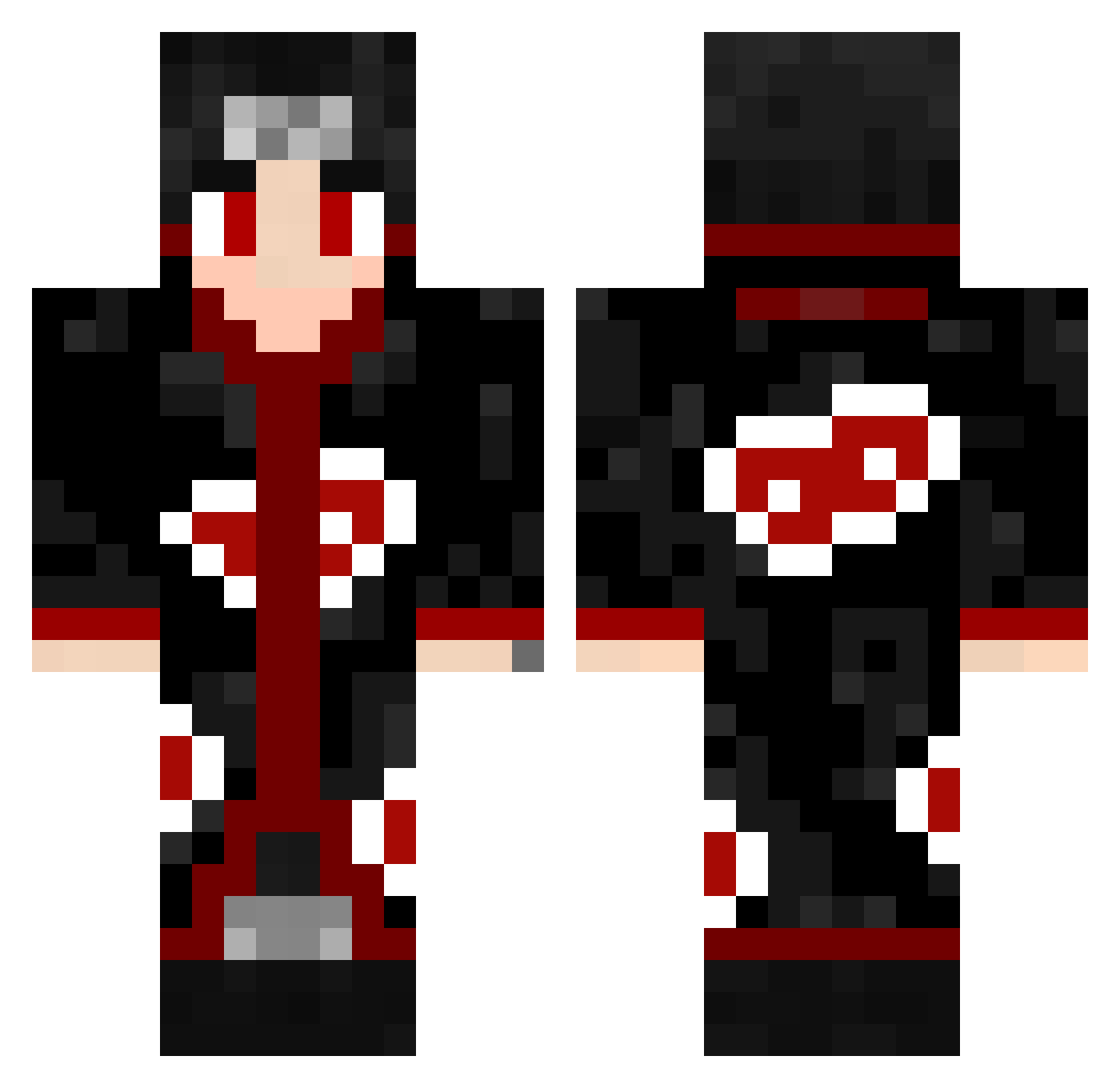
Current Minecraft skin of the player kitty_dalua, loaded from the official Mojang API. Rotate the 3D model with your mouse or finger, then download the skin as a PNG file and use it in Minecraft: Bedrock Edition or Java Edition for free. When kitty_dalua changes their skin, this page updates automatically and the old skin stays in the history below.
Other players with this skin (435)
kitty_dalua was the 293rd player we have seen with this skin, first spotted on 21.09.2026. The same skin was seen on these players. Open a nickname to see their current skin and skin history.
 xXKingOfWarXxx ItsTheAcid Cwsss LUK916 MikiSquachi Variietyy XLonelywolf1997X TsukiNoMie dxhatred Mstaine__ ElFlexo HMZ_MC Sidzzz25 FatNuts666 Bobbj spector_br Urban_Pfanne Idalgino PrimeBoi itachikung NeshyX Dedozz Divey93 mykyky21 RoyalThai DerEchte_Gomes Olimich226 liucik SkinnyAndy TIsubaki Pacino11 CarlosFlow m0istpickle MangelAlayne Faik00 xcujbx Fsgw_ GabrielGesser jini9648 soky6 giorgio888 alericsvo carvicc ExecuterLive matheusdgg otaku_jikimo Prof_Pwnage XDNINJAOP juliavkrz SASHIRI Papu_Bz HALXD M7m4D KrazyDogXD Crazy_Eight1204 TheNippleLord3 McChiMan FadedKaos Maui114 Venom_black
More Itachi Uchiha Minecraft skins
See all 307 Itachi Uchiha skins
How to install the kitty_dalua skin
- Press the Download button above to save the skin as a PNG file.
- Minecraft: Bedrock Edition (PE): open the Dressing Room from the main menu (or tap your character → Edit Character), go to Classic Skins → Owned, press the + (new skin) button, choose the downloaded PNG and pick the Classic (Steve) model. Works on PC and mobile; consoles cannot import custom skins.
- Minecraft: Java Edition: open the Minecraft Launcher, go to the Skins tab, click New Skin, load the PNG, pick the Classic (Steve) model and press Save & Use. You can also upload it at minecraft.net → Profile → Change Skin.
The skin does not show up after import - what should I do?
Restart Minecraft and open the Dressing Room again - imported skins sometimes appear only after a restart. Also make sure you selected the imported skin and picked the Classic (Steve) model.
Which model should I choose, Classic or Slim?
This skin is designed for the Classic (Steve) model. If you pick the wrong model, the arms of the skin will look stretched or squeezed.
Is the skin of kitty_dalua free to download?
Yes. Press Download, save the PNG file and use it in Minecraft: Bedrock Edition or Java Edition - no payment or registration needed. The skin also works on multiplayer servers and Realms.
More skins
Looking for more? Go back to all Minecraft skins and check the top skins of the week, month and all time, or find any player's skin by nickname.