
kinokonono14 - Minecraft Skins & Skin History
Current Minecraft skin of the player kinokonono14, loaded from the official Mojang API. Rotate the 3D model with your mouse or finger, then download the skin as a PNG file and use it in Minecraft: Bedrock Edition or Java Edition for free. When kinokonono14 changes their skin, this page updates automatically and the old skin stays in the history below.
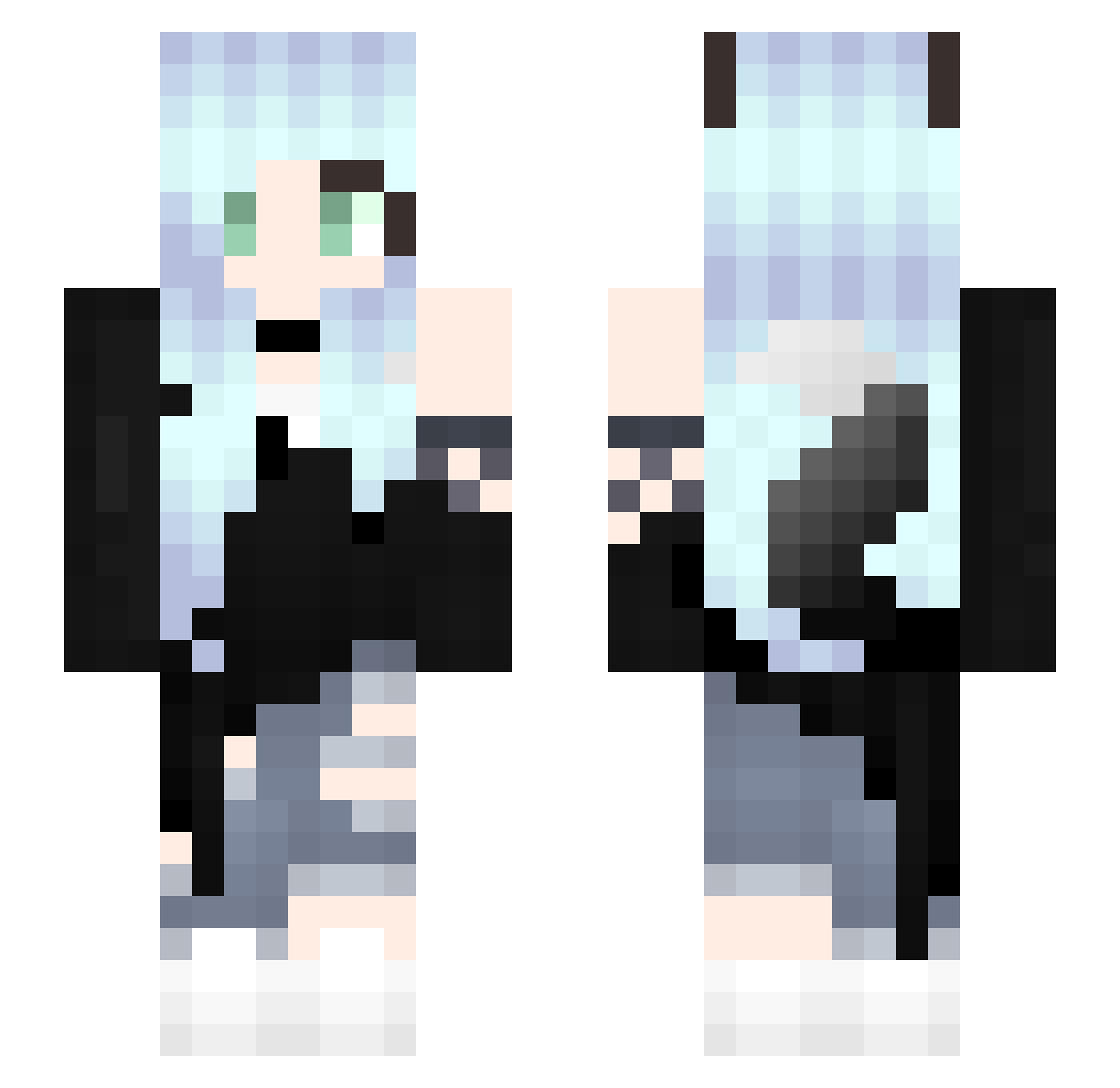
Other players with this skin (328)
kinokonono14 was the 112th player we have seen with this skin, first spotted on 30.08.2026. The same skin was seen on these players. Open a nickname to see their current skin and skin history.
 Siren1727 _KlaudiX_ Vittoria_45 GalaxyNovaRayne GamerGirlsRule88 NyxZoldrent Lunashards wolker_jerry leilameadowway InfectedZombie5 www31122 NotKitsune_Fox Aaron645 ilomnis CorinaElena UwUMary tata_eu MasterKuno Merlinarul Foxylight2 _Lucien_Lai mxllesnoopy Seednoir ayuria Deemonsy mrman233 ShakyWheel MamaBoops YCL_Army Luna_Lucky Kirutiki5942 SweetSelina CrazyxGirlx galaxy12346 catlovestotalk FallenWolfPetals Sarah_OwO taburete14 Miniature_Pixel Scarharhar LadyWallker Alex_XIV SilverMason410 Friday221Yeah emaruko Tootthless Akuromi SilverSorceress_ Nyra_Wolfy SoyaSun xXRuby_KitsuneXx RecycledWeasel Luleemi lariseppe syuuya423 Yukino404 DDGamer90 Guramii1512 darkpidgeon KarmaMitake
More Fox Ears Minecraft skins
How to install the kinokonono14 skin
- Press the Download button above to save the skin as a PNG file.
- Minecraft: Bedrock Edition (PE): open the Dressing Room from the main menu (or tap your character → Edit Character), go to Classic Skins → Owned, press the + (new skin) button, choose the downloaded PNG and pick the Slim (Alex) model. Works on PC and mobile; consoles cannot import custom skins.
- Minecraft: Java Edition: open the Minecraft Launcher, go to the Skins tab, click New Skin, load the PNG, pick the Slim (Alex) model and press Save & Use. You can also upload it at minecraft.net → Profile → Change Skin.
The skin does not show up after import - what should I do?
Restart Minecraft and open the Dressing Room again - imported skins sometimes appear only after a restart. Also make sure you selected the imported skin and picked the Slim (Alex) model.
Which model should I choose, Classic or Slim?
This skin is designed for the Slim (Alex) model. If you pick the wrong model, the arms of the skin will look stretched or squeezed.
Is the skin of kinokonono14 free to download?
Yes. Press Download, save the PNG file and use it in Minecraft: Bedrock Edition or Java Edition - no payment or registration needed. The skin also works on multiplayer servers and Realms.
More skins
Looking for more? Go back to all Minecraft skins and check the top skins of the week, month and all time, or find any player's skin by nickname.