
killerrau08 - Minecraft Skins & Skin History
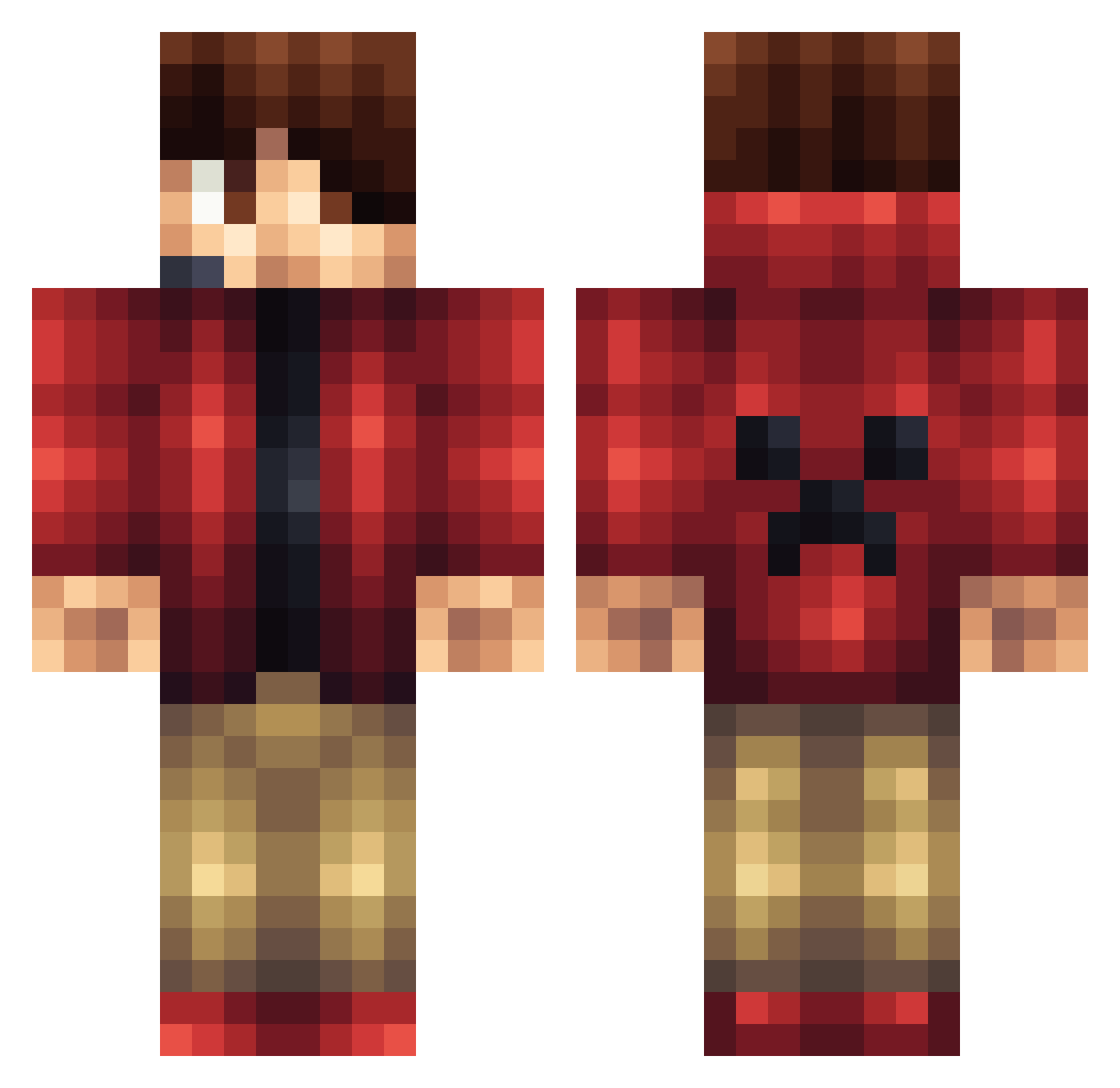
Current Minecraft skin of the player killerrau08, loaded from the official Mojang API. Rotate the 3D model with your mouse or finger, then download the skin as a PNG file and use it in Minecraft: Bedrock Edition or Java Edition for free. When killerrau08 changes their skin, this page updates automatically and the old skin stays in the history below.
Other players with this skin (1165)
killerrau08 was the 949th player we have seen with this skin, first spotted on 16.10.2026. The same skin was seen on these players. Open a nickname to see their current skin and skin history.
 Lune_7 Clemsonfox gorillaking1718 spartan5655 GrubbyJJ Masterskyo Nyhlo Ninja123456767 ncfb33 Epic_Killer2001 Reece1244 Dduche ninjaimmortal MrOriginal13 SwagKing230 rad211 steveme9 rotcod20 ravenscr0ft Michigen JoelF05 drakonstein TheKillerCoconut KyleRocks2012 visher2015 jacobsje Shonen_Jump mahooow SirGirraffe ryansz2002 magn5435 RoshMC SillenceHu benamen DanielAb13 Gezuaaxh So_Comman KevJ99 reddy10003 slicerman100 israeglin Lynize Ai_Za steintopkeeper3 Akings CamdenChuong MaurMar Didums1 ChaosControl_113 Gamingboy177 AJ_Miner Niklas2208 lion_chick JDog2195 Syk0Trickey DemigodJNR Billbow123 CreeperDude142 L3WER tresortier01
More Headset Minecraft skins
How to install the killerrau08 skin
- Press the Download button above to save the skin as a PNG file.
- Minecraft: Bedrock Edition (PE): open the Dressing Room from the main menu (or tap your character → Edit Character), go to Classic Skins → Owned, press the + (new skin) button, choose the downloaded PNG and pick the Classic (Steve) model. Works on PC and mobile; consoles cannot import custom skins.
- Minecraft: Java Edition: open the Minecraft Launcher, go to the Skins tab, click New Skin, load the PNG, pick the Classic (Steve) model and press Save & Use. You can also upload it at minecraft.net → Profile → Change Skin.
The skin does not show up after import - what should I do?
Restart Minecraft and open the Dressing Room again - imported skins sometimes appear only after a restart. Also make sure you selected the imported skin and picked the Classic (Steve) model.
Which model should I choose, Classic or Slim?
This skin is designed for the Classic (Steve) model. If you pick the wrong model, the arms of the skin will look stretched or squeezed.
Is the skin of killerrau08 free to download?
Yes. Press Download, save the PNG file and use it in Minecraft: Bedrock Edition or Java Edition - no payment or registration needed. The skin also works on multiplayer servers and Realms.
More skins
Looking for more? Go back to all Minecraft skins and check the top skins of the week, month and all time, or find any player's skin by nickname.