
killabunny101 - Minecraft Skins & Skin History
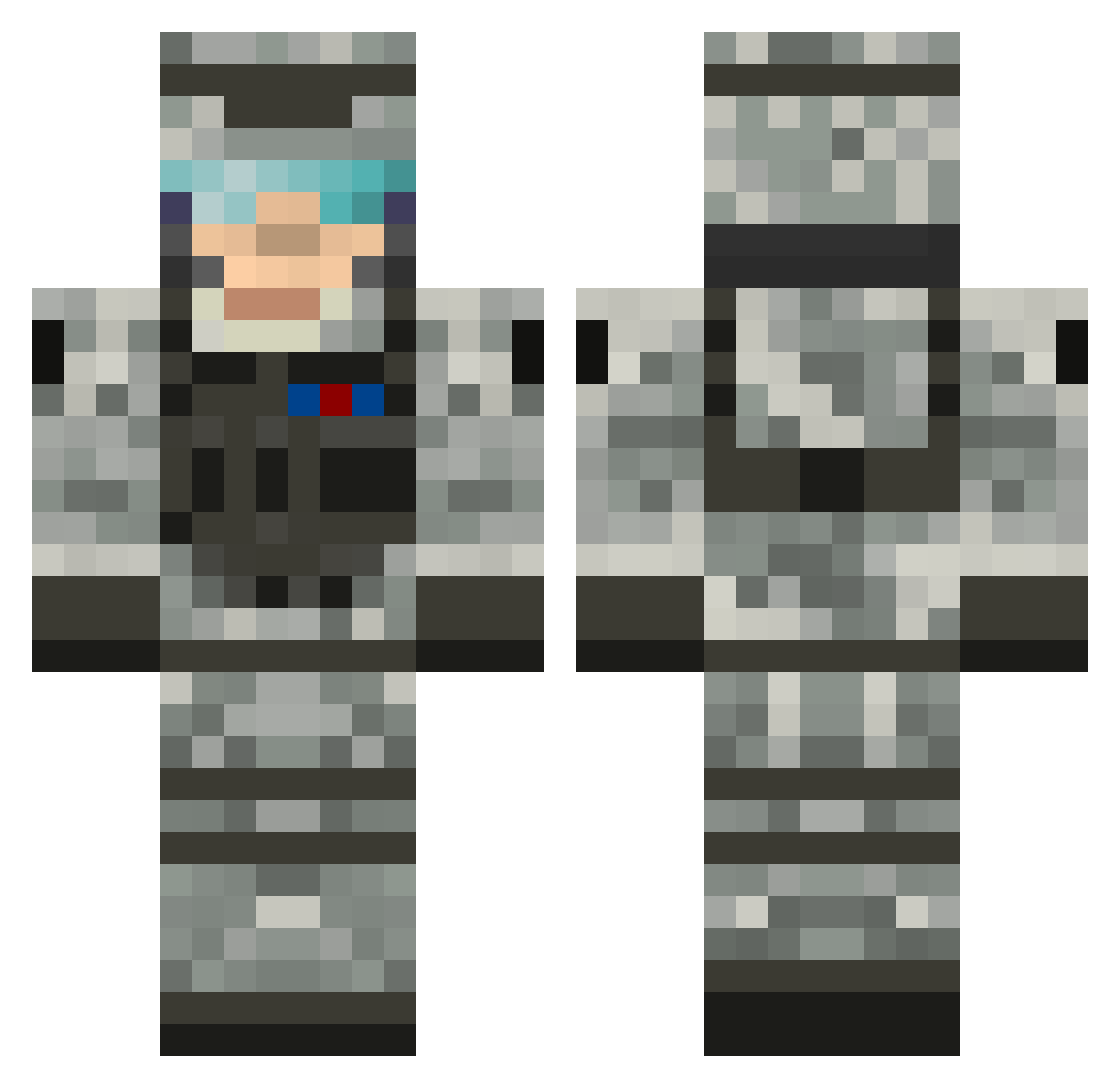
Current Minecraft skin of the player killabunny101, loaded from the official Mojang API. Rotate the 3D model with your mouse or finger, then download the skin as a PNG file and use it in Minecraft: Bedrock Edition or Java Edition for free. When killabunny101 changes their skin, this page updates automatically and the old skin stays in the history below.
Other players with this skin (505)
killabunny101 was the 52nd player we have seen with this skin, first spotted on 03.08.2026. The same skin was seen on these players. Open a nickname to see their current skin and skin history.
 willpeter17 Juz369 GUNSHOT607 ll_PR0METHEUS_ll Madman_89 SobesMS St8dominate Neuromancer33 Killercroc_1200 StrykerMGS merelsunday DoomsDayes docj55 timibaer NakkyD northyukon illdorf DamienPenguin EJB27 NavWalia EvilLemonGames georgeashby11221 Meaneymachine cluf24 gamefighter810 sunwave135 modman26 ruigehuig MC_Legend123 TheSwedishPear austincates Primo782 Blackhawkpizzo GeneralAlec _AustinJ_ Dreak123 Nighthawk2776 Gold_Fish2 Ultra_White ffrriittzz Zamper18 armymanlance marsjan Handsome230 pinch_boy mikerock123 alrik123 AODpunk Gillsy19 kaunnon hunthead Honda_Pilot AustinShooter thekiller2884 Saints888 ArmyDad67 RageJohnStanton Pokeminer3 Zombie_GunShot Hovercraft500
More Camo Minecraft skins
How to install the killabunny101 skin
- Press the Download button above to save the skin as a PNG file.
- Minecraft: Bedrock Edition (PE): open the Dressing Room from the main menu (or tap your character → Edit Character), go to Classic Skins → Owned, press the + (new skin) button, choose the downloaded PNG and pick the Classic (Steve) model. Works on PC and mobile; consoles cannot import custom skins.
- Minecraft: Java Edition: open the Minecraft Launcher, go to the Skins tab, click New Skin, load the PNG, pick the Classic (Steve) model and press Save & Use. You can also upload it at minecraft.net → Profile → Change Skin.
The skin does not show up after import - what should I do?
Restart Minecraft and open the Dressing Room again - imported skins sometimes appear only after a restart. Also make sure you selected the imported skin and picked the Classic (Steve) model.
Which model should I choose, Classic or Slim?
This skin is designed for the Classic (Steve) model. If you pick the wrong model, the arms of the skin will look stretched or squeezed.
Is the skin of killabunny101 free to download?
Yes. Press Download, save the PNG file and use it in Minecraft: Bedrock Edition or Java Edition - no payment or registration needed. The skin also works on multiplayer servers and Realms.
More skins
Looking for more? Go back to all Minecraft skins and check the top skins of the week, month and all time, or find any player's skin by nickname.