
kilklen18 - Minecraft Skins & Skin History
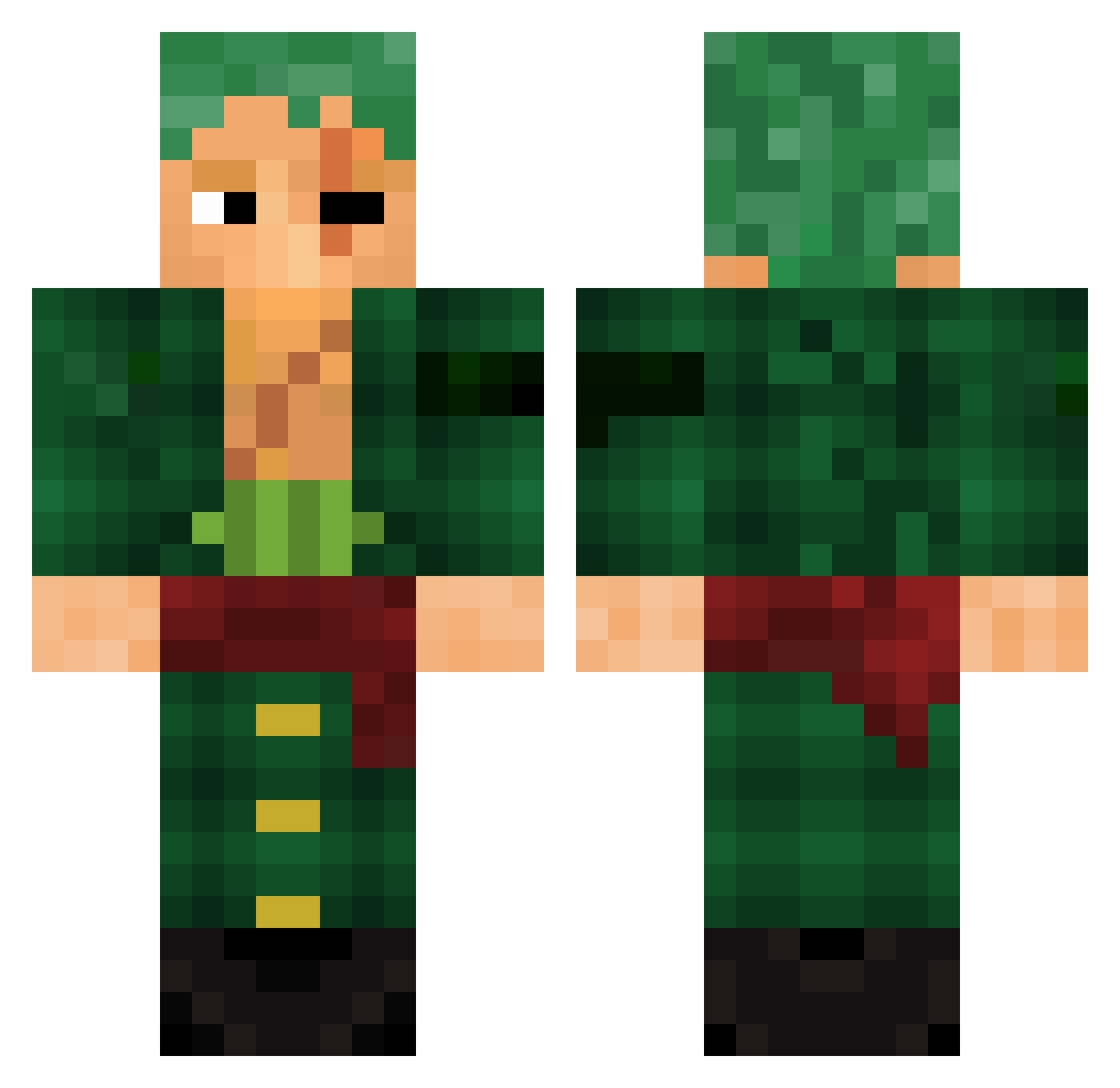
Current Minecraft skin of the player kilklen18, loaded from the official Mojang API. Rotate the 3D model with your mouse or finger, then download the skin as a PNG file and use it in Minecraft: Bedrock Edition or Java Edition for free. When kilklen18 changes their skin, this page updates automatically and the old skin stays in the history below.
Other players with this skin (778)
kilklen18 was the 281st player we have seen with this skin, first spotted on 27.08.2026. The same skin was seen on these players. Open a nickname to see their current skin and skin history.
 Tosslin NotWisk ZoroIII MightyLubeman57 caduyoutuber01 Elock21 NinjaPikachu56 Madorak falunima2 Neptopolion LeoKNG LuskaKING SekoM Fraguitos jaime_la_bagarre bbbbbily KoroOnTwitch Qwispp Mrvanshop Panoramix0 LordHiroo Diopox JagoanKematlan RedRose2312 RORONOAZORROO barbenoar GobZz LucaoUnlucky ZacLapt1 Nivetan jashan69 xElucidatorx OLI211 Cheems5582 Lebuck Sk1lloverZ Rronoa sensei687 66qz Roronoa_Zoro7477 magioc2000 AndyDufrence Sebzv _Leviathan1_ Raylan442 aarr0923 Juanjo2323 mr_beguette LinSammity Sellusy MegaDro1dX weeb64 ProJeans21 u8mk alfie010 SerhatAku kiuzinhoTV Euphoria_Storm SofMoh elpurum
More Roronoa Zoro Minecraft skins
See all 291 Roronoa Zoro skins
How to install the kilklen18 skin
- Press the Download button above to save the skin as a PNG file.
- Minecraft: Bedrock Edition (PE): open the Dressing Room from the main menu (or tap your character → Edit Character), go to Classic Skins → Owned, press the + (new skin) button, choose the downloaded PNG and pick the Classic (Steve) model. Works on PC and mobile; consoles cannot import custom skins.
- Minecraft: Java Edition: open the Minecraft Launcher, go to the Skins tab, click New Skin, load the PNG, pick the Classic (Steve) model and press Save & Use. You can also upload it at minecraft.net → Profile → Change Skin.
The skin does not show up after import - what should I do?
Restart Minecraft and open the Dressing Room again - imported skins sometimes appear only after a restart. Also make sure you selected the imported skin and picked the Classic (Steve) model.
Which model should I choose, Classic or Slim?
This skin is designed for the Classic (Steve) model. If you pick the wrong model, the arms of the skin will look stretched or squeezed.
Is the skin of kilklen18 free to download?
Yes. Press Download, save the PNG file and use it in Minecraft: Bedrock Edition or Java Edition - no payment or registration needed. The skin also works on multiplayer servers and Realms.
More skins
Looking for more? Go back to all Minecraft skins and check the top skins of the week, month and all time, or find any player's skin by nickname.