
kiki_katastrophe - Minecraft Skins & Skin History
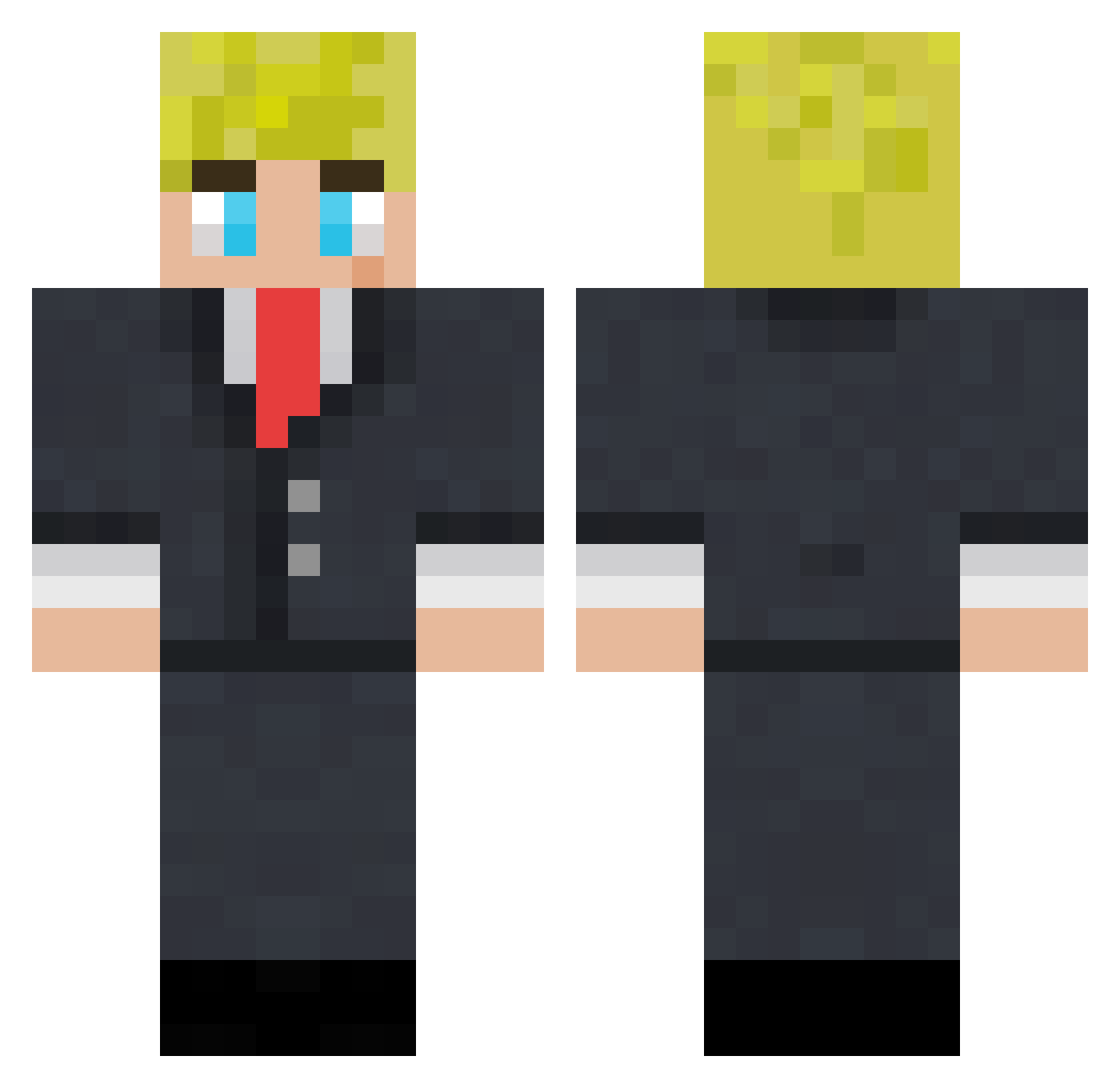
Current Minecraft skin of the player kiki_katastrophe, loaded from the official Mojang API. Rotate the 3D model with your mouse or finger, then download the skin as a PNG file and use it in Minecraft: Bedrock Edition or Java Edition for free. When kiki_katastrophe changes their skin, this page updates automatically and the old skin stays in the history below.
Other players with this skin (117)
kiki_katastrophe was the 73rd player we have seen with this skin, first spotted on 27.09.2026. The same skin was seen on these players. Open a nickname to see their current skin and skin history.
 KillMeBaby93 tommyinnit9210 Wdq24200 jonnyboy243 thatlildarktrai Xq23 Alleeeballeee kestdaddy unkissinglys Chezy_Squirrel NotWhatsUpWill Machamp20 ShaneMcdonald Daveybico _Pxtxr_ imbadatgames67 Big_Dave_ tushiii_ pommerenk Eness Gutentagw NorthernLime696 daanb208 Shezza6853 Hendrix12 AmphibianSAM Kyyoko Ghostly_Assasin SadFatCow ToomyInnit WiciottoPS42 Brocky08 kirbydirt Witt_co BIG_B__ drxp69 Ghoulking Wonty_Wone Coockielabes BigCBrooks acvanfan Polentaefasoi Nathrin_ willsmyth15 xmassandy11 IanJung techdude2011 Beluga1000000000 kusumesh Unknown_Gangsta NotEvanmcgaming h0nkb0i TallHitman07 Seanster101 fjammy18 Robyzx1 alanaa0 Defaa62 Brody_f1 MoistyToez
More Boris Johnson Minecraft skins
See all 18 Boris Johnson skins
How to install the kiki_katastrophe skin
- Press the Download button above to save the skin as a PNG file.
- Minecraft: Bedrock Edition (PE): open the Dressing Room from the main menu (or tap your character → Edit Character), go to Classic Skins → Owned, press the + (new skin) button, choose the downloaded PNG and pick the Classic (Steve) model. Works on PC and mobile; consoles cannot import custom skins.
- Minecraft: Java Edition: open the Minecraft Launcher, go to the Skins tab, click New Skin, load the PNG, pick the Classic (Steve) model and press Save & Use. You can also upload it at minecraft.net → Profile → Change Skin.
The skin does not show up after import - what should I do?
Restart Minecraft and open the Dressing Room again - imported skins sometimes appear only after a restart. Also make sure you selected the imported skin and picked the Classic (Steve) model.
Which model should I choose, Classic or Slim?
This skin is designed for the Classic (Steve) model. If you pick the wrong model, the arms of the skin will look stretched or squeezed.
Is the skin of kiki_katastrophe free to download?
Yes. Press Download, save the PNG file and use it in Minecraft: Bedrock Edition or Java Edition - no payment or registration needed. The skin also works on multiplayer servers and Realms.
More skins
Looking for more? Go back to all Minecraft skins and check the top skins of the week, month and all time, or find any player's skin by nickname.