
kickgoing - Minecraft Skins & Skin History
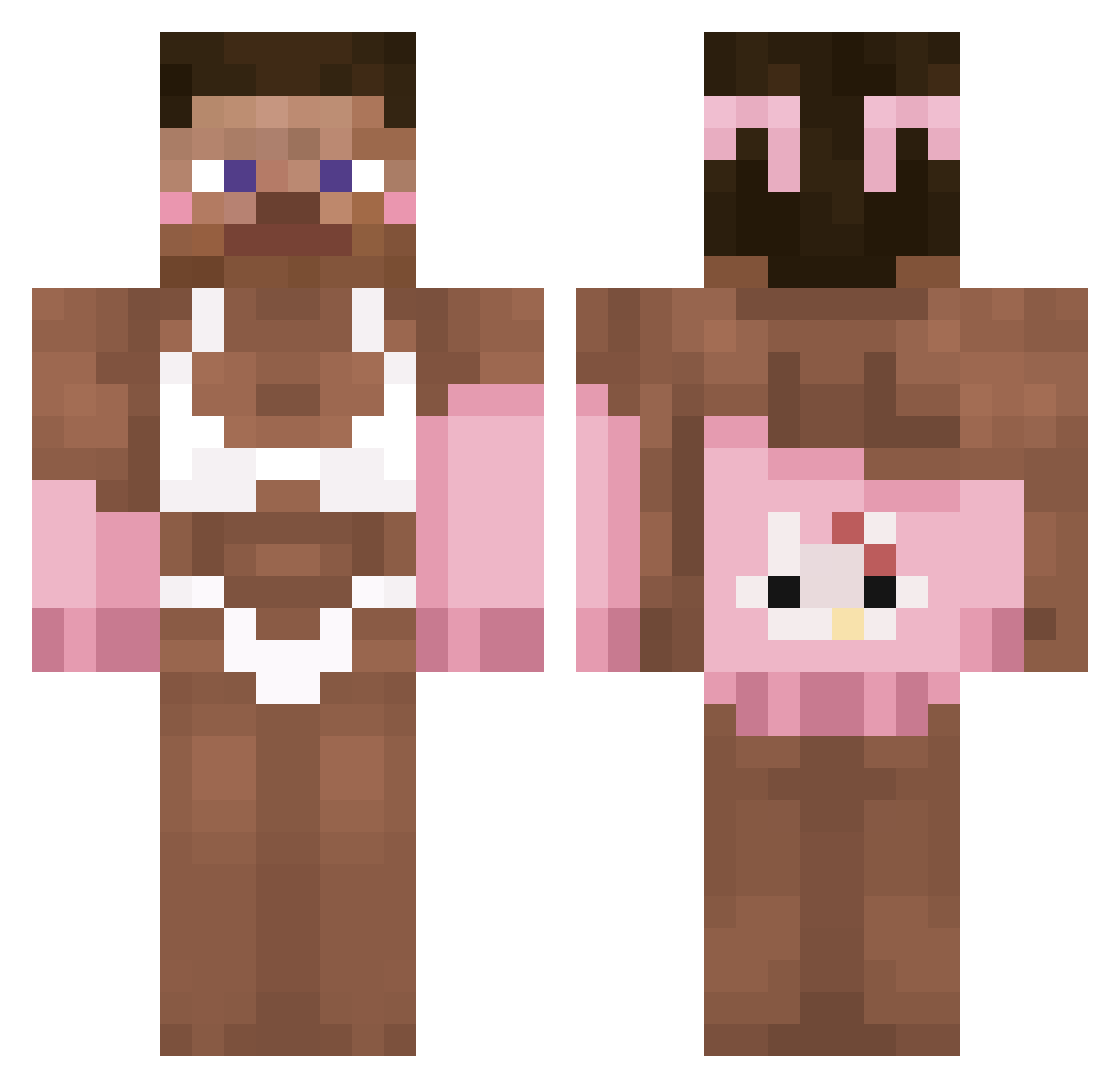
Current Minecraft skin of the player kickgoing, loaded from the official Mojang API. Rotate the 3D model with your mouse or finger, then download the skin as a PNG file and use it in Minecraft: Bedrock Edition or Java Edition for free. When kickgoing changes their skin, this page updates automatically and the old skin stays in the history below.
Other players with this skin (314)
kickgoing was the 230th player we have seen with this skin, first spotted on 11.10.2026. The same skin was seen on these players. Open a nickname to see their current skin and skin history.
 delphinus444 nameless_tick972 eunsngiy Dream_Aurora xslayer667 bodies82 BRDXT copdog193 aybes DavidGoggings69 exwdiaria jozek__5stalinek SSSSS22222 liam1004 tsuky074 HolaSoyPadre TomMoreee Epitonic kdftk Xxy1jk wonsater _garden7 Kxco SableNoireSansB caioooooooo BriiTheRat cienka_babka juliuszeqmc CLARA_F30 idksomeguy GRNTEA_198 _ziomalooo Fifi45 oBruno_o Yuuholo Slivajuice Margarynka1 Twinuzisfever sosua0 mybjf _bbong NetroXiks Lewek69 PlasmaCharge IAmpiA Kaktusik2022 ghizx tosmaaaa Lushy_69 McLazo_ ARSHUNIGO MrPotato969 RampantToast301 Axandos spillo07 TacoCraft1 AgnieszkaLimonka o_Pol_o kazizk00l21 Ericzek
More Hello Kitty Minecraft skins
How to install the kickgoing skin
- Press the Download button above to save the skin as a PNG file.
- Minecraft: Bedrock Edition (PE): open the Dressing Room from the main menu (or tap your character → Edit Character), go to Classic Skins → Owned, press the + (new skin) button, choose the downloaded PNG and pick the Classic (Steve) model. Works on PC and mobile; consoles cannot import custom skins.
- Minecraft: Java Edition: open the Minecraft Launcher, go to the Skins tab, click New Skin, load the PNG, pick the Classic (Steve) model and press Save & Use. You can also upload it at minecraft.net → Profile → Change Skin.
The skin does not show up after import - what should I do?
Restart Minecraft and open the Dressing Room again - imported skins sometimes appear only after a restart. Also make sure you selected the imported skin and picked the Classic (Steve) model.
Which model should I choose, Classic or Slim?
This skin is designed for the Classic (Steve) model. If you pick the wrong model, the arms of the skin will look stretched or squeezed.
Is the skin of kickgoing free to download?
Yes. Press Download, save the PNG file and use it in Minecraft: Bedrock Edition or Java Edition - no payment or registration needed. The skin also works on multiplayer servers and Realms.
More skins
Looking for more? Go back to all Minecraft skins and check the top skins of the week, month and all time, or find any player's skin by nickname.