
ki3illl - Minecraft Skins & Skin History
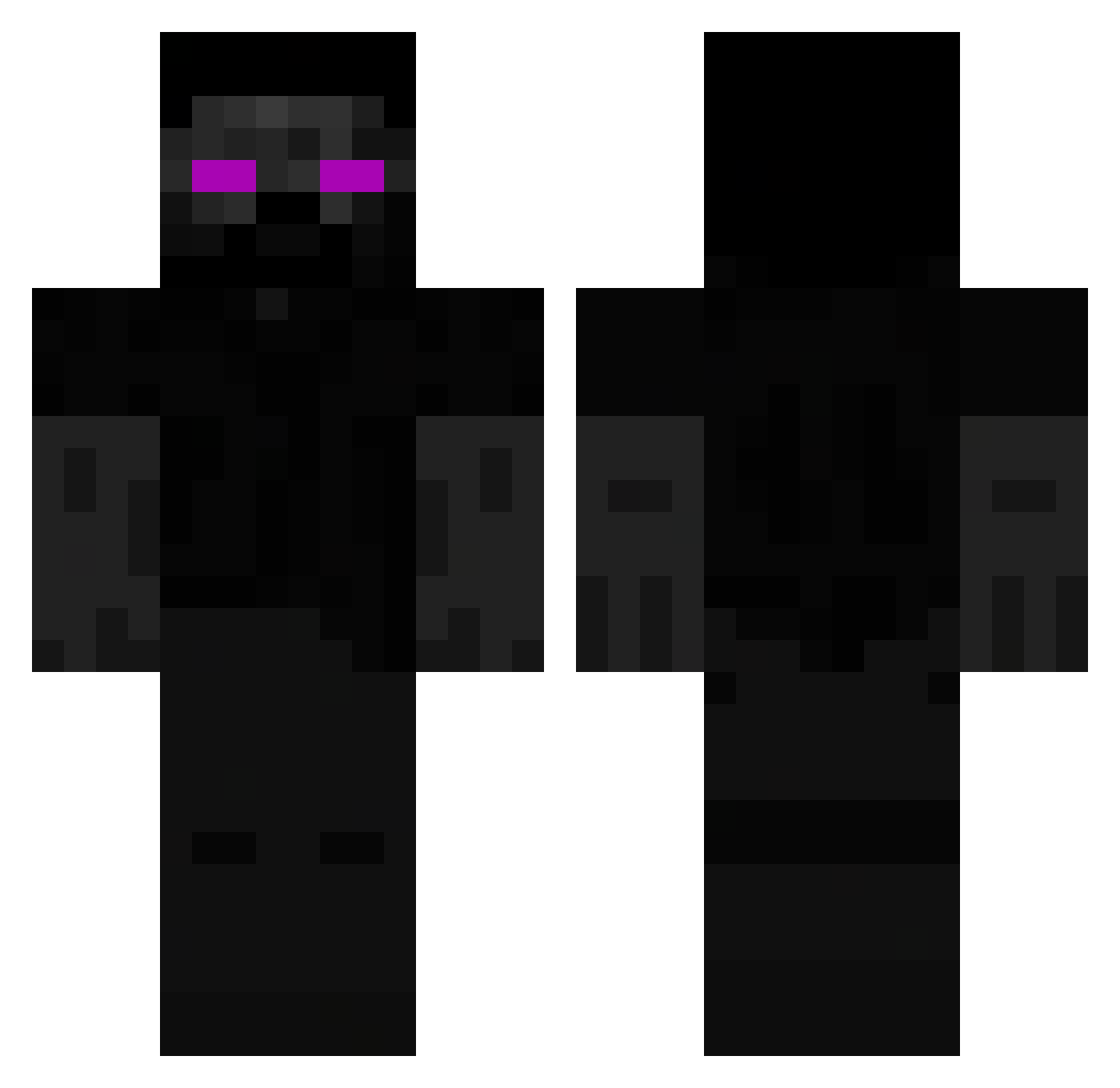
Current Minecraft skin of the player ki3illl, loaded from the official Mojang API. Rotate the 3D model with your mouse or finger, then download the skin as a PNG file and use it in Minecraft: Bedrock Edition or Java Edition for free. When ki3illl changes their skin, this page updates automatically and the old skin stays in the history below.
Other players with this skin (58)
ki3illl was the 7th player we have seen with this skin, first spotted on 11.08.2026. The same skin was seen on these players. Open a nickname to see their current skin and skin history.
 WarEnderMC tupapito10 psn31 VXCTXRRS MANDO_X
 KingKev0_0 QQWWWWWWWW MANNAGGIALAMADO reeeen08 Tazyzy PhantomCooki388 BillyBob1714 Jokubas14756887
 N_sc4pes j0t000000 V1nc3nt82 QAMQ xtreme09_ gli4x
 Poulequivole MrProterX AustinVoid13 VELENO10 EA_2010 Endpearl Player_GamesW Adkokerv2 na33im _E_C_L_I_P_S_E_ xCuCx daffer322 Alexblock68 GalaxyDev13 Hhowt Ruhn7 Mfx121 Tyler71400 yissuastgamn Sebakillah ImmuneMarz h4d_u _PanZapalka_ Wizzypg Ilaxx17 jayrussss FacuRhox Yusnokai gateee Frite35 Magnum8 Gurusita leugim008 ItamarSharon Siiizer BedStealers 5jd8 DRIVER1996 GodCraft72
More Monster Minecraft skins
How to install the ki3illl skin
- Press the Download button above to save the skin as a PNG file.
- Minecraft: Bedrock Edition (PE): open the Dressing Room from the main menu (or tap your character → Edit Character), go to Classic Skins → Owned, press the + (new skin) button, choose the downloaded PNG and pick the Classic (Steve) model. Works on PC and mobile; consoles cannot import custom skins.
- Minecraft: Java Edition: open the Minecraft Launcher, go to the Skins tab, click New Skin, load the PNG, pick the Classic (Steve) model and press Save & Use. You can also upload it at minecraft.net → Profile → Change Skin.
The skin does not show up after import - what should I do?
Restart Minecraft and open the Dressing Room again - imported skins sometimes appear only after a restart. Also make sure you selected the imported skin and picked the Classic (Steve) model.
Which model should I choose, Classic or Slim?
This skin is designed for the Classic (Steve) model. If you pick the wrong model, the arms of the skin will look stretched or squeezed.
Is the skin of ki3illl free to download?
Yes. Press Download, save the PNG file and use it in Minecraft: Bedrock Edition or Java Edition - no payment or registration needed. The skin also works on multiplayer servers and Realms.
More skins
Looking for more? Go back to all Minecraft skins and check the top skins of the week, month and all time, or find any player's skin by nickname.