
Poulequivole - Minecraft Skins & Skin History
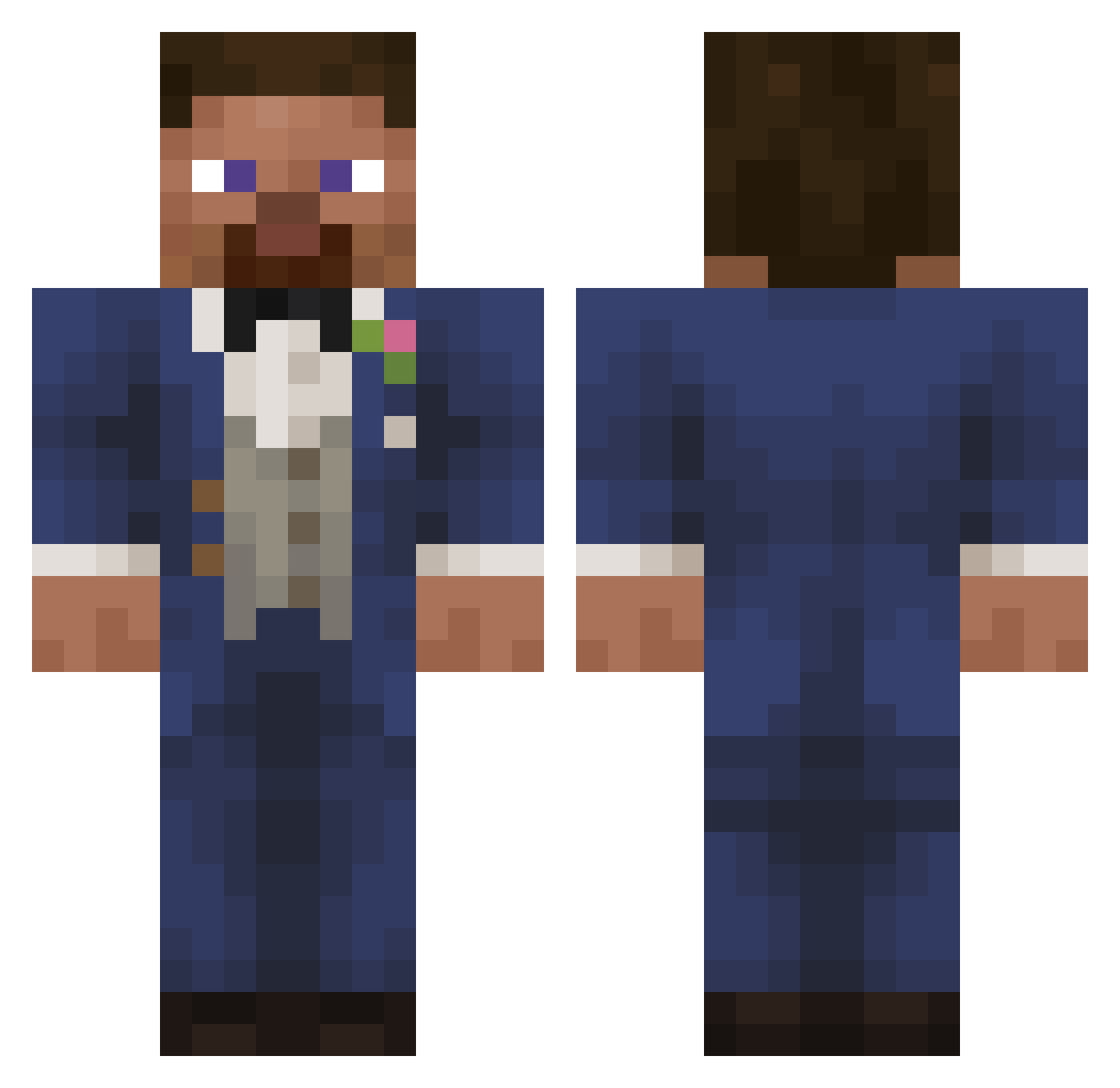
Current Minecraft skin of the player Poulequivole, loaded from the official Mojang API. Rotate the 3D model with your mouse or finger, then download the skin as a PNG file and use it in Minecraft: Bedrock Edition or Java Edition for free. When Poulequivole changes their skin, this page updates automatically and the old skin stays in the history below.
Other players with this skin (48)
Poulequivole was the 26th player we have seen with this skin, first spotted on 28.09.2026. The same skin was seen on these players. Open a nickname to see their current skin and skin history.
 HitlersonJunior Pindokartymamy b3ut Bamzix Frewquq ttrcisio cactusfighter Noxchy cuuubs Katasu94 MatthieuJoestar_ Mediates DieJieThyDerpius Alcondrey Lil_Barnakle69 GirDraxon ThyLokly ASWDF Urban_Age Don_PadreMadero Minutexz Sharkubus1201 Rewarding SenXB KoxBox13 Sun_Set3131 __Tox__ Angeelll BlueQack
 HowYoouDooin kkmpz
 ramonzzito Bruno156 TriangleAttacc MajesticsJ2 TheBonker Protinus ZAF1E affected276 JiggleFizz cool_mine_boss BlockBloxx Balex082 KOCIAK015 BrokenStick13 rubyrusf cvqa Kastrat777
Previous skins of Poulequivole
Skins that Poulequivole wore before, newest first. Click a skin to open its page and download it.
More Groom Minecraft skins
How to install the Poulequivole skin
- Press the Download button above to save the skin as a PNG file.
- Minecraft: Bedrock Edition (PE): open the Dressing Room from the main menu (or tap your character → Edit Character), go to Classic Skins → Owned, press the + (new skin) button, choose the downloaded PNG and pick the Classic (Steve) model. Works on PC and mobile; consoles cannot import custom skins.
- Minecraft: Java Edition: open the Minecraft Launcher, go to the Skins tab, click New Skin, load the PNG, pick the Classic (Steve) model and press Save & Use. You can also upload it at minecraft.net → Profile → Change Skin.
The skin does not show up after import - what should I do?
Restart Minecraft and open the Dressing Room again - imported skins sometimes appear only after a restart. Also make sure you selected the imported skin and picked the Classic (Steve) model.
Which model should I choose, Classic or Slim?
This skin is designed for the Classic (Steve) model. If you pick the wrong model, the arms of the skin will look stretched or squeezed.
Is the skin of Poulequivole free to download?
Yes. Press Download, save the PNG file and use it in Minecraft: Bedrock Edition or Java Edition - no payment or registration needed. The skin also works on multiplayer servers and Realms.
More skins
Looking for more? Go back to all Minecraft skins and check the top skins of the week, month and all time, or find any player's skin by nickname.