
khark98 - Minecraft Skins & Skin History
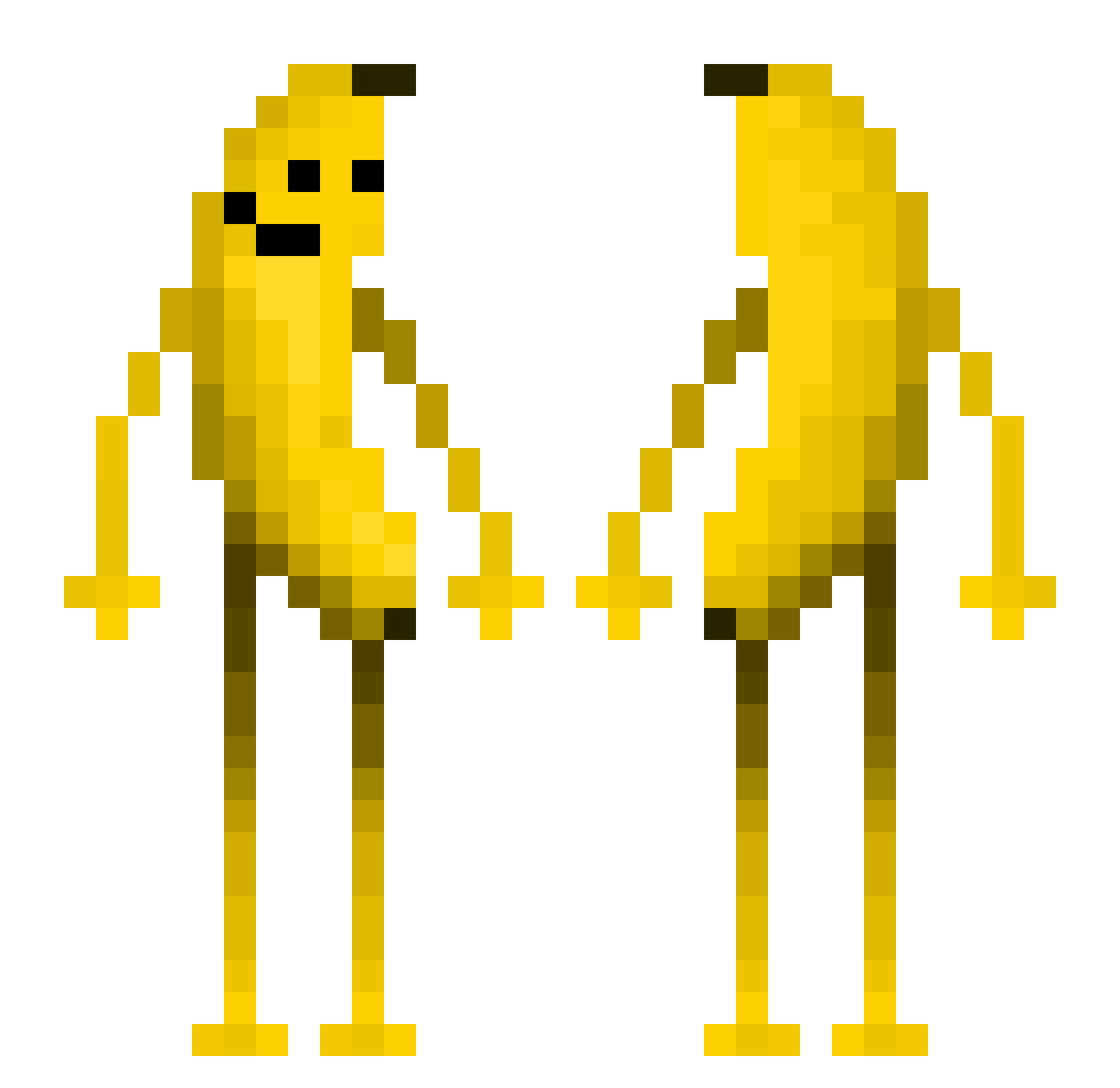
Current Minecraft skin of the player khark98, loaded from the official Mojang API. Rotate the 3D model with your mouse or finger, then download the skin as a PNG file and use it in Minecraft: Bedrock Edition or Java Edition for free. When khark98 changes their skin, this page updates automatically and the old skin stays in the history below.
Other players with this skin (680)
khark98 was the 604th player we have seen with this skin, first spotted on 09.11.2026. The same skin was seen on these players. Open a nickname to see their current skin and skin history.
 Miguelzzz123 chenz1902 Hal001126 Korr1099 AbroadBuffalo55 BananeIV yitiaoyu_ Unspeakable7746 Stellar1228 Tejaaa_ Fuwantien samirgamer2011 Crazylegs14 Skinwalker_Locky 58mmonkey RealHam3 HeadIsVeryBig VivianeBanane john48 MadcuzzBadd Bale159 a7q13 MR_Carrot2010 Bruno2365 Bubble_TH Lbqzb cascade_sss budundun paka99999999 Lividapiggy zFireFlow someonezyx Sayiii 4sked_ StevesShmeat Norman_Brown Flick_24 JoshCrafter234 ThePensive delta_roro Folakko TheBigBia Vexter280 888777 XiaoFlipper N3ons4 Mystical_Bread12 Mxmeo chgunwoo junhee1004 _Rorke syvenn _Mizu_izd LilARaw SkorTYY2 yoohajae watonkuki Darkzeraa999 Gaseh StickMasterDuke
More Fruit Minecraft skins
How to install the khark98 skin
- Press the Download button above to save the skin as a PNG file.
- Minecraft: Bedrock Edition (PE): open the Dressing Room from the main menu (or tap your character → Edit Character), go to Classic Skins → Owned, press the + (new skin) button, choose the downloaded PNG and pick the Classic (Steve) model. Works on PC and mobile; consoles cannot import custom skins.
- Minecraft: Java Edition: open the Minecraft Launcher, go to the Skins tab, click New Skin, load the PNG, pick the Classic (Steve) model and press Save & Use. You can also upload it at minecraft.net → Profile → Change Skin.
The skin does not show up after import - what should I do?
Restart Minecraft and open the Dressing Room again - imported skins sometimes appear only after a restart. Also make sure you selected the imported skin and picked the Classic (Steve) model.
Which model should I choose, Classic or Slim?
This skin is designed for the Classic (Steve) model. If you pick the wrong model, the arms of the skin will look stretched or squeezed.
Is the skin of khark98 free to download?
Yes. Press Download, save the PNG file and use it in Minecraft: Bedrock Edition or Java Edition - no payment or registration needed. The skin also works on multiplayer servers and Realms.
More skins
Looking for more? Go back to all Minecraft skins and check the top skins of the week, month and all time, or find any player's skin by nickname.