
kevaKK7414 - Minecraft Skins & Skin History
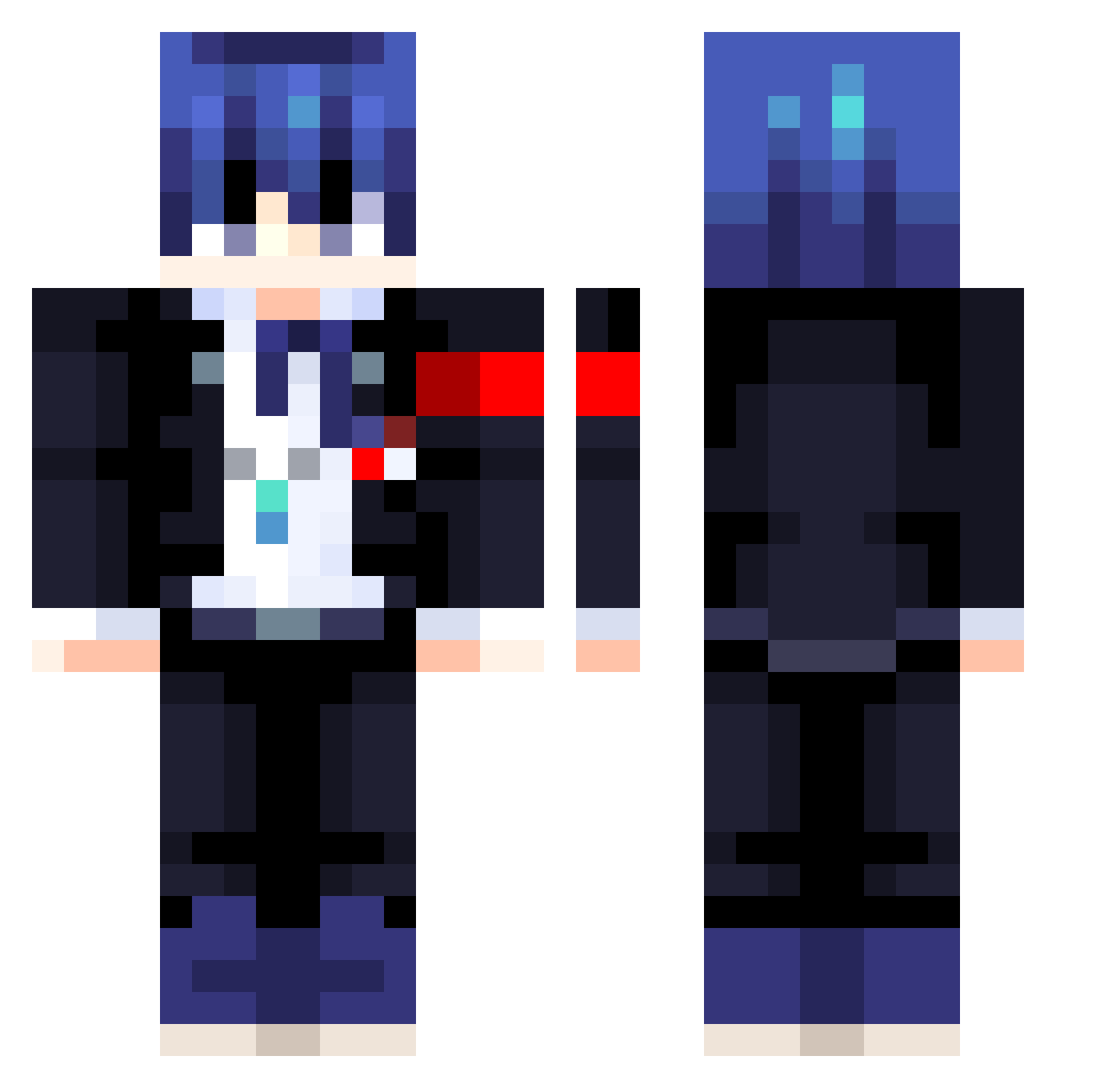
Current Minecraft skin of the player kevaKK7414, loaded from the official Mojang API. Rotate the 3D model with your mouse or finger, then download the skin as a PNG file and use it in Minecraft: Bedrock Edition or Java Edition for free. When kevaKK7414 changes their skin, this page updates automatically and the old skin stays in the history below.
Other players with this skin (413)
kevaKK7414 was the 310th player we have seen with this skin, first spotted on 08.10.2026. The same skin was seen on these players. Open a nickname to see their current skin and skin history.
 Tonio1206 lilmackp tokei403 Sheldo69 nubeo brain8616 ohham08 maustify ishigamithereal GaeBagel passby555 KZO010 miaopasi228 Masaakiii Seodoaa Murci991 SWEETCREEPERS ferreirajokerlol YoungPLP Nobilisp Irko7 Ferosty RIAXX__ AtomLol001 Funny_xp Lunalker Happa002 fuf12 Galeforce Pikawott hulu_Mellow Whitenex Nirran_ ehovert vmpcore Lil_Pedro__ awesomestorm242 Retro_23 Lestgamer911 Oblivon95 MrKei Joukkz CloverThesheriff Yuuki_Makoto__ operatios PastorPoli Asianioo YorushikaLove ipswv Tananas_ 2ShiMo4 NursieVT MrCrackS Simon2138 Phyrock LisboaJ HikaruNara boimario07 Raphyduff MagicChunk18892
More Makoto Naegi Minecraft skins
How to install the kevaKK7414 skin
- Press the Download button above to save the skin as a PNG file.
- Minecraft: Bedrock Edition (PE): open the Dressing Room from the main menu (or tap your character → Edit Character), go to Classic Skins → Owned, press the + (new skin) button, choose the downloaded PNG and pick the Classic (Steve) model. Works on PC and mobile; consoles cannot import custom skins.
- Minecraft: Java Edition: open the Minecraft Launcher, go to the Skins tab, click New Skin, load the PNG, pick the Classic (Steve) model and press Save & Use. You can also upload it at minecraft.net → Profile → Change Skin.
The skin does not show up after import - what should I do?
Restart Minecraft and open the Dressing Room again - imported skins sometimes appear only after a restart. Also make sure you selected the imported skin and picked the Classic (Steve) model.
Which model should I choose, Classic or Slim?
This skin is designed for the Classic (Steve) model. If you pick the wrong model, the arms of the skin will look stretched or squeezed.
Is the skin of kevaKK7414 free to download?
Yes. Press Download, save the PNG file and use it in Minecraft: Bedrock Edition or Java Edition - no payment or registration needed. The skin also works on multiplayer servers and Realms.
More skins
Looking for more? Go back to all Minecraft skins and check the top skins of the week, month and all time, or find any player's skin by nickname.