
kelllllllllll - Minecraft Skins & Skin History
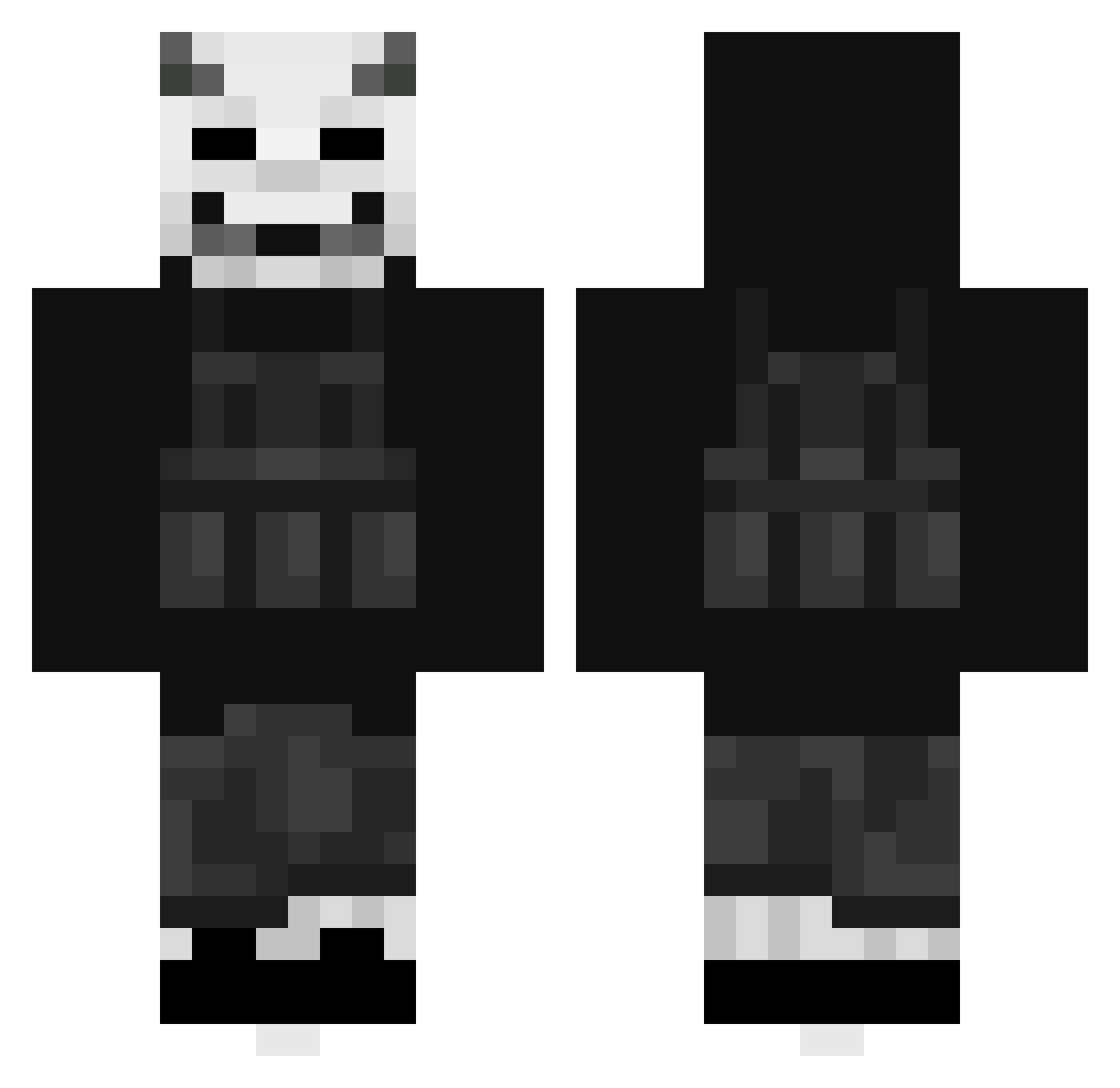
Current Minecraft skin of the player kelllllllllll, loaded from the official Mojang API. Rotate the 3D model with your mouse or finger, then download the skin as a PNG file and use it in Minecraft: Bedrock Edition or Java Edition for free. When kelllllllllll changes their skin, this page updates automatically and the old skin stays in the history below.
Other players with this skin (482)
kelllllllllll was the 210th player we have seen with this skin, first spotted on 16.09.2026. The same skin was seen on these players. Open a nickname to see their current skin and skin history.
 Ortizing MexzoAu UltrA_1306 nilsinger_ qkrtkdgus Pheonix212 Empirehikari GreenBanana7 Tai5uin Tetahundred Jhan10 DruMiTom Sushiix Dullbaby18 MikkelbstV3 Krankiez Dus7y_Eu F1any WIMO21 anubys1 JellyHermit Magnitude_TTV MonkeyMann088 JimmyNotJim Wind97 eatmybigmeat SF1_N iIceySalt Unarminglnk SVVAP_ a3yy Jak0v1111 PabloSantana DreadedSokka Pekkit Death_streams kickflipmaster Shado710 amtheone15 Elpadr3 lazz2611 _Max_zZz sooevn Valda666 pploufff Edineo Coop155 Strglavier Dem0nNinja Zezart14 Nfnt Gavin2334 7ime Yung_Reverend wantsushihaha theycallmeRJ25 Gryffi Zyphryss CookieNutBread joaochiari
More Demon Mask Minecraft skins
How to install the kelllllllllll skin
- Press the Download button above to save the skin as a PNG file.
- Minecraft: Bedrock Edition (PE): open the Dressing Room from the main menu (or tap your character → Edit Character), go to Classic Skins → Owned, press the + (new skin) button, choose the downloaded PNG and pick the Classic (Steve) model. Works on PC and mobile; consoles cannot import custom skins.
- Minecraft: Java Edition: open the Minecraft Launcher, go to the Skins tab, click New Skin, load the PNG, pick the Classic (Steve) model and press Save & Use. You can also upload it at minecraft.net → Profile → Change Skin.
The skin does not show up after import - what should I do?
Restart Minecraft and open the Dressing Room again - imported skins sometimes appear only after a restart. Also make sure you selected the imported skin and picked the Classic (Steve) model.
Which model should I choose, Classic or Slim?
This skin is designed for the Classic (Steve) model. If you pick the wrong model, the arms of the skin will look stretched or squeezed.
Is the skin of kelllllllllll free to download?
Yes. Press Download, save the PNG file and use it in Minecraft: Bedrock Edition or Java Edition - no payment or registration needed. The skin also works on multiplayer servers and Realms.
More skins
Looking for more? Go back to all Minecraft skins and check the top skins of the week, month and all time, or find any player's skin by nickname.