
kaydensais - Minecraft Skins & Skin History
Current Minecraft skin of the player kaydensais, loaded from the official Mojang API. Rotate the 3D model with your mouse or finger, then download the skin as a PNG file and use it in Minecraft: Bedrock Edition or Java Edition for free. When kaydensais changes their skin, this page updates automatically and the old skin stays in the history below.
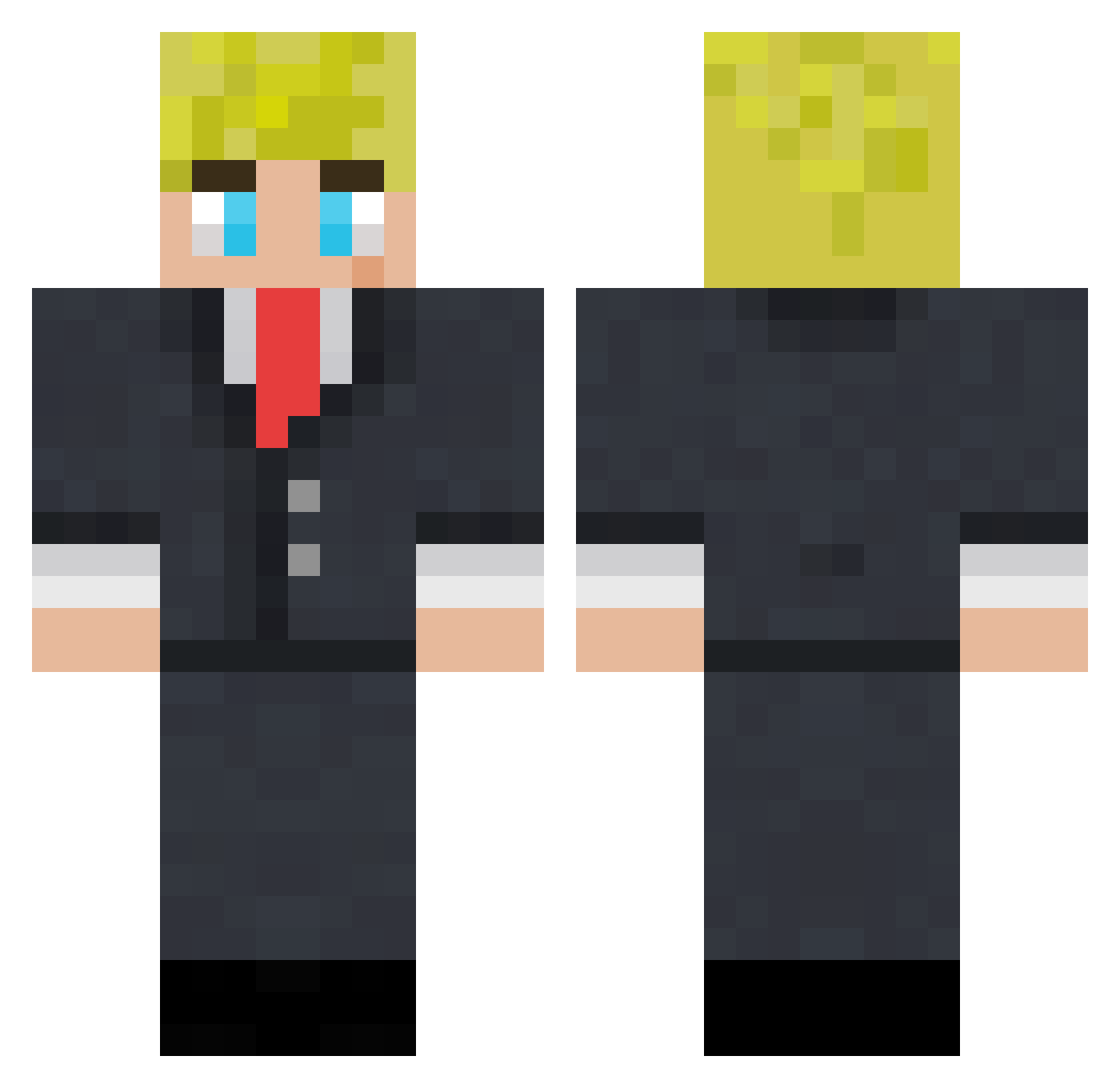
Other players with this skin (117)
kaydensais was the 40th player we have seen with this skin, first spotted on 30.08.2026. The same skin was seen on these players. Open a nickname to see their current skin and skin history.
 JoeWasntHere_ Brody_f1 MijeNim Roc_Bjorn Defaa62 iluvSophiaSOMUCH alanaa0 Robyzx1 kenmaro3 TallHitman07 Unknown_Gangsta kusumesh Beluga1000000000 ilovelat1nas trevor_fbx techdude2011 JayJayonYoutube Lxnxs1010 Igniteinnit_ Aawon4 willsmyth15 KillerBoyAG__YT ItsLeBrown Nathrin_ M0r0n0 Wonty_Wone SbIntellectuals StormKeeper4660 eytanbar11 BroaStud freakyn1ck Charlie_700 technodaws BIG_B__ Witt_co KasapAkin ToomyInnit Ghostly_Assasin
 Markplayer2050 TommyOnnit Maxmitchell05 Shezza6853 supersimon2508 EL_crafter NorthernLime696 tushiii_ Big_Dave_ imbadatgames67 _Pxtxr_ Daveybico ShaneMcdonald Machamp20 Alex_122 Chezy_Squirrel unkissinglys PhantomCoast603 Alleeeballeee Xq23 thatlildarktrai Wdq24200
More Boris Johnson Minecraft skins
See all 18 Boris Johnson skins
How to install the kaydensais skin
- Press the Download button above to save the skin as a PNG file.
- Minecraft: Bedrock Edition (PE): open the Dressing Room from the main menu (or tap your character → Edit Character), go to Classic Skins → Owned, press the + (new skin) button, choose the downloaded PNG and pick the Classic (Steve) model. Works on PC and mobile; consoles cannot import custom skins.
- Minecraft: Java Edition: open the Minecraft Launcher, go to the Skins tab, click New Skin, load the PNG, pick the Classic (Steve) model and press Save & Use. You can also upload it at minecraft.net → Profile → Change Skin.
The skin does not show up after import - what should I do?
Restart Minecraft and open the Dressing Room again - imported skins sometimes appear only after a restart. Also make sure you selected the imported skin and picked the Classic (Steve) model.
Which model should I choose, Classic or Slim?
This skin is designed for the Classic (Steve) model. If you pick the wrong model, the arms of the skin will look stretched or squeezed.
Is the skin of kaydensais free to download?
Yes. Press Download, save the PNG file and use it in Minecraft: Bedrock Edition or Java Edition - no payment or registration needed. The skin also works on multiplayer servers and Realms.
More skins
Looking for more? Go back to all Minecraft skins and check the top skins of the week, month and all time, or find any player's skin by nickname.