
kawamotoT - Minecraft Skins & Skin History
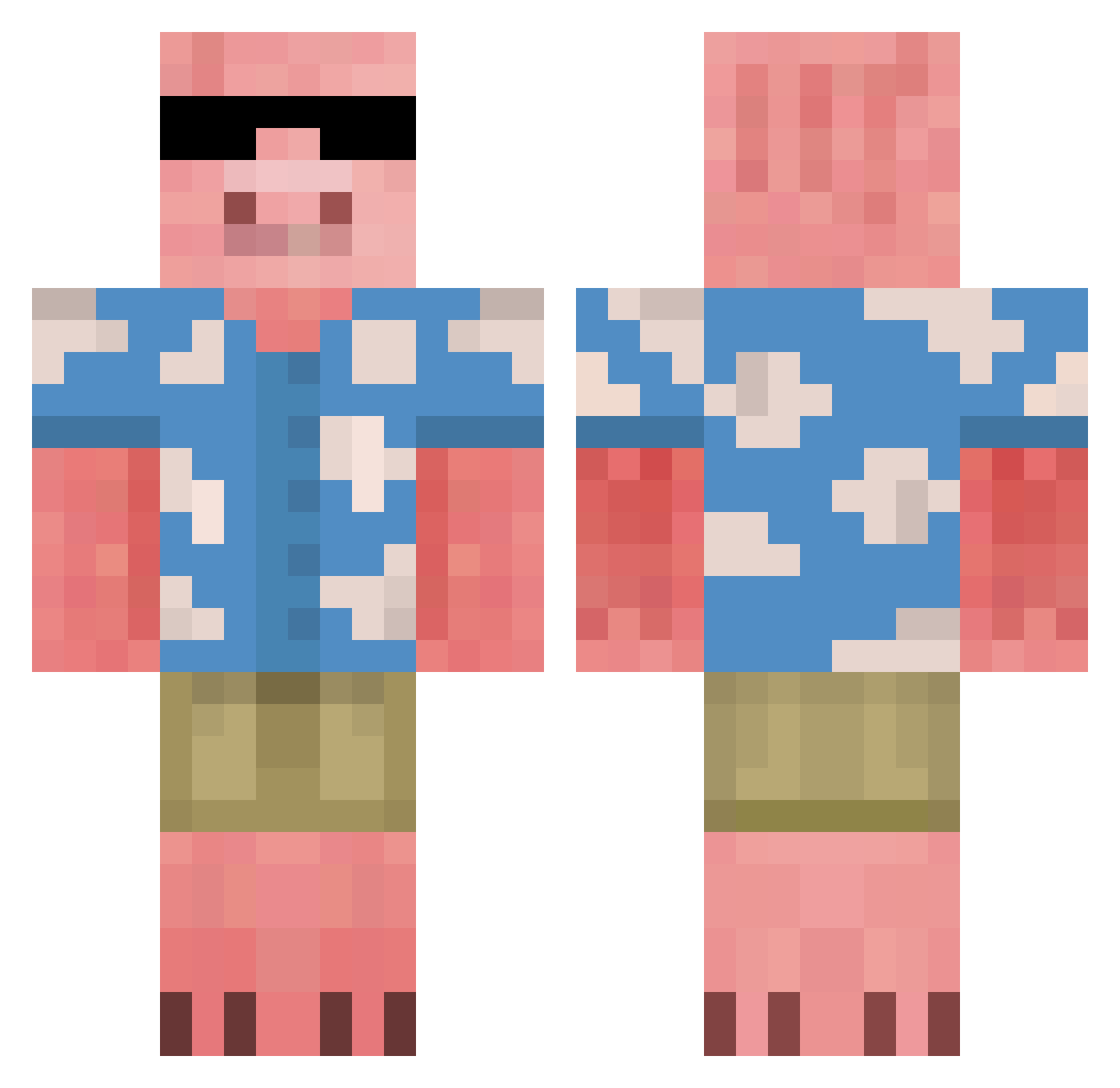
Current Minecraft skin of the player kawamotoT, loaded from the official Mojang API. Rotate the 3D model with your mouse or finger, then download the skin as a PNG file and use it in Minecraft: Bedrock Edition or Java Edition for free. When kawamotoT changes their skin, this page updates automatically and the old skin stays in the history below.
Other players with this skin (675)
kawamotoT was the 643rd player we have seen with this skin, first spotted on 27.10.2026. The same skin was seen on these players. Open a nickname to see their current skin and skin history.
 MercedesCL_500 Axyz558 Zooweemamaq KREJBERG MarioGames21 Horot _FLxx_ ohjay123 TaysonAte luke2095 sssynq zwozwo_1 Melonade101 BOBTINGYI carlosmikei Klaniasty ReyJohn16 gabikun10 XiHenry18 flibdev vectem74 SintoSuaFalta emmi267 MonkeyMika2010 MonkeyPig23 GxPlayzz Caraguins Destoyah Johnny2812 pawlardo CoffeeOverlord holo44 TheFlopShop gussjias Yingzinho notserp4738 RedDragon7515 kiinekii Resonantfool McGarret576 enzol2000 StrongPM baaabbbb Gurm78 felipepilo MadPepa Slowwiiiii LiuRoy Eloc_99 CamDog_AS KingChalupa98 Domi2827 Buschma1501 Nit_sua AjiNoMen multamuna222 Warthog9105 r7x90 LeFries37 LaRucaLoca
More Piglin Minecraft skins
How to install the kawamotoT skin
- Press the Download button above to save the skin as a PNG file.
- Minecraft: Bedrock Edition (PE): open the Dressing Room from the main menu (or tap your character → Edit Character), go to Classic Skins → Owned, press the + (new skin) button, choose the downloaded PNG and pick the Classic (Steve) model. Works on PC and mobile; consoles cannot import custom skins.
- Minecraft: Java Edition: open the Minecraft Launcher, go to the Skins tab, click New Skin, load the PNG, pick the Classic (Steve) model and press Save & Use. You can also upload it at minecraft.net → Profile → Change Skin.
The skin does not show up after import - what should I do?
Restart Minecraft and open the Dressing Room again - imported skins sometimes appear only after a restart. Also make sure you selected the imported skin and picked the Classic (Steve) model.
Which model should I choose, Classic or Slim?
This skin is designed for the Classic (Steve) model. If you pick the wrong model, the arms of the skin will look stretched or squeezed.
Is the skin of kawamotoT free to download?
Yes. Press Download, save the PNG file and use it in Minecraft: Bedrock Edition or Java Edition - no payment or registration needed. The skin also works on multiplayer servers and Realms.
More skins
Looking for more? Go back to all Minecraft skins and check the top skins of the week, month and all time, or find any player's skin by nickname.