
kanna_kun07 - Minecraft Skins & Skin History
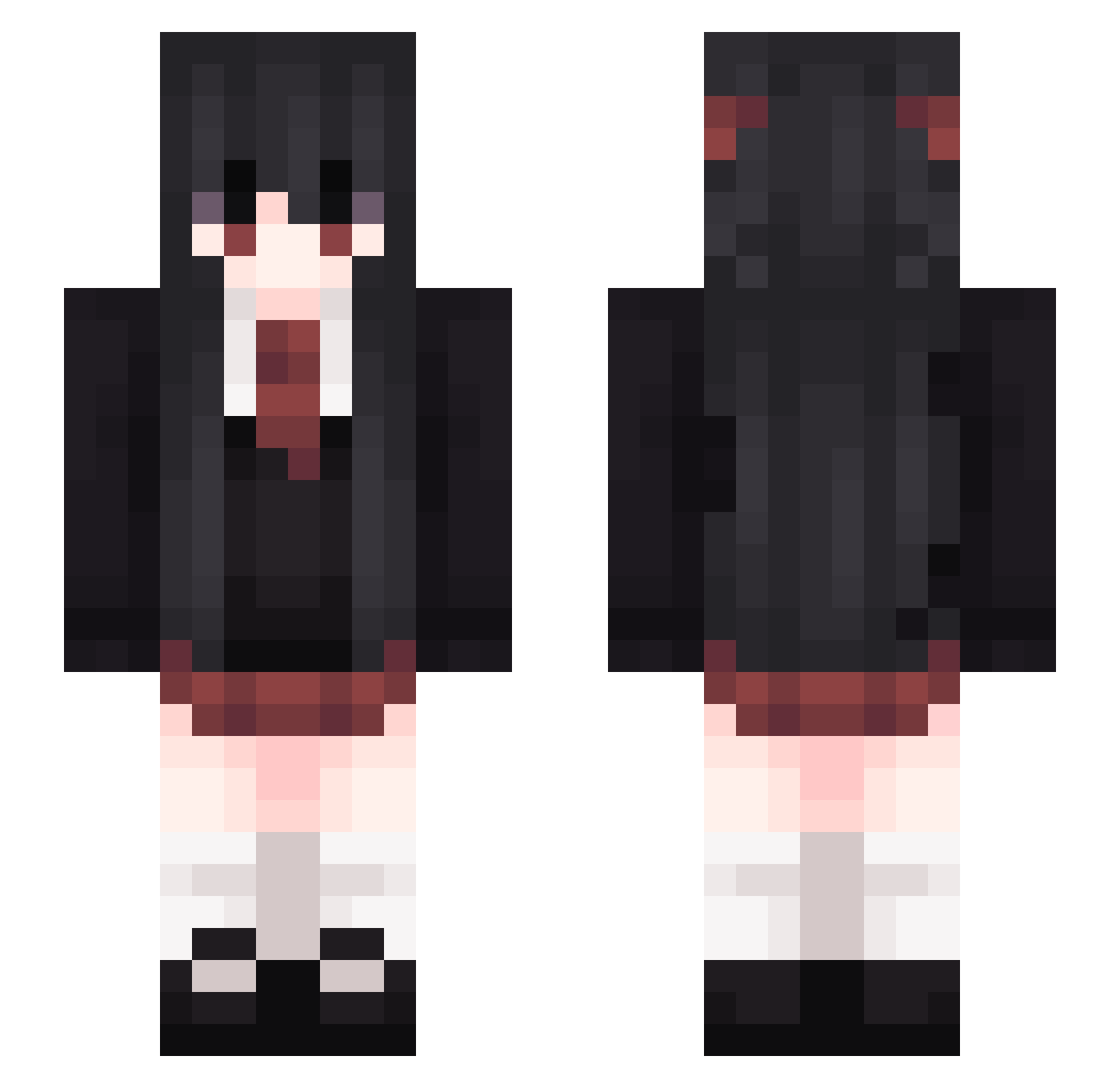
Current Minecraft skin of the player kanna_kun07, loaded from the official Mojang API. Rotate the 3D model with your mouse or finger, then download the skin as a PNG file and use it in Minecraft: Bedrock Edition or Java Edition for free. When kanna_kun07 changes their skin, this page updates automatically and the old skin stays in the history below.
Other players with this skin (328)
kanna_kun07 was the 298th player we have seen with this skin, first spotted on 11.11.2026. The same skin was seen on these players. Open a nickname to see their current skin and skin history.
 qwqccca amirisu _Heldaghost_ shiyi108 YeVeLib7959 trexkiller1040 ExJackie macar0nc00kies akichan0229 kekkyoku zMiyuu veryhotbread Niria_8 Hextennach IIll_ redarkness m0rw3n INFIcer Marslaby wsknml PiunTT MichySEI OMGarin2 He1nr1ch_ alexoo83 KXIOON Cindy_c Rogit_ pvp_god123x AJICO_ SkyBigMONSTER LosFt Suetaka SHINRA1013 Mitsu_0297 Turnip_Soup kurumi0x0 darlinh Mirellydesu akahane265 SaffronBike Watch_Dog_ KSoloWing Eif_Rose Seo__ iLeptitBarbare Wyout 47zhl_ovoi kcohamazjatki17 gimmiefoodhoe GailReiter Suigetsu_1 WDnxl42 Kisatsurx 04Olivia neruko3817 _MaddyNoodle_ CanFengAlan FO1OR _HECT0R_
More School Uniform Minecraft skins
See all 7633 School Uniform skins
How to install the kanna_kun07 skin
- Press the Download button above to save the skin as a PNG file.
- Minecraft: Bedrock Edition (PE): open the Dressing Room from the main menu (or tap your character → Edit Character), go to Classic Skins → Owned, press the + (new skin) button, choose the downloaded PNG and pick the Slim (Alex) model. Works on PC and mobile; consoles cannot import custom skins.
- Minecraft: Java Edition: open the Minecraft Launcher, go to the Skins tab, click New Skin, load the PNG, pick the Slim (Alex) model and press Save & Use. You can also upload it at minecraft.net → Profile → Change Skin.
The skin does not show up after import - what should I do?
Restart Minecraft and open the Dressing Room again - imported skins sometimes appear only after a restart. Also make sure you selected the imported skin and picked the Slim (Alex) model.
Which model should I choose, Classic or Slim?
This skin is designed for the Slim (Alex) model. If you pick the wrong model, the arms of the skin will look stretched or squeezed.
Is the skin of kanna_kun07 free to download?
Yes. Press Download, save the PNG file and use it in Minecraft: Bedrock Edition or Java Edition - no payment or registration needed. The skin also works on multiplayer servers and Realms.
More skins
Looking for more? Go back to all Minecraft skins and check the top skins of the week, month and all time, or find any player's skin by nickname.