
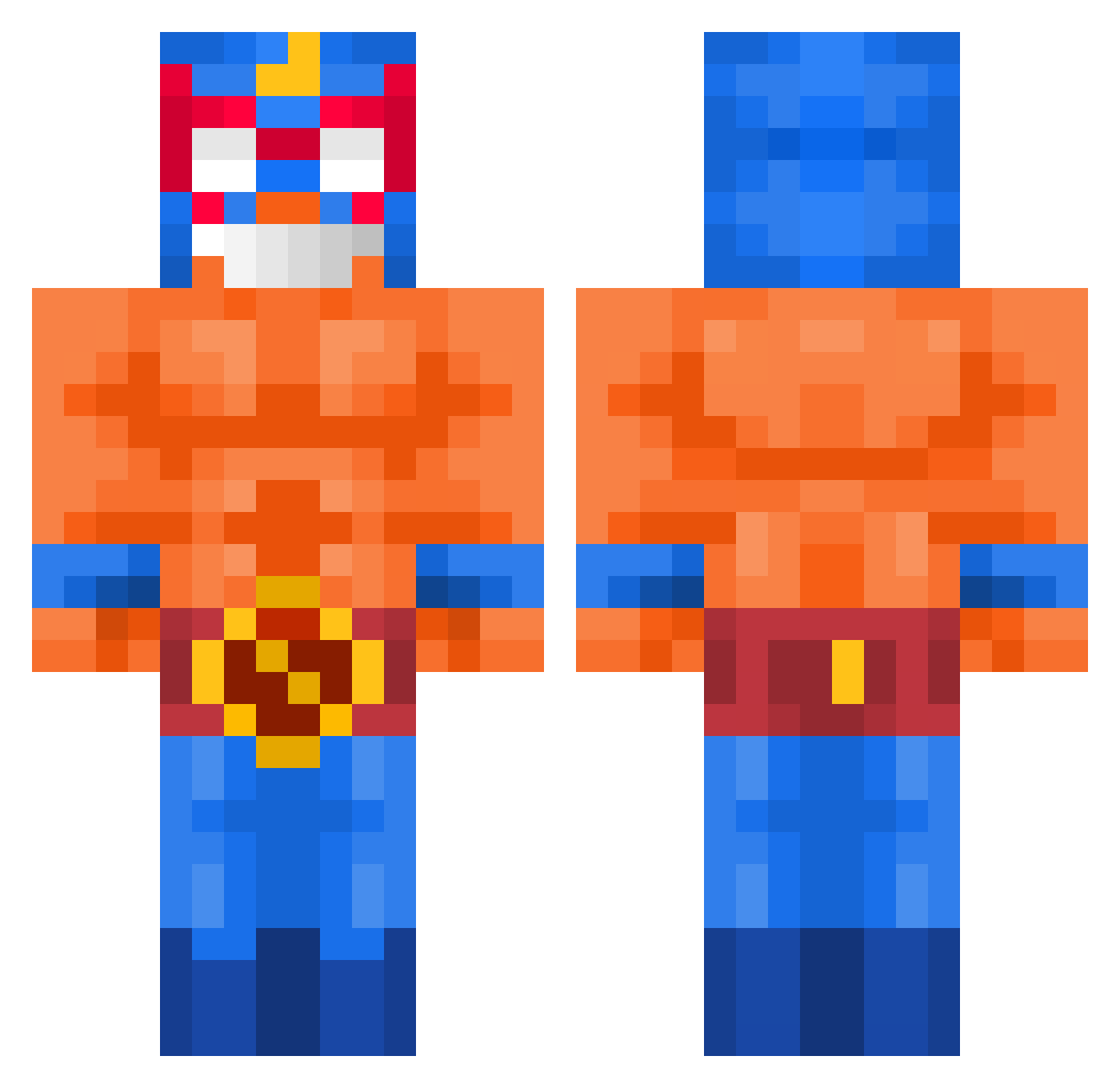
Current Minecraft skin of the player kanezo77, loaded from the official Mojang API. Rotate the 3D model with your mouse or finger, then download the skin as a PNG file and use it in Minecraft: Bedrock Edition or Java Edition for free. When kanezo77 changes their skin, this page updates automatically and the old skin stays in the history below.
Other players with this skin (426)
kanezo77 was the 338th player we have seen with this skin, first spotted on 29.09.2026. The same skin was seen on these players. Open a nickname to see their current skin and skin history.
 DavidLoman_ tunamayoooooooo0 Chaezozki dexych Diegdu3939 MATRIX_67 BIuukje kleiner_Kleon beanz545 HyperionIsGood EnricoShow bhnyyi pituyy Alessiooooooo Sota_Official Perla_de_Nenufar Jardil07 kubusBedoesiara YoungPoner Bauzi123 Chxrry_Vodka RedBeefJohannes SHINELIKE Andestic GoroncaMartynka_ kamui5051 Maixian z_rob PotatoesBob Goldenturtle125 lefrancais1033 JackAttack48103 ULTRAROYROY55 hubisantana phybuslepingouin gabka1 shinseum12 Stan4eeZzZ Hakrui ishigur somst RIVERADXDX daiogopt bigplas WildBoar416 YBGNico ia_pit_chai HAZAKEE salvoculo Mcdanio jannes7 NumberFeline644 MRG_Jonas BossPotato_GHG xxkimchixx Mixa12 Chimstix MassivDanny005 Slowzyy_ martinloco
More El Primo Minecraft skins
How to install the kanezo77 skin
- Press the Download button above to save the skin as a PNG file.
- Minecraft: Bedrock Edition (PE): open the Dressing Room from the main menu (or tap your character → Edit Character), go to Classic Skins → Owned, press the + (new skin) button, choose the downloaded PNG and pick the Classic (Steve) model. Works on PC and mobile; consoles cannot import custom skins.
- Minecraft: Java Edition: open the Minecraft Launcher, go to the Skins tab, click New Skin, load the PNG, pick the Classic (Steve) model and press Save & Use. You can also upload it at minecraft.net → Profile → Change Skin.
The skin does not show up after import - what should I do?
Restart Minecraft and open the Dressing Room again - imported skins sometimes appear only after a restart. Also make sure you selected the imported skin and picked the Classic (Steve) model.
Which model should I choose, Classic or Slim?
This skin is designed for the Classic (Steve) model. If you pick the wrong model, the arms of the skin will look stretched or squeezed.
Is the skin of kanezo77 free to download?
Yes. Press Download, save the PNG file and use it in Minecraft: Bedrock Edition or Java Edition - no payment or registration needed. The skin also works on multiplayer servers and Realms.
More skins
Looking for more? Go back to all Minecraft skins and check the top skins of the week, month and all time, or find any player's skin by nickname.