
kaiser184 - Minecraft Skins & Skin History
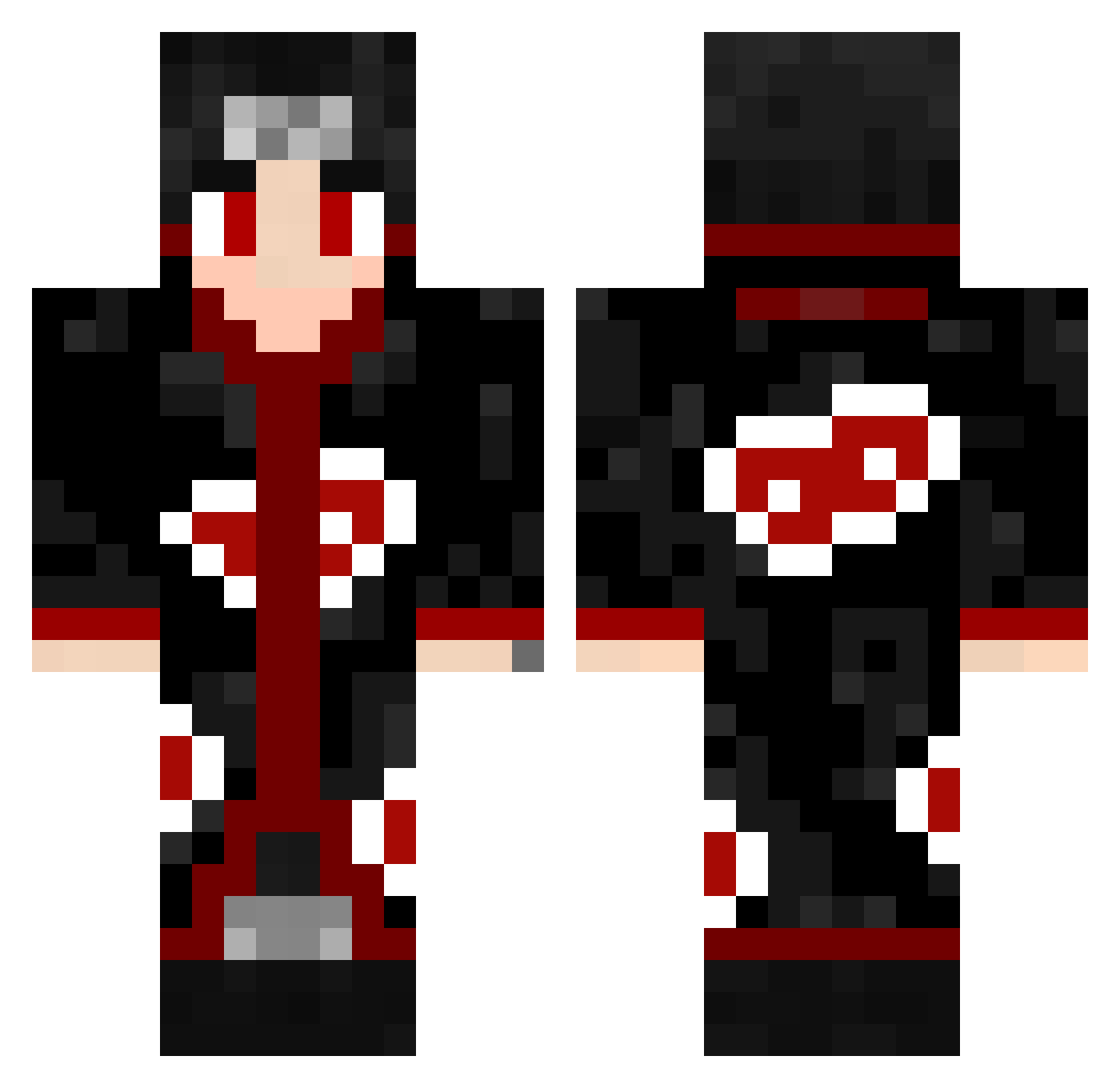
Current Minecraft skin of the player kaiser184, loaded from the official Mojang API. Rotate the 3D model with your mouse or finger, then download the skin as a PNG file and use it in Minecraft: Bedrock Edition or Java Edition for free. When kaiser184 changes their skin, this page updates automatically and the old skin stays in the history below.
Other players with this skin (463)
kaiser184 was the 332nd player we have seen with this skin, first spotted on 27.09.2026. The same skin was seen on these players. Open a nickname to see their current skin and skin history.
 ApplianceGuy xD_Gxku Dmanrocks22 CXRIIS Nono553 HelloitsDog Drupak Nebulouss Griffy_God daarkszn Venom_black Phu5ng Auzs69 ZombieAres00 FadedKaos DJcam444 Crazy_Eight1204 goldentrout28 M7m4D Papu_Bz SASHIRI juliavkrz XDNINJAOP Renytec ItsRawster matheusdgg Making09 MChavez4 The_Vazz alericsvo giorgio888 BekoTheWise jini9648 Fsgw_ diefuego AbeTheBabe1311 Subpvp xcujbx Ectyx a167j Itachi_INFJ7 NeoPlay yousef31102 W1771AM5 Oxy_fire m0istpickle CarlosFlow Pacino11 TIsubaki SkinnyAndy lomoytomate goldenfreddy252 liucik DerEchte_Gomes Kahmun333 RoyalThai Iub3n Dedozz PrimeBoi LyceusGamer
More Itachi Uchiha Minecraft skins
See all 318 Itachi Uchiha skins
How to install the kaiser184 skin
- Press the Download button above to save the skin as a PNG file.
- Minecraft: Bedrock Edition (PE): open the Dressing Room from the main menu (or tap your character → Edit Character), go to Classic Skins → Owned, press the + (new skin) button, choose the downloaded PNG and pick the Classic (Steve) model. Works on PC and mobile; consoles cannot import custom skins.
- Minecraft: Java Edition: open the Minecraft Launcher, go to the Skins tab, click New Skin, load the PNG, pick the Classic (Steve) model and press Save & Use. You can also upload it at minecraft.net → Profile → Change Skin.
The skin does not show up after import - what should I do?
Restart Minecraft and open the Dressing Room again - imported skins sometimes appear only after a restart. Also make sure you selected the imported skin and picked the Classic (Steve) model.
Which model should I choose, Classic or Slim?
This skin is designed for the Classic (Steve) model. If you pick the wrong model, the arms of the skin will look stretched or squeezed.
Is the skin of kaiser184 free to download?
Yes. Press Download, save the PNG file and use it in Minecraft: Bedrock Edition or Java Edition - no payment or registration needed. The skin also works on multiplayer servers and Realms.
More skins
Looking for more? Go back to all Minecraft skins and check the top skins of the week, month and all time, or find any player's skin by nickname.