
kaij2203 - Minecraft Skins & Skin History
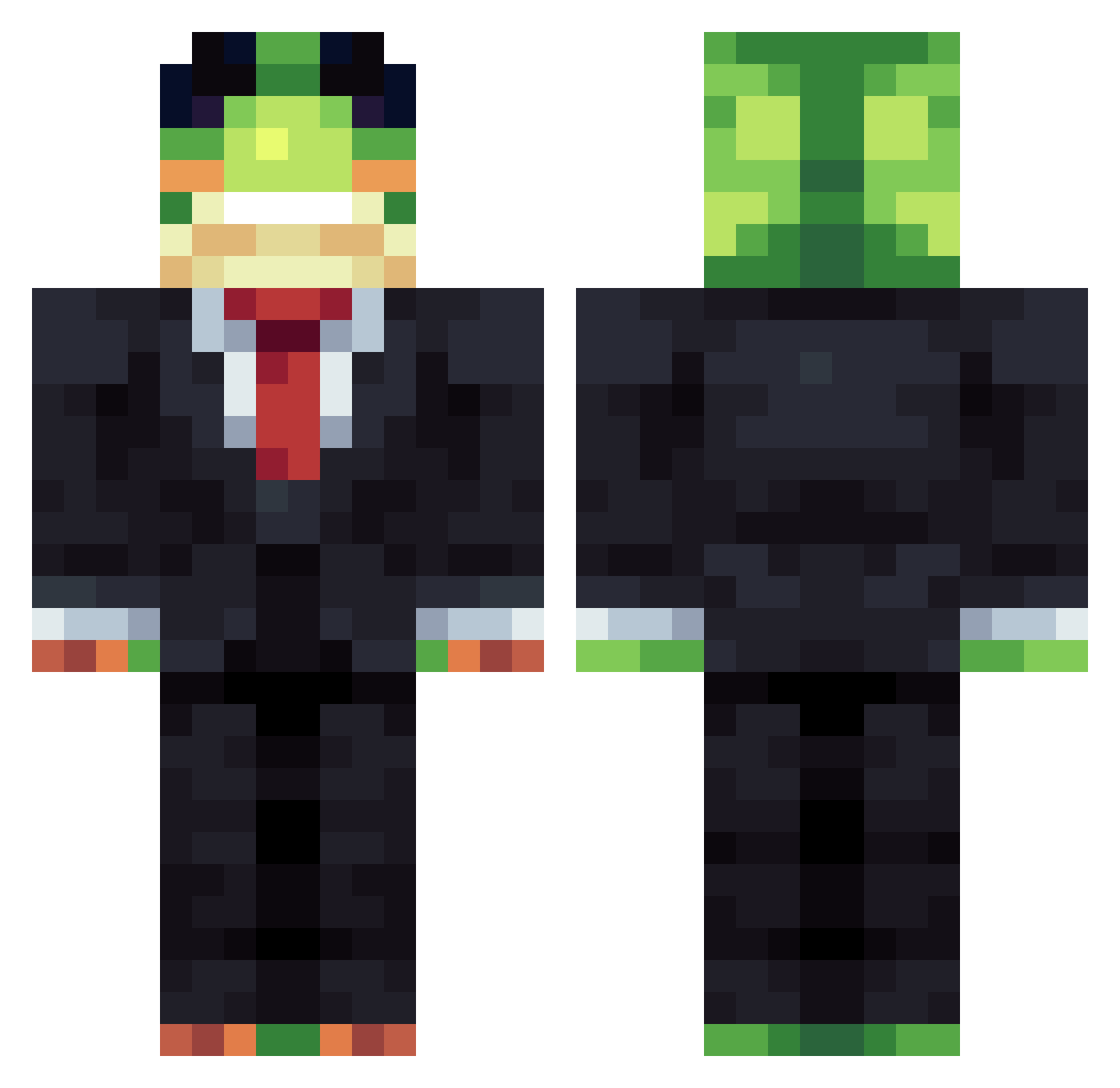
Current Minecraft skin of the player kaij2203, loaded from the official Mojang API. Rotate the 3D model with your mouse or finger, then download the skin as a PNG file and use it in Minecraft: Bedrock Edition or Java Edition for free. When kaij2203 changes their skin, this page updates automatically and the old skin stays in the history below.
Other players with this skin (1159)
kaij2203 was the 260th player we have seen with this skin, first spotted on 18.08.2026. The same skin was seen on these players. Open a nickname to see their current skin and skin history.
 Froqzry xfele77 Psir888 Maratonar Anton98789 notskirch unifi_bdo NightSky2025 Gunner123 DEBEN737 Rogsteer tutu011 TheProJamin Nicey117 DaddyGreg69 Cooperman13 matewin0 remende07
 RainbowPeak3310 Genkuns WornApple076634 chun_sick DarkKnight091234 buburuza1337 Elvthe Koocu CucumberOcarina
 lordigerlord rum4wd fenn111 MinsDaddy AlexwasTakenAlrY
 MateusDoce
 infiniteflamefan blackboy232 seed123890 Exo7752 Lilfilter GunwooDDI zaz34 lil_rice1212 _frogyyy
 K_VFX Nastus5522 BenchEnjoyer ExtraMavorix Thegod3915 GOLDENCARD50570 Hoshesh HerbyKirby14 PingYi0923 Mashbawt skeletbot bigman69696969 _8q GlacialEcho cobblestone1270
 _Dancer__ imjustamcplayer dominatorkamil
More Frog Minecraft skins
How to install the kaij2203 skin
- Press the Download button above to save the skin as a PNG file.
- Minecraft: Bedrock Edition (PE): open the Dressing Room from the main menu (or tap your character → Edit Character), go to Classic Skins → Owned, press the + (new skin) button, choose the downloaded PNG and pick the Classic (Steve) model. Works on PC and mobile; consoles cannot import custom skins.
- Minecraft: Java Edition: open the Minecraft Launcher, go to the Skins tab, click New Skin, load the PNG, pick the Classic (Steve) model and press Save & Use. You can also upload it at minecraft.net → Profile → Change Skin.
The skin does not show up after import - what should I do?
Restart Minecraft and open the Dressing Room again - imported skins sometimes appear only after a restart. Also make sure you selected the imported skin and picked the Classic (Steve) model.
Which model should I choose, Classic or Slim?
This skin is designed for the Classic (Steve) model. If you pick the wrong model, the arms of the skin will look stretched or squeezed.
Is the skin of kaij2203 free to download?
Yes. Press Download, save the PNG file and use it in Minecraft: Bedrock Edition or Java Edition - no payment or registration needed. The skin also works on multiplayer servers and Realms.
More skins
Looking for more? Go back to all Minecraft skins and check the top skins of the week, month and all time, or find any player's skin by nickname.