
k0rteder - Minecraft Skins & Skin History
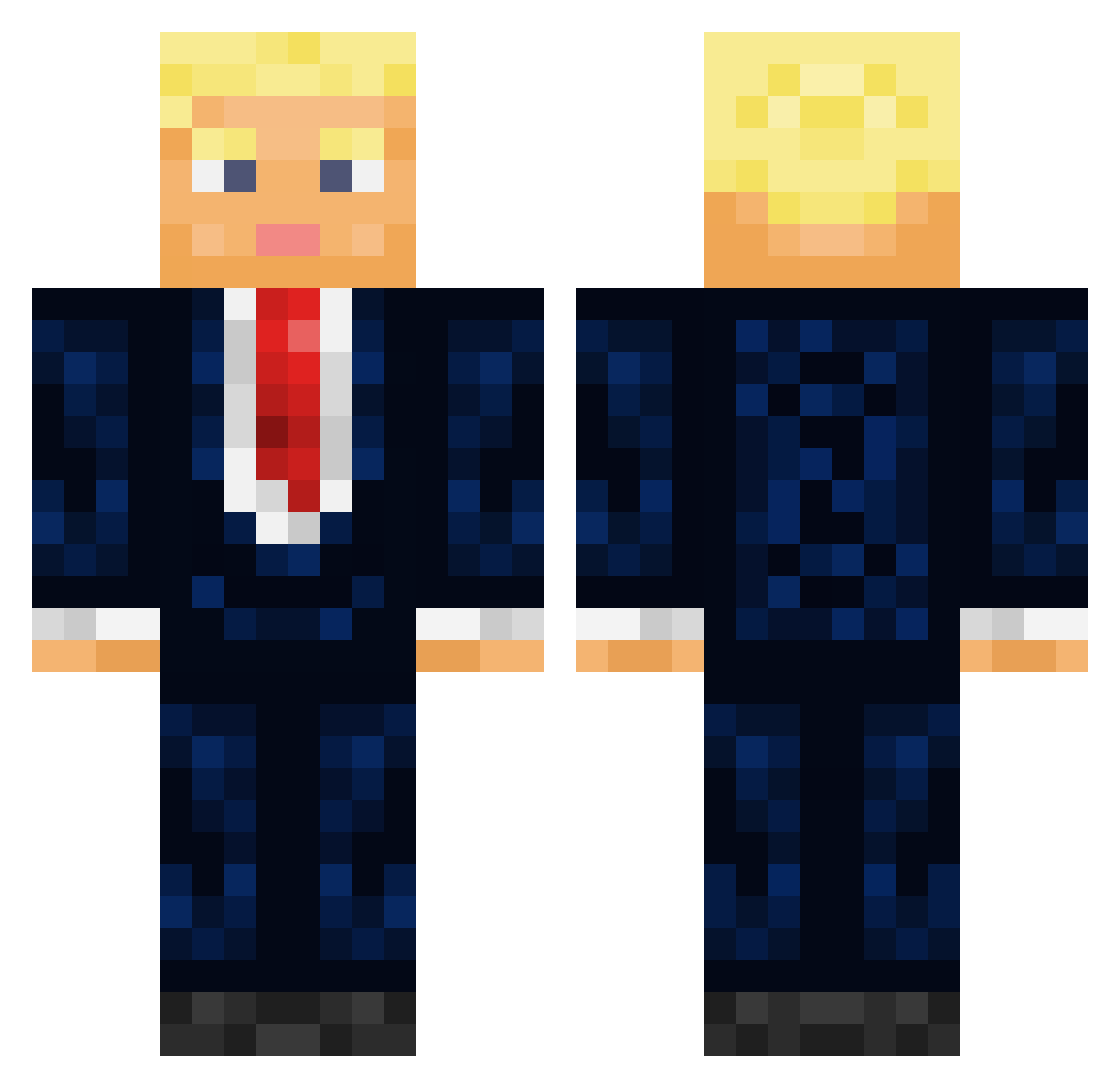
Current Minecraft skin of the player k0rteder, loaded from the official Mojang API. Rotate the 3D model with your mouse or finger, then download the skin as a PNG file and use it in Minecraft: Bedrock Edition or Java Edition for free. When k0rteder changes their skin, this page updates automatically and the old skin stays in the history below.
Other players with this skin (434)
k0rteder was the 100th player we have seen with this skin, first spotted on 19.08.2026. The same skin was seen on these players. Open a nickname to see their current skin and skin history.
 D0nald_Trump Energy_Nic Osirix25 newjeans0121 FloxLp Killacoolie CableTvTomato KrisPChiken ARDriftz Kopper_____ _LI3L Digirolamo95 Nilskar JJKeys1221 littedemon Burak_MERT_ Icethemild gabe8626 Nardavi onemorde FearsomeBoi64 Dyl_thethrill69_ Finwin1027 BellaWtff
 R45NNNIN corpsefukr GergiLP Jumbax AAlibaba62 Jannie69 Voidals kingjaymane LDog4279 ShluzzY TG_1965 EdgeyBalls toughmnky ArminABTwins Trump_Trump825 DRLOWBALLER Lamaillo MoinMeisterr69 kangmin_0603 PsyaticNerve j0ecs Malfrite Cfavreau cat_fart SwearingShip98 KomercniBanka DonaldJTrump4547 linmanuelfanxoxo Dr_JohnnySins Cmac69_ oliquad Anders0n46 dittodoes alexsleeping CallMeRacing 45th_president
More Donald Trump Minecraft skins
See all 326 Donald Trump skins
How to install the k0rteder skin
- Press the Download button above to save the skin as a PNG file.
- Minecraft: Bedrock Edition (PE): open the Dressing Room from the main menu (or tap your character → Edit Character), go to Classic Skins → Owned, press the + (new skin) button, choose the downloaded PNG and pick the Classic (Steve) model. Works on PC and mobile; consoles cannot import custom skins.
- Minecraft: Java Edition: open the Minecraft Launcher, go to the Skins tab, click New Skin, load the PNG, pick the Classic (Steve) model and press Save & Use. You can also upload it at minecraft.net → Profile → Change Skin.
The skin does not show up after import - what should I do?
Restart Minecraft and open the Dressing Room again - imported skins sometimes appear only after a restart. Also make sure you selected the imported skin and picked the Classic (Steve) model.
Which model should I choose, Classic or Slim?
This skin is designed for the Classic (Steve) model. If you pick the wrong model, the arms of the skin will look stretched or squeezed.
Is the skin of k0rteder free to download?
Yes. Press Download, save the PNG file and use it in Minecraft: Bedrock Edition or Java Edition - no payment or registration needed. The skin also works on multiplayer servers and Realms.
More skins
Looking for more? Go back to all Minecraft skins and check the top skins of the week, month and all time, or find any player's skin by nickname.