
julen04 - Minecraft Skins & Skin History
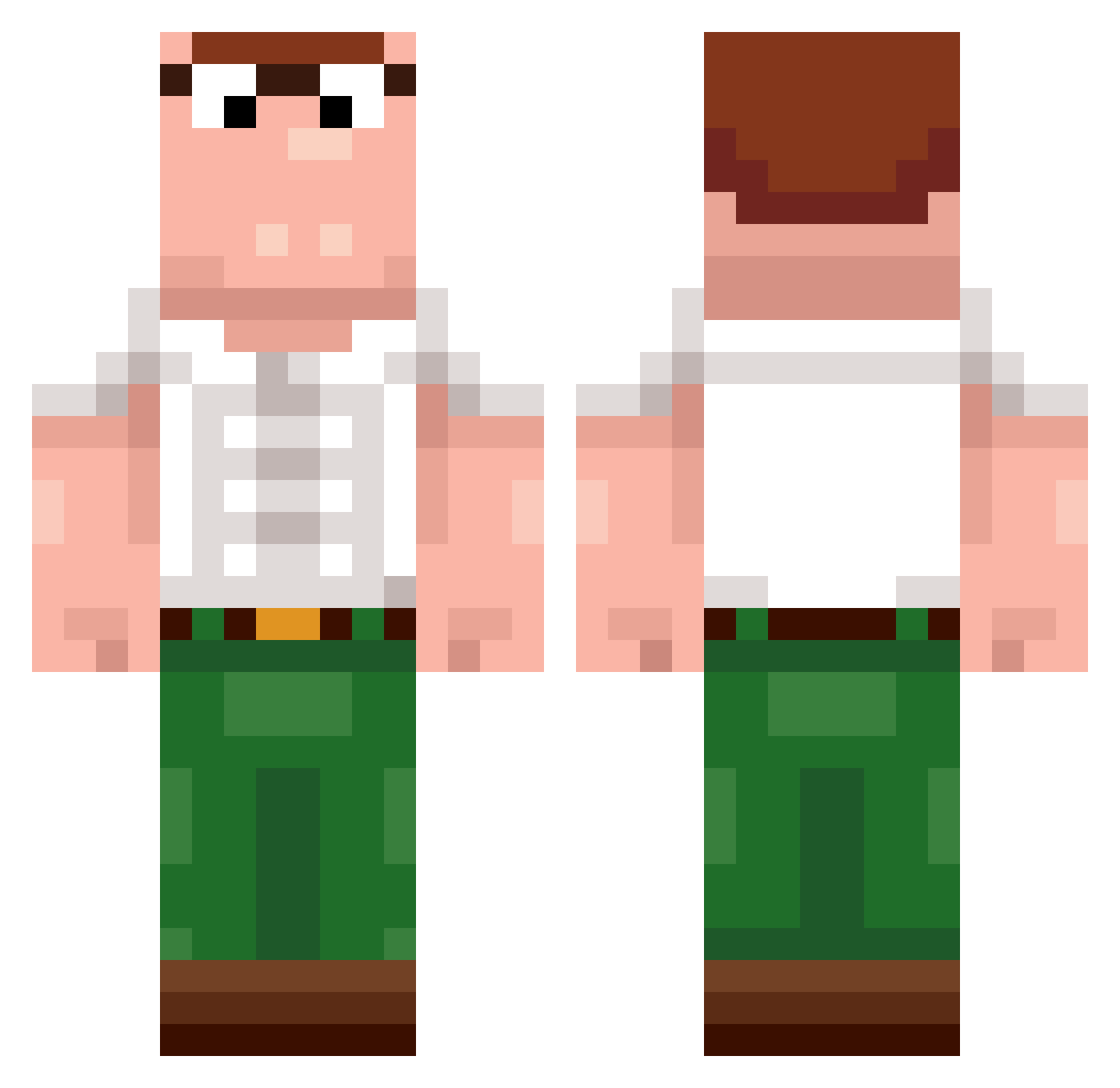
Current Minecraft skin of the player julen04, loaded from the official Mojang API. Rotate the 3D model with your mouse or finger, then download the skin as a PNG file and use it in Minecraft: Bedrock Edition or Java Edition for free. When julen04 changes their skin, this page updates automatically and the old skin stays in the history below.
Other players with this skin (400)
julen04 was the 287th player we have seen with this skin, first spotted on 04.10.2026. The same skin was seen on these players. Open a nickname to see their current skin and skin history.
 EgoTwitchTV Piotrvic Ace_0f_Heartz SENSATIONALCAKE ImpulZzTV MR_NOOBSON mb__games2 ludy02 donutlah andoli RickyF50 Banente N3BU1A_13 Taco13_ D3STR4CT0R2_YT ebsider bxtist Roger_355 MeisterShifuu Baumeister08 rythegoat2024 VeganKush Rodgadodgaaa xbsbx GuizzinDelas purpow ANALCHIRURG Wol1ty LIHABYDE XRogiX123 Jaybloom92 G0N0B0BEL cuccu11 DJ_Hubbi shumoro pkpintercity KissnKittens UtkanK wwetsx ReaperXc weisauned187 Findlay7 Daniell12 Holy_Ducc mika59 nocli_reality giga3beed digao2825 MeanTrousers szn111 wangcongan PPMAN25 mincuraa Amiin_ Skinnerr1 BaCrossik Rxvernia Advenae Lutherantz FreshHotPoop
More Peter Griffin Minecraft skins
See all 223 Peter Griffin skins
How to install the julen04 skin
- Press the Download button above to save the skin as a PNG file.
- Minecraft: Bedrock Edition (PE): open the Dressing Room from the main menu (or tap your character → Edit Character), go to Classic Skins → Owned, press the + (new skin) button, choose the downloaded PNG and pick the Classic (Steve) model. Works on PC and mobile; consoles cannot import custom skins.
- Minecraft: Java Edition: open the Minecraft Launcher, go to the Skins tab, click New Skin, load the PNG, pick the Classic (Steve) model and press Save & Use. You can also upload it at minecraft.net → Profile → Change Skin.
The skin does not show up after import - what should I do?
Restart Minecraft and open the Dressing Room again - imported skins sometimes appear only after a restart. Also make sure you selected the imported skin and picked the Classic (Steve) model.
Which model should I choose, Classic or Slim?
This skin is designed for the Classic (Steve) model. If you pick the wrong model, the arms of the skin will look stretched or squeezed.
Is the skin of julen04 free to download?
Yes. Press Download, save the PNG file and use it in Minecraft: Bedrock Edition or Java Edition - no payment or registration needed. The skin also works on multiplayer servers and Realms.
More skins
Looking for more? Go back to all Minecraft skins and check the top skins of the week, month and all time, or find any player's skin by nickname.